By Jim Rossignol on November 14th, 2011 at 1:31 pm.

Oh, Skyrim. I really am so enamoured by your peaks, and your misty valleys. Oh, what a beautiful world, filled with possibility and with cheese. Oh, Skyrim, let us bask in the the spook of your ghosts and squirm in the horror of your catacombs. Let us be gleefully smacked about by giants and devoured by dragons. Let us steal hats and trade them for unexpected potions. Oh, Skyrim. There’s so much to you that there are even ants crawling on this log! Blimey.
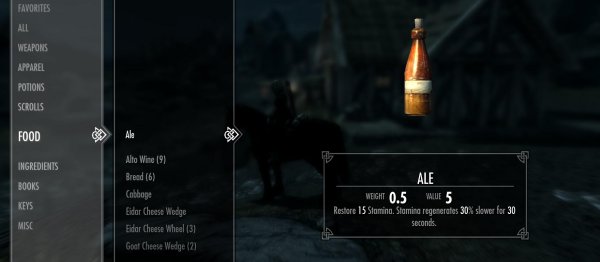
And then we bring up the menu. Oh, Skyrim.
UPDATE: Someone went to the trouble illustrating what I am talking about, here.
I’m embarrassed, basically. Embarrassed that I have to sit here writing about fucking interfaces and menus when I should be talking about the fascinating bigger picture of a broad, detailed, open-world RPG. Man, when there’s so much going on in this game, and so much to talk about, why did I have to be the one who put up his hand and said: “But what about that crappy interface?”
I know I signed up to be a dork for a living, but for fuck’s sake.
My plight is so: this is the first Bethesda game I’ve ever actually been able to spend serious time in without becoming fatally annoyed. Skyrim has done what their other games have not: it has managed to not eject me from its world through sheer frustration (as did Oblivion and Fallout 3) and I have begun to get lost in side-quests and exploration as I plod slowly through my career in professional dragon shouting. I like the world. I am enjoying the story. That’s quite the thing.

Then I hit tab, and I sigh. I rumble. Even when played with gamepad, as it is surely meant to be, the back end UI of Skyrim is a horrible clonky mess. Thoughtless, awkward, unhelpful. I don’t think it even tells you to hit tab to exit when you first encounter it. (In fact Kieron tells me he got stuck searching for the exit key the first time he tried to pick something up.) Sure, Fallout 3′s wrist-thing was crap, too, but I don’t care about that right now. I care about Skyrim. And it’s not good enough.
Skyrim’s menu, a huge, unwieldy thing that wants you to scroll from a menu on the left, and then takes over the rest of the screen with sparse “details”, is as cumbersome as any I can imagine, and that’s without the general issues of navigating it with a keyboard and mouse.
Hell, Oblivion’s awkward interface was bad enough, but at least it allowed you to see almost everything at a glance. And sure, Bethesda, take away my stats, but at least allow me to see what I am wearing and equipped with inside the menus? The bonuses I have? Anything? No? And so I have to exit the menu system to look at my character? And I also have scroll through everything just to see what I am carrying? And even when you are clicking about in the menu there’s a huge margin of error with a mouse, that most precise of pointing devices? Come on, Bethesda, this is not the future of RPG interface design we were promised.
And you want to use essentially the same menu for trading? Okay. No. This is not okay. It’s time consuming and opaque. I am a bold fantasy adventurer, not a guy browsing ostentatious Flash-driven websites circa 1999.
Ah, but then there are also the twin horrors of the perk screen and the map. Selecting what bonuses you are going to get is, for some reason, built into a carousel of star constellations… no, stop right there. You can see the problem right away: “a carousel of star constellations”. That is one of those ideas that surely a design team would react to with “yeah, nice idea Dave, but really we just need something that allows the player to see what they are choosing, and what result that will have in the game…” Instead it seems to have made it through to release, delivering a +40% increase to bafflement for anyone who tries to use it. I mean it: a carousel of star constellations. A what. Why.
The issue with that, and much else here is a lack of summary: I want to find what the fuck is going on with my dude! Why are people saying I look like I have the plague? Look under magic -> active affects. Oh, of course. Lucky you bothered to put it in there. I MIGHT NEVER HAVE FOUND IT WITHOUT GOOGLING THE RESULT…. OH.
Then there’s the map. A lovely 3D map. Swish! ZooM! And I can’t see anything because of clouds, and I can’t zoom out far enough to take it all in, or give myself a proper sense of place. Why bother with this at all? Give me a static 2D map, thanks.
There are other crimes, too: you can’t get at the settings – the basic settings of the game – from the main menu. These come when you are inside the game itself. Huh? I can’t get at the parameters for play until I am playing? It’s this sort of illogicality of nesting that makes me want to cry. It doesn’t take an exhaustive study of PC interfaces to see how this stuff can be done sensibly.

Amazingly, if you have a gamepad plugged in the some of keyboard and mouse short cuts fail to work at all. Why? Why not just leave the original binds active, too? Worse, once the gamepad is deactivated, you are faced with keybinds that may or may not rebind, depending on what it is you’ve decided to rebind. The failures seem arbitrary, but they also seem totally unacceptable in one of the biggest PC releases of the year.
It’s funny. I step back and look at this, with Bethesda clearly trying to do something new and slick with their interface, and then I look at the Diablo III beta. And I realise that RPG back-ends work in a certain way for a good reason: we need information. And we need it immediately. And we don’t want faff about scrolling, or getting full-screen renders of the apple in question. We just want the goddamn thing to work – to compare hammer stats, to show us what armour we have, or could have. Diablo III does little that is new with its menus and interface, but it is always RIGHT THERE, and you know what you need. Hit the key and read off the info. Simple! And as a result the experience is silky. The difference here seems to be that Blizzard actually pay attention to the fact that their games are going to come out on the PC. Sure, Bethesda have their hapless console chums to think about, but that should not be at the expense of their fiercest, most loyal, and most creative fanbase. We needed a PC interface. We did not get one.
In conclusion, here are some helpful (and fun!) rules of RPG interface design:
- When designing a UI, try to design not only for the platform your game is on, but also for the type of game you are making!
- If it is broken, fix it!
- If it ain’t broke, please do not invent totally new forms of interface, like those based in stars. Instead: get something that works and polish the fuck out of it.
That’s better. Right, back to thieving more ale.


14/11/2011 at 13:37 Anubis666 says:
I hope they fix this in a patch.
14/11/2011 at 13:42 Tobisas says:
I’d rather put my trust in the modding community.
14/11/2011 at 13:43 sectR says:
As the above reply states, probably won’t happen unless someone mods it
14/11/2011 at 13:47 President Weasel says:
this seems unlikely, because much of it appears to be the way it is on purpose because of deliberate (really poor, but deliberate) design choices.The first really poor choice clearly being to make one UI that rules them all, rather than making different UIs for PC and for console.
14/11/2011 at 13:50 Gnoupi says:
With all that time and amount of Bethesda games for which the community is actually fixing the UI…. Can’t they just hire one of these modders, at last? At least it would be done correctly, instead of trying and failing again and again..
14/11/2011 at 14:03 Cooper says:
Hopefully (I can’t find this out online) Skyrim uses very similar data setup to the older Gamebryo games (Oblivion, FO3 etc.) and the UI is largely a collection of easily edited textures and XML files.
If so, I reckon some xml tweaks will be with us very soon. Hopefully.
14/11/2011 at 14:06 Cooper says:
Nope, just had a look. It’s scaleform. Which is flash middleware.
Yuck. Yuck yuck yuck.
14/11/2011 at 14:49 Cinek says:
Scaleform is fine. I’ve seen fantastic interfaces made with it (and I mean: in matters of usability, not just looks).
Problem is in the man who design UI – if you have terrible people making totally dumb decisions than even the best UI tool won’t help you.
14/11/2011 at 15:06 Vayl says:
The problems is that despite being a multi million dollar game it clearly does not have a UI designer, or someone who understands usability.
14/11/2011 at 15:10 Adekan says:
I hope the dominating Steam numbers (Skyrim had near 300,000 Steam users playing it simultaneously yesterday! MW3 had around 60,000) and the fact that they got slaughtered on console sales by MW3 will convince them to design PC first in their future TES games.
The only flaws I can find with this game after spending nearly every waking hour during the weekend playing it are painfully obvious as designed for the consoles, the horrific UI amongst them. I’m sure the revolutionary enormous text and simple scroll function work fine with a gamepad, Mr.Howard. But I’m on a PC. I can handle a real UI.
14/11/2011 at 15:37 vaatbak says:
@Adekan
So young, so Naive…..
14/11/2011 at 15:58 Lobotomist says:
Dont think they will fix it for PC ever. And I dont think modding can go deep enough to change interface.
And BTW
Wasnt we promised way to 3D rotate each item in inventory ?
14/11/2011 at 16:34 xavdeman says:
@Lobotomist: I am playing with an XBOX360 controller and I can do that using my right analog stick. I’m sure you can do it with a mouse, too. Some puzzles depend on it so they wouldn’t be able to playtest the game if it wasn’t possible.
14/11/2011 at 16:36 Schelome says:
You can 3D rotate things in the inventory.
I cannot tell you how right now, but I have done it.
14/11/2011 at 17:00 Abundant_Suede says:
Reply failure.
14/11/2011 at 17:08 tobias says:
I’ve read, but am yet to test, that holding C should allow you to rotate inventory stuff. You are expected to figure this out for your damn self, apparently.
14/11/2011 at 17:54 TooMiserable says:
@lobotomist:
What.
Now look here, in all the years I’ve spent looking for mods for various Elder Scrolls and Fallout games, I’ve come to the conclusion that, given enough time, there is NOTHING that can not be altered in these games, and now you’re telling me they probably can’t mod an overlay of clickable things that appears on your screen when you press a button? HAH. I laugh at you, good sir.
14/11/2011 at 18:09 Petethegoat says:
You just use the mouse to rotate stuff in your inventory.
It’s very simple. Just click and drag around.
That said, the UI annoys me most whenever I try to speak to someone.
But yeah, it’s just generally bad.
14/11/2011 at 20:05 Casimir's Blake says:
It’s highly unlikely Bethesda will “fix” the UI.
As unlikely as they will bother to fix their well-crafted but tremendously, frustratingly, and frankly fucking linear dungeons.
Skyrim. A so-called modern RPG released in 2011, and it has not a shred of the spatial challenge that an RPG from 1994 provides. If it otherwise wasn’t such a… confident improvement over Oblivion, I probably would be selling my copy right now.
14/11/2011 at 20:16 povu says:
Any of you played with DarNified UI for Oblivion or FO3/NV? DarN’s currently looking at the Skyrim UI. There may yet be hope! :P
14/11/2011 at 20:32 RedWurm says:
DarNified UI was the first mod I downloaded when I reinstalled oblivion recently.
Oh, and has anyone else figured out how to rename new, enchanted items? Half the time the keyboard won’t type, and any time I click anything it promptly dumps me back in another menu, decides my hat should be called “Petty Soul Gem (3)” then, perhaps fortunately, refuses to recognise its new name and resets to the old one.
14/11/2011 at 20:35 psyk says:
To view 3d view of items in your inventory press C while hovering over the picture of the item and it will open in a window and you can then spin it around. One problem with this is it really highlights the fact that anything wich is supposed to have holes dosen’t.
15/11/2011 at 00:05 Ruffian says:
I think that everyone is forgetting one very important life lesson about the human species. Most of us are quite dumb in comparison but we all like to think we’re geniuses. So, yeah the interface sucks, though I’m sure the guy who made it probably thought he was Einstein and it was the greatest thing since sliced bread, but the rest of the game is hands down amazing, so who cares? I really don’t think anyone can say that they really overlooked the pc as a platform, as the game was actually ready and polished on time for it at the same time as the console releases, looking significantly prettier to boot. Though I can’t deny that it’d always be nice to have the pc release get more attention.
Anyway I’m sure someone will mod it away for those of you that can’t stand it. As for me, I can adapt.
I was made to adapt.
I can get used to a crappy menu for over 300 hours of monster bashing, looting, and thievery.
15/11/2011 at 08:53 Thermal Ions says:
But the guy who made it had one or more senior / lead developers reviewing his work and countless play testers who did/should have provided feedback on it’s crapness. Their collective smarts should have outweighed said individual UI designer’s Einstein complex.
15/11/2011 at 13:29 Sinvoid says:
I actually love the Skyrim UI. I feel its very intuitive and it works fine for me i actually haven’t run into any glitches or catch ups while playing or using it. Sometimes navigating the stars is a pain but it’s so much better than the forms of list and blocks that really pull me out of this fantastically immersive experience.
14/11/2011 at 13:37 ran93r says:
Clicking with the moose works for the wife’s copy but not on my machine. Having to navigate using the keys is a bit of a ballache but I think I have the hang of it.
The carousel is annoying as hell though, like something ripped straight from a Final Fantasy skill tree.
14/11/2011 at 13:49 Dr. Heldenveldenstetzenberger says:
Check to see if the xbox controller is enabled. Might fix that.
14/11/2011 at 13:51 Llewyn says:
Has very large hands, does she?
14/11/2011 at 13:54 Craig Stern says:
Try disabling the antlers.
14/11/2011 at 14:19 ran93r says:
Already tried switching off the controller options but no joy, I’m getting by but it’s annoying when I know that it does work, just not on my machine.
14/11/2011 at 14:22 The Tupper says:
I’ve only played the game for an hour or so. Fortunately for me I was planning to use an XBox controller from the outset (after reading comments made here last weekend), as the mouse cursor is entirely absent while the pad is plugged in. Shoddy to be sure.
14/11/2011 at 14:29 aircool says:
Funny thing is… it’s true. It is like navigating with a moose.
Internet meme please :))
14/11/2011 at 14:40 DigitalSignalX says:
I had to physically unplug my pad, disabling in device manager and in-game wouldn’t work. Then things went “normal” as they could. I highly recommend using the ini settings previously posted that remove mouse acceleration. Navigating the skills constellations seems easier though with arrow keys frankly, that way you don’t end up sliding over into the next skill so easily when examining up the tree.
Thankfully there are already several good UI mods in progress, but because of the different backend, it is going to be slower to come out then the previous xml based ones for FO3 and ES4.
14/11/2011 at 14:54 Milky1985 says:
“The carousel is annoying as hell though, like something ripped straight from a Final Fantasy skill tree.”
I gues your thinking of the crystilium system from FF13 (spelling is wrong i know, cba to look it up), but thats not fair to the FF13 system.
The stars are sodding awful i can’t see when i get a new perk where I can even apply it, theres a star light for on and not lit for off on the overview, its not until you zoom in that theres a difference (just the text), and then you have to sodding navigate to teh starts you can;t get to see why you can’t get them!!!!
And then how do you get back? do you click back , because they sometimes takes you back tot he zoomed out view, sometimes to the level below, do you click right to scroll right, as that sometimes decides to go up or down as well.
The crystal system had 6 trees that you swapped through with a button, and easy to see paths etc, betesha coudl LEARN from the sodding system
And although i liked FF13 i know lots of people didn’t and hated the system, and it still UI wise works sodding better
14/11/2011 at 15:16 Lord Custard Smingleigh says:
Try plugging your moose into a different USB port. Sometimes the antlers snag on parts of the case.
14/11/2011 at 16:14 Skabooga says:
Make sure the drivers for your moose are up to date. Moose jockeys benefit from having the latest knowledge and expertise in the field.
14/11/2011 at 16:26 stele says:
A Møøse once bit my sister…
14/11/2011 at 17:34 Ninja Dodo says:
I love this site.
15/11/2011 at 00:12 RakeShark says:
Actually, it reminds me of Sword of the Stars’ tech tree, just with less navigation control.
14/11/2011 at 13:38 Joseph-Sulphur says:
Well, someone had to say it.
14/11/2011 at 13:38 StevoIRE says:
It’s actually not that bad. In fact if anything it’s much faster to navigate then it was in past iterations. It has it’s annoyances with inconsistent mouse actions but tbh im happy with it and id suspect the majority of gamers are too.
Much ado about nothing
14/11/2011 at 13:44 John Walker says:
No, it IS actually that bad.
You appear to have your standards maligned.
14/11/2011 at 13:50 Dr. Heldenveldenstetzenberger says:
Much ado abou- try the Witcher 2, there’s your informative interface.
14/11/2011 at 13:51 Earl-Grey says:
I agree. I have been playing for 10-15 hours now and I’m quite happy with the menu system.
Sure, I initially tore out a couple of hairs when I pressed esc in a futile atempt to exit my inventory.
But I find it much faster and friendlier than any menu Oblivion and Morrowind ever chucked at my eyeballs.
14/11/2011 at 13:54 President Weasel says:
The UI causes me genuine irritation. In a poll of all the gamers in my house 100% of them thought the UI was the worst thing about the game (worse than the slightly floaty combat; worse than the inability to skip the opening epic cutscene if you’ve seen it before) and 100% of them thought the UI would lose the game points in any reviews they did.
It’s not just that it keeps shouting “HELLO! I WAS DESIGNED FOR CONSOLES!” at me, and making me page through a list because why would I have any kind of pointing device, it’s also that it’s not even very well-designed as console UIs go. Not to mention sometimes it will pick up on mouse clicks and sometimes it won’t.
Just the act of looting everything on a body, probably the single thing most players will do the most in this game, is unreasonably complicated.
14/11/2011 at 13:59 Torn says:
No, it is that bad. I was actually shocked, and I’ve got a pretty thick skin for consolised UIs (Borderlands, Deus Ex, etc).
For a start, not using Esc to quit menus and dialogs? That’s been ingrained in everyone since, like, forever. We’re talking about an industry-wide paradigm used everywhere, regardless of OS. Instead, you press the same key (Tab) you used to bring up the menu.
There’s also certain confirmation dialogs you CANNOT seem to close without clicking on [Ok] with the mouse (which is a syrupy mess by default, unless you hack a .ini file).
Not to mention scrolling lists with the mouse seems to (most of the time) move the selected item index up / down one, instead of selecting what the cursor is above.
The lack of information, comparing stats, seeing what you’ve got equipped, what’s worth upgrading to, etc. is all very laborious.
This is really basic stuff. Their hands must have been tied for time/budget/whatever reasons and they ended up shipping a quick-and-broken console fudge. Whoever lead the UI design surely clearly cried himself to sleep each night.
Is relying on the modding community to fix things the new ‘release it broken, patch it later’? …
14/11/2011 at 14:01 Quine says:
Even worse- we went through all this when Oblivion turned up with a clunky console-centric UI and everyone complained about it back then. To pull the same stunt once more looks like they’re trying to annoy on purpose.
After three days of getting used to the interface I foolishly start dual wielding daggers for a more thiefy ambiance. Cue embarrassing scenes in a sewer as I entirely fail to manage to bind my dagger hotkeys to specific hands and have to manually equip on in each slot after I use a healing spell or whatever. That’s not even to mention the whole ‘L is right click’ confusion…
EDIT: Actually this reminds me of the pain I went through recently when my Ubuntu box upgraded itself to use Unity- wherein some UI revolutionaries in their ivory towers have decided to inflict invisible scrollbars and immovable window handles on the proles with little choice to reconfigure it to be anywhere near what they’ve been used to for many years. Is there some sort of training facility that churns these people out?
14/11/2011 at 14:02 Bluerps says:
I works. If you want to equip a pair of iron boots and eat cheese it lets you do that. That doesn’t mean that it’s not bad.
14/11/2011 at 14:05 Eversor says:
@Earl_Grey, come again? Morrowind showed you all you needed to know about your character in one screen. Grid inventories are simply more comfortable to look at and sort through, since they take up far less space. Just as an experiment, try Darnified UI mod for Oblivion and switch through list and grid inventory, you’ll see just how big a difference it makes.
While you eventually get used to the fickle nature of Skyrim’s interface, it’s still pretty horrible.
14/11/2011 at 14:14 Tyrmot says:
It really is atrocious. I mean, I am also loving the actual game, but given the amount of inventory sorting/managing there is in a game like this it really does start to get quite tiresome and goes a long way to breaking the all-important sense of immersion. Most likely a revised pc-centric inventory will be the first mod I download.
14/11/2011 at 14:15 StevoIRE says:
@ John
It really isn’t. It easy to navigate, quick and generally doesn’t get in the way.
Name a interface from another game that you would want instead of it.
Pointless rant when you could easily do a well written rant about the lack of any progression in melee combat.
14/11/2011 at 14:18 Jim Rossignol says:
“Name a interface from another game that you would want instead of it.”
Any Diablo clone? Hell, The Witcher 2′s menu was better.
14/11/2011 at 14:23 Giaddon says:
“Just the act of looting everything on a body, probably the single thing most players will do the most in this game, is unreasonably complicated.”
Push “E” on a guy. Push “R.” Is that really unreasonable?
14/11/2011 at 14:26 Blackberries says:
@StevoIRE
I knew it was bad when I found myself yearning even for Oblivion’s UI. At least that was easier to sort through, easier to find the information you needed and easier to navigate with a mouse, for all its chunky, ungainly awkwardness.
Please, please let us know when UI mods are released, RPS. You’ll be doing us a great service.
After that, I hope it’s possible that the map be modded too. Why can’t I zoom out all the way? Why!?
14/11/2011 at 14:30 Rich says:
What’s your sample size President Weasel?
14/11/2011 at 14:40 Torn says:
@Quine’s “That’s not even to mention the whole ‘L is right click’ confusion…”
Oh god, this. The first time I realised they’re using L and R to mean HANDS not mouse buttons I exploded with the rage of a thousand suns.
LEFT MOUSE BUTTON SHOULD DO LEFT HAND AND VICE VERSA. Dark Messiah of Might & Magic got this right. If I was any-way modding inclined I’d fix this as a priority.
14/11/2011 at 14:45 President Weasel says:
@Rich: one. I was wondering if anyone would catch that.
I still maintain that saying “Most games will think it’s a lovely UI and want to be friends with it”, or whatever the actual quote is, is well wide of the mark.
@Giaddon: sure, if pressing R worked reliably. Sometimes it loots one thing then puts it back. It would actually be better if R didn’t work at all, rather than working just about often enough to make my try it, but still failing often enough to be annoying.
14/11/2011 at 14:45 DigitalSignalX says:
The UI from Two Worlds II was WORSE imo. At least here, everything can be done with Tab, WASD, and E keys once you get used to it. Not excusing Beth by any means, just saying, it’s bad but it’s still functional. I do miss on-screen status effects, coming soon to a mod near you.
14/11/2011 at 14:50 Eolirin says:
John, the UI is fairly brilliant, provided you’re using a gamepad. It’s beyond awful on a mouse and keyboard. Many of the things you’d do differently and better with a PC centric interface are pretty awkward when you have no precision pointing device; things like lists rather than grids, direction input sensitive sub menus, star maps and what not are about the thumbstick being the intended control method. The hold stick to scroll and change subscreen methodology makes a lot of sense there. You generally want to avoid anything that requires a complex motion on the thumbstick, trying to point at things is a pain in the ass, and it’s just generally more natural for push in a direction and hold for a second or two, especially given that you can transition in direction much more easily. It’s hold up or down and then slide right or left on many of the menu screens, and it feels very natural. You can get from any subscreen to any other subscreen just by moving the stick around, no button presses necessary. And the overall size and layout of the menus play out pretty well if you consider a TV that you’re sitting a number of feet away from as your primary display; big panels and fonts and easier to read lists work better if it’s difficult to pick out finer details. The UI is very well designed for a console.
Now, it still does a really horrible job expressing certain types of information; active magic effects should not be so buried, especially when it covers things like conditions and negative magic effects, or how it provides you absolutely zero information about what blessings do. The lack of a “character sheet” frame is baffling. So it’s not perfect, but a lot of the flaws with the UI are because they actually sat down and thought hard about the console experience and made a UI that took that into account, and was custom tailored to the constraints of a gamepad + tv… and then put it in the PC release without any significant revision. Which was absolutely boneheaded to be sure, but the issue isn’t the original UI, so much as doing an absolutely shitty port.
14/11/2011 at 14:56 Abundant_Suede says:
It’s that bad. And I love this game dearly.
For all the derision that was heaped on vanilla Oblivion’s PC interface, I think they’ve actually managed to make it even worse. What all this hype about an improved interface was based on, I can hardly say. And I really love this game. V-oblivion was scrolly and myopic in the most consoleized fashion imaginable, but it made a kind of intuitive sense, or if not, was at least familiar. It was created with CRPG paper doll precedents in mind, albeit in the most clumsy and circumspect way imaginable.
With no exaggeration, it took me two minutes to figure out how to close a fucking chest in Skyrim, and continues to fight against my attempts to close menus with a counter-intuitive wrestling match between ESC and TAB. Figuring out what you have equipped requires mastery level in clairvoyancy. The skills menu is a bunch of fluffy nonsesne that feels like you’re stabbing at it with a ten foot pole. The player map marker refuses to go down within 3 miles of anywhere you might actually want to put it, and not at all on the local map. The on-screen quest compass is indecipherable without it.
And do I even need to bring up that cross-mapped mouse button thing, where the default left mouse is for the right hand, and vice versa? Sure, you can remap it, but who the hell thought that was a good idea? How does that get out of internal QA? How?
And yet, I hear from my friend who plays it on the PS3 for some inexplicable reason, that there’s no quick key to bring up the map…at all. The map is nested in another menu. And so, perhaps we have to thank the Deadra for small favors, while at the same time questioning why anyone would chose to play this game on a console.
Love the game. Not the interface. The interface is like vandalism of a beautiful structure by thoughtless adolescents.
14/11/2011 at 15:02 Eolirin says:
With a gamepad you hit the menu button and then push down; simple and takes half a second. There are no free buttons to use for a map shortcut so that’s the best way to do it really.
14/11/2011 at 15:08 Caileus says:
It really is terrible, the mouse pointer is the worst of all – I am sick of hearing the character say the same thing 3 times because it hasn’t recognised I clicked another answer. Also given what you choose can affect story – this needs fixing asap.
The other thing that bothers me is that there is no consistency… pressing E on an item when trying to transfer to a chest eats it… pressing R drops it in, but when transferring from a chest to your inventory R takes the whole lot and E is used to transfer – WTF!
Finally if anyone has managed to navigate that constellation successfully without flying around all over the place or spending an hour to choose 1 perk I congratulate you. Sort it out Bethesda this is a truly awful UI experience.
14/11/2011 at 15:14 Tmoore says:
It could have been better – i find that hitting tab and getting to to the 4 way arrow screen is a waste of time. But the rest of it i actually like – mostly due to now just approaching it using the keyboard shortcuts. Works like a charm. I really enjoy the bookmarking / hotkeys as well.
Could have been better, but could have been far far worse – in my mind it’s fine and the sheer awesomeness of the the rest of the game makes up for it.
14/11/2011 at 15:15 ynamite says:
@StevoIRE
Excuse the language, but you must seriously be fucking kidding me. I’m not going to go any further into this, but just to break it down for you, YOU’RE WRONG. Completely. The UI is utter chaos in its purest form and almost every other game with one has an inventory that is superior to Skyrims, like to the power of 10.
@Giaddon
The fact that pressing R grabs everything and closes the menu and that grabbing things manually with E until nothing is left to take, doesn’t, is pretty inconsistent and cumbersome. Apart from that, I can’t find a whole lot wrong with those two specific functions, but I can with the rest of the interface.
I generally notice that the fingers on my left hand feel like they’ve been doing finger acrobatics for several days on end after a few hours of play. ‘Tis never a good sign when that happens and doesn’t speak for a games interface.
14/11/2011 at 15:18 Drinking with Skeletons says:
I agree with the points about the Skills menu (which seems like it would be more cumbersome with a gamepad, since with a mouse you can at least click on perks in the tree and jump to them rather than scrolling through each individually) the mouse fiddliness, and being unable to see your character outside of zooming around in third-person mode, but I don’t think anything else is worse off than Oblivion.
Diseases and passive powers were listed in the same place in Oblivion (Magical Effects), so it wasn’t hard at all for me to figure out where to find that info. The items are arranged fairly sensibly (weapons, armor/clothing, potions/poisons, food, alchemical ingredients, vendor trash/crafting & enchanting materials/household stuff/anything else), and certainly easier to navigate than the Witcher 2′s at-launch inventory.
And the map? I love the map! It’s so much easier to plot a route now that I can see the elevation differences. In Oblivion I would set off in a direction and often find myself blocked off by steep elevations that were resolutely not obvious on the map, and turn my little expedition into an exercise in frustration.
Also, is no one going to mention the fact that the quest tracker can be turned off or track multiple quests simultaneously, or that the little gray icon is infinitely less intrusive than the huge green arrow of Oblivion?
14/11/2011 at 15:27 iucounu says:
@Torn
I just rebound LMB to left hand, RMB to right hand. Works fine!
14/11/2011 at 15:46 Tyrone Slothrop. says:
I also add my voice to those who feels this is much ado about nothing. I mean, it’s far better than Morrowind (oh boy, dozens of identical icons to mouse over to find the scroll I want) or Oblivion (HUGE font and animated menu transitions).
I mean to find an item in my inventory. I press ‘I’, click on the relevant category, scroll up or down and click on what I want. It takes 4 seconds. If I want to recall something quickly the favourite menu is great, I press ‘Q’ and scroll to what I want, press the mouse button for the relevant hand… takes 3 seconds. And if I wish to fiddle with finding the correct number on my keyboard in the dark I can still do that and have 1-5 hot-keyed for my most used weapons.
As for the map, what precisely do you need to see under the rare tuft of cloud which is mostly transparent? The icons for discovered and heard-about locations and the player-pointer are stark.
Sure it doesn’t explain some things, the quests really need to have a way to review message in stages and the item-rotation needs to be actually added in with a patch but it’s easily the best interface Bethesda have managed. Also are people here really complaining that the default key-bindings, key-bindings for dual-wielding is something they find counter-intuitive? That’s just looking for grievances than a sincere expression of legitimate ones.
14/11/2011 at 16:04 Baka says:
TAB -> D -> D -> S -> S -> D -> Multitudes of S -> T -> S -> E -> T -> ERROR! ALERT! You somehow targeted the Item besides the one you wanted, keyboard responses dead -> Mousehover, LMB -> !ALERT !ERROR You equipped the weapon, at least T works again -> T -> E
Yay, my weapon is now recharged a bit, only to do it some couple times more and then having to do it again after 10-15 swings or so!
Not to mention the amounts of spazzing out and mis-highlighting you get if you even dare to move your mouse in a conversation.
No, it’s not okay at all.
The interface is maybe managable, but it’s definitely horrible.
14/11/2011 at 16:19 Eproxus says:
@iucounu:
I just rebound LMB to left hand, RMB to right hand. Works fine!
^ This.
14/11/2011 at 18:07 President Weasel says:
And I managed to sell my equipped armour by mistake last night (thanks for not making that difficult, UI) only to be unable to buy it back – I think I was able to sell it to the trapper guy because it was fur armour, but I couldn’t buy it back because he only sold furs and miscs.
If only any game, ever, had invented something like a “buy back” tab. Sadly such a thing is beyond all game design possibility and will forever exceed our grasp.
14/11/2011 at 18:57 Wulf says:
Morrowind was still by far their best game AND menu design.
When playing Skyrim the thing I kept thinking was how it wasn’t Morrowind. There are things from Morrowind, but that invites me to compare them with, and every time it’s lacking. If I saw any honest reviews out there, they’d end with:
Well, it’s okay. But largely it’s soulless, it’s pedestrian, by the numbers, and it’s a horribly developed mess that doesn’t value PC gamers at all. If you haven’t played Morrowind yet, you should get the GOTY of that and ignore this. You’ll thank me later.
Really. Every element of it is wanting when compared to Morrowind. Unless a person is a graphics whore and someone who needs voice-acting to live, you’re going to find better everything in Morrowind. And that includes the wonderfully designed windowed UI.
(I have to note here, for the humour value, that even Champions Online has a buyback tab.)
14/11/2011 at 20:02 RandomGameR says:
Sorry John, but your article is definitely over-complainy, more-so than the UI deserves. I’m not saying that the UI is perfect but…
The map damn-near-well is perfect. It’s pretty much spot on for what I’d want in a map system for this type of game. You pretty much lost me at that point. There are many valid complaints but the map system isn’t one of them. The clouds don’t cover up the icons you see and they go away as you clear out parts of the map (i.e. fog of war). You can zoom in/out reasonably well, and the 3D nature of it gives you a much better idea of how to navigate the world (which mountains do you want to run over and which should you go around, etc). A 2D map would not suffice with such jagged terrain.
The perks menu is also not bad. It’s a pretty impressive bit of immersion, actually. I’ve never sat there thinking “I wish I could see all the lock picking perks while I’m leveling up my destruction skills.”
Also… I don’t feel the need to see my character in the menu, that just seems like a completely arbitrary thing to complain about. Why not complain that you can’t see your house in the menu, too, as you do put items in your house. If you really want to see your character in your menu, press F before opening the menu, viola, you can still see him/her.
I do think they made some baffling decisions, such as hiding all status effects, not providing any health indication of your companions, etc, but I think you’re being a bit unfair about a few just to overly emphasize a point.
It is in every way better than the horrible menu system in Morrowind, for instance. IN EVERY WAY, sorry Wulf.
14/11/2011 at 20:45 psyk says:
How to loot
point cursor at chest/body
press E
Want to take it all? press R
Want only some items click on them with the mouse
How to store
point cursor at chest/body
press E
Press R on what you want to store
Sometimes the mouse is a bit flakey but you can easily get it working again, your gamers work it out.
Want to see what status effects you are rocking?
Press P
Click status(?)
P might not be defualt, I did change some keys around.
Want to skip that same bit of dialogue you’ve heard 20 times?
Click the left mouse button
Want to change weapon/use potions without going in to your inventory?
Open your inventory (lol)
press F on the items you want easy access to
Leave the inventory
Press Q
This is one of the worst things i’ve found, at least it pauses when you press Q.
“MrMud says:
Use the number keys while hovering on a spell/item/whatever in the favourites popup”
That I did not know cheers.
14/11/2011 at 22:08 briktal says:
Honestly, many of the problems with the UI are just bad UI and little if anything to do with console vs PC.
The main problems I have are that sometimes the selected item and the item in the middle of the list with the fancy UI pointer don’t line up and that keyboard navigation of the perks menu is terrible (as far as what node left/right/up/down take you to).
A take/give all by category button would be nice though.
14/11/2011 at 23:22 DrGonzo says:
No, the Witcher 2 interface is much worse than Skyrim’s. I understand peoples bother with it, it is annoying. But it doesn’t frustrate me as much as Oblivions did.
The Witcher 2s on the other hand has made me quit a few times due to how god awful it is.
15/11/2011 at 00:27 RakeShark says:
Indeed, The Witcher 2′s interface/inventory screens were like squeezing between two fat men covered in crisco trying to get the bathroom. You felt dirty for going through that and swear you’d never do it again.
Skyrim’s UI is more like a new plain-looking stripper that just started working the dance platform and doesn’t dance all that well, and it’s B squad night. You ignore her and drink your beer.
15/11/2011 at 00:36 TheGameSquid says:
@Tyrone Slothrop
What are you talking about? The Morrowind interface was more than fine. It became a bit confusing when had a bunch of useless trinkets in your inventory, but beyond that it was the best interface in a Bethesda game and a pretty solid interface overall. I can’t for the life of me understand how you can choose Skyrim’s over Morrowind’s. Just WATCHING my brother navigate the menu makes me want to cry out in sheer pain!
15/11/2011 at 09:13 McCool says:
The UI really is abysmal. It’s the worst I’ve ever seen in a PC RPG, it almost manages to ruin an otherwise excellent game. It’s not only that it is terribly designed, with acres of wasted space, everything hidden behind different clicks in useless submenus and then organised in an alphabetical list written in a font so large hardly any of it fits on the screen (I’m getting a migraine just thinking about it), It’s not just that it is inconsistent, some parts using the keyboard other parts mysteriously not allowing you to (the Skills Menu, I’m looking at you; the only menu in the game where the keyboard would be easier than using the mouse, for switching between skills, and the only part of the menu that doesn’t allow you to use it), It’s that it doesn’t even work. Half the time clicking on something won’t register, and you are forced to resort to the keyboard (which either might not work for this menu or might have completely unexpected consequences). It’s just a hideous mess. It fails in every conceivable way an RPG menu could. You end up so blinded by all the obvious mistakes you forget that the UI isn’t even offering any of the basic information that would be shown in any other RPG. It refuses to do almost anything you’d want from an RPG menu, and what it does attempt to do it fails miserably at.
Honestly, the person who was responsible for this menu should lose their job. It comes close to ruining the brilliant work by so many hands on this exceptional game. It’s not perfect but in many ways Skyrim is an astounding piece of work. Beth should get on this UI and fix it with an official patch soon, or this game is going to be remembered for some of the wrong reasons.
14/11/2011 at 13:38 Sweedums says:
I’m really not finding the interface and menus an issue…. or maybe its just that I’m enjoying the game far too much to even care
14/11/2011 at 15:07 starclaws says:
Ya I am starting to think he was being sarcastic… I really like having everything quickly accessed with the keyboard as tab, e, and r. And I don’t see why anyone would want to change it actually! You can navigate with the keyboard incredibly quickly. The only issue I have seen is certain areas where the mouse has issues selecting the menu option. But that is why you use the keyboard. Tab is the menu button. WASD are the arrow keys and E and R are the two options. You can even scroll the slider with the arrow keys. You can scratch your ass while doing this with your other hand folks. And you don’t have to aim with the mouse!
The only gripe I have is the simplification of the armor and wear-able system. I want more games where you can choose pauldrons, greaves, cloaks, underwear, thongs, bras, tunics, and whatever else in layers. They need 4 layers in armor and clothing structures. Underwear>Clothing>Armor>Outerwear. And if I want a chainmail thong. I better get the option to craft it in glass.
14/11/2011 at 16:26 lasikbear says:
Sometimes I start to think ‘Hey, this interface isn’t really that bad’ and I do really like the way it moves, even if it does move very slowly.
But then I make a mistake like trying to buy things at a store and not clicking just right, causing it to exit the entire menu.
Or I try to equip something with the weird left-right reversal that still confuses me.
Or I want to use a new spell on a hot key so I hit Tab, move to the left, then move the mouse all the way to the right, then scroll a bit, then hit Q then hit tab twice, then hit Q then scroll through a new list, then hit a number.
14/11/2011 at 17:17 Archonsod says:
I still don’t get the mouse button thing, I mean to me LMB = primary and RMB = secondary is far more intuitive than having LMB = Left hand. Especially if the character is right handed. Chuck in that it’s virtually identical to the other TES games in that LMB = attack, RMB = Block and I really don’t get the problem. Unless you’re left handed of course, but then I assume a left-handed mouse reverses that anyway.
As for the interface I like it. The only complaint with regards to effects not being displayed is the blessings (from the gods, not the stones) since it doesn’t actually tell you what effect they have. In fact really the issue there isn’t that I have to dig through the menu to find out, it’s that unlike the stones it doesn’t tell you what effect the blessing will have before you activate it, meaning it’s either a trip to google or a crapshoot on whether what you’re getting is going to be more useful than what you have (exacerbated by the fact there’s only one temple in each town for the main deities except Talos, so if you decide Mara’s blessing isn’t as useful as Kynareth’s you have to trek half way across the map to switch back).
Not sure why I’d want a Diablo style interface here. Diablo is all about the numbers, TES since Oblivion has deliberately hidden the numbers. My Thieves Guild armour makes me 30% harder to detect, but since there’s no way of knowing how hard you are to detect in the first place, it’s all rather moot. I know it improves my stealth, I can see the effect in game since enemies fail to notice me slightly more often.
14/11/2011 at 18:06 Saldek says:
@starclaws: A glass thong sounds like a recipe for disaster – it could turn your warrior into a bit of a glass cannon.
14/11/2011 at 23:08 etusa says:
@Archonsod:
You can think what ever you want to of the UI (behind your pink heart-shaped glasses), but I need to address the mouse issue: dude:
You have one spell on left hand and another on right hand. You think to your self, I’d really like to cast the spell on my right hand, and click your RMB.
NOPE!
Thats no where near intuition for me.
And just for the heck of it, you can’t say the UI is good when mouse clicking works like shit. And you’ll see how shitty the design also is when mods come out :P
15/11/2011 at 00:59 JackShandy says:
The crazy thing is that it actually does do this on the xbox. Left trigger is left hand, right trigger is right hand. Why did they change it?
15/11/2011 at 05:06 ffordesoon says:
I really like it on console. On PC, it’s, er… hmm.
I just don’t understand how you make a PC interface that isn’t easily navigable with a mouse. I just don’t get it.
14/11/2011 at 13:38 Njordsk says:
I’m alright with skyrim UI.
Took me a few hour to get used to the favorites/numbered weapon/tab … but workes alright (read not excellent).
The map is not that much effective, but it’s okay. My only big problem is the quest log, which doesn’t remind you what this quest is all about, so if you read “go to X” and forgot what it’s all about then sorry for you.
14/11/2011 at 13:54 Sweedums says:
“My only big problem is the quest log, which doesn’t remind you what this quest is all about, so if you read “go to X” and forgot what it’s all about then sorry for you.”
ah yes this is actually something that has bugged me. All the quests in the miscellaneous section seem to have no explanation, just an objective, so i forget what they are even about
14/11/2011 at 14:34 dix says:
My other gripe with the quest menu would be, why the hell is it in the system ([esc]) menu? along with game settings and video options?
That’s something belongs to the character ([tab]) menu, there’s no reason to place it “out of the game”… except that then you’d have five tabs in that menu, and the whole directional thing doesn’t work.
That’s just lazy design.
14/11/2011 at 15:32 HothMonster says:
@dix, i think it is set up that way because it allows you to lay it over the map. Also if it was in the tab menu you would have 5 options which would just confuse people with joysticks :).
14/11/2011 at 16:45 pauleyc says:
@HothMonster
In this case it would make even more sense to integrate it with the map – you could still benefit from the overlay *and* there’d be only four choices to select from to keep the console brethren happy.
14/11/2011 at 17:40 Sweedums says:
erm, you dont have to press esc to access the quests, you press J, and if you are looking at the map and press J, it comes up over it too.
14/11/2011 at 13:39 The Sombrero Kid says:
OMFG YES! Bethesda have outdone themselves with totally fucking up the UI even more royally than ever before, just aswell it’s an amazing game despite the UI.
14/11/2011 at 13:39 Dr. Heldenveldenstetzenberger says:
Speaking of xbox controllers and the lark, apparently turning off xbox controller support in the options menu, increasing performance ever so placebo-y slightly, and apparently making it easier to use the moose to select things.
Then again, the internet may be full of shit.
14/11/2011 at 14:14 TillEulenspiegel says:
No, I’ve tried that and the mouse is still terrible. Especially for dialogue, it’s an unmitigated disaster.
Stick to the keyboard. It’s the only way to maintain sanity.
14/11/2011 at 17:07 gwathdring says:
Ah. Perhaps, as per his suggestion, you’re not using the right animal. Mine’s coming in on order today … I hope it will fit in the dorm room. He did warn that the Internet can be full of it, but I’m willing to give it a try.
14/11/2011 at 13:40 thegooseking says:
I said it on the forum, and I’ll say it here. The interface looks thoroughly as if it were designed for touchscreens. Is this the future? Instead of complaining about things being “obviously designed for console”, we’ll start complaining about them being “obviously designed for iPad” even if they aren’t even released on the iPad?
14/11/2011 at 15:22 Drinking with Skeletons says:
I think you are absolutely correct. Apple’s approach to interfaces has so thoroughly infused our culture that it’s now wormed its way into software where it doesn’t really belong. Their shareholders must be pleased.
14/11/2011 at 13:40 nutterguy says:
It is that bad. Its terrible. But its ok the modders will clean up the mess I am sure…
14/11/2011 at 13:42 lunarplasma says:
Modders will mod the UI in any case.
The point is that the UI should be good from vanilla, and modding should just cater to people with different tastes in interface.
14/11/2011 at 13:40 MrMud says:
Also: if you rebind your keys you are screwed.
Changing keys wont change their tooltips in menus. Want to know what button to press to create an item at the smith? You have to guess!
Even worse, some actions can not be rebound and when you bind another key to the button that used to perform this action, you are no longer able to perform it, ever…
Case in point, I tried to rebind use to R as this is my standard for every game i ever play. This means that I can no longer rest or drop things into containers because both those actions can not be rebound and can not be performed when use has been bound to R.
14/11/2011 at 13:53 ajoh198 says:
Totally agree, and let’s not forget if you rebind the key for use you have to reset them all to the default settings to pick up a book – seriously did anyone test it? Or is everyone at Bethesda forced to use the exact same keyboard settings?
14/11/2011 at 14:15 Gnoupi says:
To compare, I was playing King Arthur’s Gold yesterday, trying the tutorial. I went to rebind keys during the tutorial when I realized I had the usual azerty issue (we poor chaps need zqsd instead of wasd).
And when exiting the pause menu, the tutorial tooltip which was telling me the keys to move was already updated with the new keys.
That’s this kind of detail which shows professionalism in your game. And you find it in a game made by one person, and not in the AAA title. Go figure.
14/11/2011 at 14:32 dog says:
yeah, i’m a lefty so i always rebind my keys to the right of the keyboard…. so i can activate items with ‘[‘ but have to click ‘r’ (the default) to close it again…. very sloppily integrated….. and obviously not tested at all…
14/11/2011 at 17:01 Highstorm says:
I literally lost minutes of my life as I went about tapping every key on the keyboard trying to figure out how to craft something. In the end I had to reset to defaults to check the key and ultimately had to leave R bound to the default function. Grrr…
In addition, the map scrolling fails to realize my ESDF movement bindings and insists that I use WASD to pan around.
It’s a good thing the game is so (so, so) good ’cause this stuff usually turns me right off.
14/11/2011 at 17:28 Hallgrim says:
@ajoh198: I ended up rebinding the key that is used to reset the keys to defaults! I shit you not, on like minute 5 I open a chest and can’t figure out how to close it, and find out I can’t reset the keybinds to default because I used ‘T’ for something. Luckily I had a gamepad so I could figure out which obscurely named button exits out from the looting interface.
14/11/2011 at 13:41 SupaDave says:
I have clocked in nearly a full 24 hours on Skyrim and i really don’t mind the inventory menus, while i may be alone i don’t want to see ever little thing i have at anyone point since you end up with loads of crap in your inventory. They could use some improving but i never had any problems with my mouse being inaccurate. I do agree that your current diseases and other things should be in a more common place then the magic section since i mostly use just the favorites screen anyways. The map i like but i do wish to zoom out more. As for the skill tree’s they really aren’t that bad, like ya it’s aimed at more of a console control scheme but i still enjoy going through the stars looking at the different perks i could get.
14/11/2011 at 13:42 kyrieee says:
The inventory is really quite bad. It’s a shame when you have to constantly wrestle with the UI. Why can’t I sort by weight, by price? Why can’t I get a list of just the items I have equipped? I also think it’s really weird how the inventory is on the left side of the screen, but when you press tab the option to open it is on the right side, same thing with the magic but opposite. It’s very counter intuitive; I think “left side” when I think inventory so I often open the wrong menu by mistake.
Oh yeah and the mouse, it doesn’t work half of the time. Try clicking on a dialogue option and more often than not your character will say something else. And WHY does the vertical mouse sensitivity depend on frame rate??
14/11/2011 at 13:42 Dariune says:
I find the Skyrim UI really bad.
The fact that levelling up is only two steps away from being pointless due to so much being stripped down is a pain, but the UI makes me cringe everytime i need to interact with my character.
Equipping my character is the worst thing IMO, choosing what spells im going to be using next, even with the Favorites menu the second worse. But i reckon the whole UI is a complete mess.
Although designed solely for consoles with absolutely no thought (not even an after thought) put into PC’s i cant imagien the console players are finding the UI much better for them either.
Having said that, Bethesda have syrpassed them selves with the world, characters and storyline. Just need to work on not dumbing down the leveling and making a better UI.
14/11/2011 at 14:33 Eolirin says:
Playing with a pad (on the PC) works pretty decently, so I think it’s mostly fine on the consoles. The set up with mouse and keyboard is *awful* though, yeah. To the point that I stopped playing the game with the mouse and the keyboard despite finding that more comfortable for everything else. Playing with a pad isn’t annoying enough to be a problem, but trying to use the menus with a mouse *is*.
The UI works with a gamepad. Many of the weaknesses and what the fuck moments from a mouse/keyboard perspective suddenly make sense from a pad perspective. List versus grid for example: when you can easily point and click on an item, grid layout makes a lot more sense. But when your primary control method involves clunky thumbsticks, being able to use a pressure sensitive analog control to flip through a list works a lot better. Trying to select something on a grid is a lot harder than holding a stick down for 2 seconds. And all of the interface menus are clearly stick centric; you can quickly move around anywhere you want just by holding the stick in various directions for a second or two. This is a lot cleaner than trying to move a pointer around; the precision really isn’t there for it. It also removes unnecessary button presses by just letting you hold directions, but that doesn’t really feel right with a keyboard. So it really is a very good interface for gamepads. Too good of one in fact; it’s designed so much around how a gamepad functions that it works on nothing else.
14/11/2011 at 13:43 BurningPet says:
It is horrible! and the fact that this is Scaleform only means that a quality mod fix will only come rather late.
14/11/2011 at 13:43 Nim says:
Thank you for bringing this topic up. Thank you.
14/11/2011 at 13:48 Network Crayon says:
Yeah i second that, cant wait for a good mod.
I actually love the design asthetic, but its totally un-useful.
I dont like having to go into the menu to swap between a bow and a melee weapon, (i dont even know if i can quick set them). I also dont like that theres no real character status screen, I’ve ended up a vampire because the first time i got any information about having contracted the disease were when the words “you are a vampire now!” appeared… (Maybe i’ve missed a page or tab somewhere but even if i have thats the designs fault more than mine)
People kept telling me I looked ill…
Update: Ah Thank you!, Hardly straight forward though.
14/11/2011 at 13:54 MrMud says:
Use the number keys while hovering on a spell/item/whatever in the favourites popup
14/11/2011 at 14:08 Quine says:
Yes it’s unfortunate the numbered hotkeys weren’t mentioned in any of the tutorial popups. It does actually mention it in the sparse manual, but how many people, especially on Steam, have even looked at it?
14/11/2011 at 14:11 Network Crayon says:
…. There’s a manual?
14/11/2011 at 14:20 Quine says:
There is indeed. Steam users can right click on the game in the list and View Manual in PDF format.
It’s not especially big or clever, though.
14/11/2011 at 14:30 Nim says:
I can map objects in the favorite menu to numbers? Thanks for the tip.
Also, no FoV or mouse-smoothing settings in the in-game menu. Additionally my horisontal mouse sensitivity was set to roughly three times more than my vertical mouse sensitivity?! Only one CTD so far though.
14/11/2011 at 15:29 Drinking with Skeletons says:
I’ve been playing as a straight-up mage, and I absolutely love the combo of Favorites and hotkeys. By default, spells are equipped to the left hand (right mouse, which takes some getting used to), but pressing the hotkey twice will put the spell in both hands. It’s slightly odd to get used to, but since I figured it out I’ve been enjoying a very fun, fast-paced experience where I’m constantly swapping out spell combos, or pulling out a staff in one hand and a healing spell in the other (almost like invincibility mode if you invest in Restoration sufficiently). My eight hotkeys are for the things I use the most, while the Favorites menu is for those useful-but-not-really-important-enough-for-a-hotkey items. It’s kind of like V.A.T.S., but more versatile.
14/11/2011 at 13:44 Jams O'Donnell says:
Though working with your inventory or skills is a pain with this UI, the thing I find most annoying is that the game will often decide that I meant to choose a conversation topic other than the one that I just clicked on.
14/11/2011 at 13:44 p0sitron says:
No one has mentioned the ridiculous left-hand/right-hand mixup? Not only do you fire with your left hand on a right click and vice versa, if you swap the mouse buttons in the menu (Which is a nightmare as it is. Go on, try and set a button to left click), that change is not applied in the menu!
And what’s worse is, I can’t unequip spells in my character’s right hand, without equipping a weapon to that hand, and unequipping. As a mage character, you can imagine how annoying that is.
14/11/2011 at 13:46 malkav11 says:
I dunno about the former, but that last thing you mention is almost certainly a bug. I’ve never had any problems unequipping spells.
14/11/2011 at 14:06 briktal says:
If you assign a hotkey to a weapon, if you press it once you equip the weapon and if you press it again you unequip the weapon. With magic, pressing the button again doesn’t unequip the magic (it dual wields the magic I think).
14/11/2011 at 14:10 simonh says:
I had an awful time until I discovered the old hotkey system still worked.
In the favourites menu, just hover over an item and press a number key. Then you can switch spells and weapons easily. To dual-cast, just press the spell’s key twice. To put one spell in the right hand and another in the left hand, press the first spell’s key twice, then the second spell’s key once.
14/11/2011 at 14:25 aircool says:
You’ve got to admit though, running around after women with your two flaming, outstretched hands, is highly amusing.
And why do NPC’s insist on talking over each other, especially when they’re so quiet.
Ace game though.
14/11/2011 at 15:41 Drinking with Skeletons says:
Yeah, it’s weird. However, I do kind of see how they arrived at it. For a PC gamer, the left mouse button is usually the primary button–the one used when you want to execute very specific actions–while the right is the secondary button–used for specific shortcuts, but not your most important interactive tool. If their going to treat one hand as being dominant–in this case, the right hand–then the dilemma crops up. Also, with hotkeys, it’s basically mandatory that there be specific rules about which hand an item goes to so that the player knows how the equipment change will manifest. Not saying that there weren’t better solutions, but I can’t think of any and I’m more sympathetic to this design choice than some of the others.
14/11/2011 at 19:29 Metonymy says:
I had to bust out my higher brain functions to swap left and right mouse.
Assign random key to moveleft, swap that key with what mouse2 is bound to, click mouse2 on what mouse1 is bound to, and then click mouse2 again where i want it, then click the random key to where I want mouse1 bound to, then click the random key back on moveleft, then fix moveleft.
Or at least, I think it works like that. The entire experience left me somewhat tired.
But now I still have to assign weapons with left, and spells with right, even though they are activated by the correct buttons.
14/11/2011 at 23:58 malkav11 says:
Oh, hotkeys. I haven’t been using those, so I didn’t run into that problem. If you go to the menu to swap around spells, clicking once assigns a spell to that hand, clicking again unassigns it.
14/11/2011 at 13:44 sneetch says:
It’s a stupid, clunky system that I’m now getting the hang of it but it should be better, a bit like a bad version of the (not terribly good) Fable II menu system.
The “press Tab to exit” thing was fantastically unintuitive but perhaps I missed the “press Tab to exit” tutorial, regardless I spent some frustrating time while trying to “get out” of the first corpse (oo-er) hitting random keys, none of which seemed to work then doing a google search.
Despite that I’m eagerly awaiting the chance to play the game again.
Edit: the hotkeys are also somewhat confusing.
Edit: and another thing, can you see your racial bonuses somewhere? I can’t remember what my dunmer gets.
14/11/2011 at 14:04 TheLordMoosey says:
As a fellow Dunmer, I can tell you that you get a 50% resistance to fire and some sort of racial spell that sets everyone around you on fire. It’s quite handy against trolls, I’ve found.
14/11/2011 at 14:44 Nim says:
It’s very handy with big melee groups too.
14/11/2011 at 14:53 dix says:
On the “Magic” tab, there’s an “active effects” item that lists racial bonuses, along with active spells, blessings and illnessess. Found it by chance :P
14/11/2011 at 15:02 Zenicetus says:
I actually like pressing Tab to exit a menu, because it can be done without taking my hand away from the WASD home keys. I think that was the point of the design, but of course they should have enabled Esc too.
I’ve gotten used to mostly ignoring the mouse in the menus, and using that “up/down, then expand to the right” format with keys. There are still frustrations though; like what a pain it is to compare stats of inventory or store items with what you have equipped. That was a problem in Fallout 3 too. Whoever is in charge of UI design for these games just loves scrolling lists, and can’t seem to think outside that box, or learn from other game designs.
One other thing… the star constellation screen for perks looks like it was designed for widescreen displays, which is frustrating when you’re trying to navigate the “stars” on a 4:3 monitor and can’t directly click on a star that’s out of view to the left or right. At least they do support that aspect ratio for the main game screen, which is more than Witcher 2 did on launch. Although, just about everything except the map was a much better UI design in Witcher 2.
14/11/2011 at 15:25 sneetch says:
@TheLordMoosey
Thanks for that, I’ll try to remember that if I’m unfortunate enough to run afoul of some trolls. Although if I do run into some trolls they’ll need to be pretty nippy to catch me! ;)
@Zenicetus
Yeah, I’ve pretty much given up on the mouse too, I “drive” my way around using the WASD cluster; that’s one of the things I found wierd was that you can go through the UI’s levels using A and D but you can’t exit using A if you’re in the left-most level of the UI. That would be logical to me, to back all the way out of looting or whatever using A. D goes “in” A goes “out” but only so far. Wierd.
14/11/2011 at 13:44 WMain00 says:
What I don’t understand is why they didn’t just revert back to Morrowind’s style of UI, or something akin to Deus Ex Human Revolution’s. Hell, even making something a bit like WoW’s UI (without the action bar obviously) would be welcomed.
14/11/2011 at 13:51 Stevostin says:
A lot of PC user would agree with you, but not me. Morrowind UI looked like an OS. The last thing I want when trying to immerse in a fantasy world is of the computer it’s running on. Let’s get practical : an OS explorer is already a very well optimised solution about managing, ordering and finding elements and a RPG UI aiming at efficiency has either to invent en new wheel or look like an OS. But I am behind Bethesda on this : immersion > inventory management efficiency, at least up to a certain point.
14/11/2011 at 14:03 simonh says:
The Morrowind UI was nice in that you could see everything at the same time. Since you’re sitting close to your monitor, text doesn’t have to be huge to read it. It had one big problem though: you had to hover over every item to see what it did. It’s wasn’t very fun when you had 20 different potions that all looked the same.
Looking at Bethesda’s previous UIs, I think the best would be to take most of Morrowind’s interface, but use Oblivion’s item list which had key info like name, value, weight and damage immediately visible for easy comparison, and allowed you to sort items by different criteria.
14/11/2011 at 15:12 StingingVelvet says:
I would take Skyrim’s UI over the Morrowind AI every day and twice on Sunday. Morrowind was clunky, slow and immersion breaking. Skyrim’s UI is fast.
14/11/2011 at 20:00 Pointless Puppies says:
@Stevostin:
I take it you hate Skyrim’s UI then? Not because it looks like an OS, but because it doesn’t at all look like anything even remotely related to “fantasy”. Futuristic curvy fonts and copious use of plain, semi-transparent grey does not a fantasy UI make. That’s about as jarring to the “immersiveness” as it gets. At least Morrowind’s UI had a fantasy-esque color scheme.
15/11/2011 at 01:56 JackShandy says:
Would making the UI into some kind of wooden contraption that swings down over the screen really be more immersive? I mean, this menu doesn’t exist in the game world. The character does not allocate his stats like this. When you go into a menu you really are taking yourself out of the game.
14/11/2011 at 13:45 Richeh says:
I’m going to post this and get the fuck out of here before you can all find your pitchforks.
I’m playing it on XBox and the menu system’s great. Oblivion and Fallout’s subtab system was an atrocity when accessed through a gamepad. This is much, much much better.
I’m going to start running now.
14/11/2011 at 13:49 Dariune says:
No need to run.
It was designed for the XBox and thats not your fault.
If any thing, thank god at least one of the platforms has got a UI which suits it :)
14/11/2011 at 14:16 DeathBunny says:
Well it might work great on the Console, but not on the PC.
14/11/2011 at 16:05 JFS says:
It’s okay on the PS3 just as well. Much better than Oblivion and Fallout. The map, though, the map sucks ass. I didn’t need it that much until now, and I hope I won’t, because I shall not be able to find anything. Zooming is a joke, the angle is strange.
The skill menu is also somewhat unintuitive and not very practical. It’s beautiful, though. I mean, looking up at the stars for your skill horoscope… it’s cool, as is the subtle zoom-out effect when you open the map. I think those Bethesda folks had great ideas, but they thought of them so highly that they didn’t want to sacrifice them.
14/11/2011 at 13:45 malkav11 says:
I dunno, I think it’s a significant improvement over the Oblivion UI and only the mouse inaccuracy thing (which is indeed frustrating) has felt out of place on a PC. There’s certainly no call to go running off to a gamepad. (Well, okay, I also felt it was incredibly unintuitive to assign left hand to RMB and vice versa. But that’s easily rebound.) Now, yes, the constellation thing is kinda dumb, and the full 3D renders of items in inventory is unnecessary most of the time and takes the place of more useful data, but that’s true on consoles as well and is something that I’d pegged as being an issue the moment they started talking about it.
14/11/2011 at 20:14 asshibbitty says:
I’ve successfully blocked out most of Oblivion, but I don’t think it had looped horizontally scrolling lists and multi-level nested menus that don’t even fit on the screen. IDK what else they could’ve put in there to make it more offensive. Widgets?
14/11/2011 at 13:46 SurprisedMan says:
I can see how this would be annoying on a mouse. Totally get that. They should have tweaked it to work well with a mouse/keyboard combo.
But having played with the pad from the start, I have to say that I’ve been really impressed with what they did. I’ve never felt lost in the menus, the favourites system makes everything so much easier, and as for the perk screen… I honestly don’t see the problem. Generally you’re only going in there to level up, you don’t really need that information, otherwise, and you’re only making one decision: where to place your next perk point. I thought it was pretty quick to navigate for that purpose (especially since this is a menu I’ll be using infrequently… I think I’ve been in there once per hour, on average, and that time is getting longer as I play.)
The map… it would be quite nice to be able to zoom out and get more of a schematic view, but I can’t say that I’ve honestly ever been confused by it. I think the clouds are obscuring areas that you haven’t visited yet, possibly. Which makes sense.
So yup. Bad Bethesda for not working on the PC controls for this enough, but as a gamepad-y type person, I’ve honestly been nothing but relieved about the UI implementation in this game.
14/11/2011 at 15:11 Zenicetus says:
Using a gamepad solves some problems, but it doesn’t do anything for the structural flaws, like not being able to compare gear stats. That’s basic functionality for any loot-collecting RPG, and they ignored it completely.
14/11/2011 at 16:12 Drinking with Skeletons says:
I don’t think there’s any kind of indicator if you’re picking something off the ground–and maybe not from chests either, I don’t know–there is a damage indicator within the inventory itself, near the bottom. It’s green if the piece of equipment would increase your armor/damage and red if it decreases it.
14/11/2011 at 18:19 Zenicetus says:
Right, I just discovered the plus and minus sign indicator at the bottom. So they didn’t ignore it completely. But it’s still a half-assed implementation. It treats two bows with the same base damage rating as equivalent, even if they both have different magic enhancements. So you still have to manually flip back and forth to compare them, trying to remember what the descriptions are, because you only see one item at a time. Ugh.
The UI elements like that plus-minus sign indicator feel like something that was designed for a much simpler game. Not that this is an especially complex game of its type. It’s really dumbed-down compared to a traditional D&D title. But the UI is even dumber, because it doesn’t clearly show what’s actually in the game, like comparing enhancements or showing speed stats for weapons.
Edited to add: I guess it doesn’t really need speed stats, because weapons don’t vary in speed within their type (I think?). Just between types like daggers vs. single-handed swords. So, scratch that. But I still dislike not being able to compare objects more easily.
14/11/2011 at 13:46 Stevostin says:
All of that sure is true but I don’t remember the same complaint about The Witcher 2 UI, which was (IMO) even more complex and cryptic and badly documented (but better for mouse and PC resolution, ok).
14/11/2011 at 20:46 Andy_Panthro says:
I share your hate for the Witcher 2 UI. It’s downright awful, in my opinion. I just can’t get used to it (and i’ve tried using a 360 controller instead, but that still feels wrong, just in different ways).
14/11/2011 at 13:46 cmi says:
“I want to find what the fuck is going on with my dude! Why are people saying I look like I have the plague? Look under magic -> active affects. Oh, of course. Lucky you bothered to put it in there. I MIGHT NEVER HAVE FOUND IT WITHOUT GOOGLING THE RESULT…. OH.”
ha! i didn’t have to google it! i found it by myself – by accident.
i’m totally with you. the ui is one of the most shitty ui’s i’ve ever seen. and as you, this is (after FO:NV) the first bethesda game i actually enjoy. i mean: years ago, when morrowind came out, i went to local retail store and bought it. never finished it though – was so pissed of by the superstrong bandits/whatever in caves/dungeons when the actual wilderness was very, very easy (and empty). skyrim may (and probably will) be the first TES games i will actually finish i guess.
i’m playing with gamepad (on pc) myself and it’s okish, but what i hate with a passion is this:
you fight one of these fights were 1001 mob is hitting you, you go low on health pretty quick. then… you press (b), scroll to potions, switch to submenu, scroll through the potions, press (a) several times until your health is full, leave menu again and continue fighting. hooray.
(p.s.: i’m glad i decided to play a axe + shield wielding warrior instead of a mage which have to switch spells like THIS)
14/11/2011 at 13:52 reticulate says:
You can favourite potions, just like swords or whatever.
14/11/2011 at 13:47 The Sombrero Kid says:
OMG YOU CAN FIND OUT WHAT EFFECTS YOU HAVE ON YOU!?!?
The sun went down in my game & it said “you have a thirst” or something, so i reckon i’m infected with vamparism, but i couldn’t find a way to check, thanks for that man, also numbering the favorites is never described anywhere – almost certainly because you can’t on consoles and that’s clearly where the UI development effort went (understandably cause they’ve only got like 2 buttons to control this amazingly complex game)
14/11/2011 at 14:01 Prime says:
“also numbering the favorites is never described anywhere – almost certainly because you can’t on consoles and that’s clearly where the UI development effort went (understandably cause they’ve only got like 2 buttons to control this amazingly complex game)”
I was about to snark at you for not Reading The Farking Manual (pg 7) but we really have become dependent on games explaining themselves to us, haven’t we? I learned about numbering the favourites through RPS comments.
I found the diseases thing odd, too. The game did nothing to tell me I had it – I only noticed when an NPC commented. So now I don’t know how I got it or what to avoid. Frustrating.
14/11/2011 at 14:06 Bluerps says:
Actually it does tell you. You get a message “you have contracted whatever”. Of course, that meassage is not terribly large and easily overlooked.
14/11/2011 at 14:08 Jim Rossignol says:
Yes, and that message usually appears during battle. Remembering and checking later is essential.
14/11/2011 at 14:12 Quine says:
While I approve of their attempts to hide all the numbers, I do sometimes wish there was a combat log to see what actually went down.
I also really wish there was a ‘shot difficulty’ score like in Mount & Blade for when you pull off an unlikely instant kill at long range.
14/11/2011 at 16:26 Drinking with Skeletons says:
The way diseases are handled is no different than in Oblivion, to include where to find the information regarding the disease’s effect(s). In fact, it’s easier to spot the negative effects as they now appear in vivid red letters. As an Argonian, I found the resist disease effect more obvious than in Oblivion, as a brief magical effect occurs when a disease is resisted.
14/11/2011 at 16:55 Matt_W says:
Become a werewolf, then you don’t have to worry about it. Werewolves are 100% resistant to all diseases:)
14/11/2011 at 13:47 Lars Westergren says:
I’m really annoyed that when there are more than 3 dialogue choices, mouse wheel scrolling down and mouse clicking on the last one more often than not selects the first one, which is very tedious if option one results in long exposition. Instead you have to use the WASD keys to scroll down.
It’s like that bloody owl in Zelda.
And the star constellations when leveling up… don’t you dare mouse click on skill to select it! WASD to move around, and Enter to select only.
And if you are a magic user, having a “favourites” menu which is just about as long as you inventory…
I would have liked to have “wielding sets” that could be toggled with the mouse scrollwheel. So I could have for instance
Set one: Protection spell/activate dragonskin
Set two: fireball/heal
Set three: soultrap/summon
By the way, is there any key to drag items around and rotate them so you can place items nicely in your home instead of just tossing them on the floor? There was one in Fallout: NV but I can’t seem to find it here.
14/11/2011 at 14:04 pacificator says:
You can move things around by holding the E key longer than usual. But i guess that this works only for dead bodies…I did not try it on “things” yet.
14/11/2011 at 14:04 The Sombrero Kid says:
except if your mouse is hovering over the option you wanted, pressing the arrow keys moves another option under it & pressing enter will make it select the option the mouse is over rather than the one selected by the arrow keys – so you end up scrolling the options trying to hover over it to select it – failing that use the arrow keys – realise the mouse has hover selected the wrong option so don’t press enter & instead have to go back to the mouse to select the option again – but it doesn’t work so you move the mouse away and use the keys and enter to select the correct option!
14/11/2011 at 14:09 Lack_26 says:
Holding down E works for items as well, although you’re still left with using table edges to rotate items (unless there is a key that does it that I’ve missed).
14/11/2011 at 13:48 Mormacil says:
I want my grid inventory, loved that in Morrowind and modded Oblivion. Modding the UI will be hard, they changed from an accesible XML system to Flash, yes try to edit a flashfile…
14/11/2011 at 13:49 Commander Gun says:
Out of curiosity, but this makes me think about something which i’m thinking about for some time (ehm, ok…).
What about developpers make a game, publish the almost finished product for reviews to sites such as RPS, LET THEM GIVE INITIAL FEEDBACK, fix the (worst/most obvious) problems, and then release the game for real?
I mean, lots of sites and players seem to agree the interface is horrible, so they would have proper warning that they need to fix it.
Or, as an alternative, can a site such as RPS ask, as a matter of journalism, what the publisher thinks about their complaints? Maybe they actually thought about it and choose to do it this way for a reason (can’t think about anything, but who knows). Would be interesting to read that :)
Ok, i probably realize these ideas are quite naieve, but just wondering.
14/11/2011 at 14:07 The Sombrero Kid says:
Ex-Journalists already command quite a hefty fee to do this for them – i’m sure it’s obvious why current journalists would see it as a conflict of interests to do it.
14/11/2011 at 13:49 epoc923 says:
I tend to agree with what you say about the interface, its very minimal but at the cost of telling you really important things you need to know or that would make finding thngs easy and quick. For example i would love to be able to sort my items by cost or weight, or be able to organize my potions from my poisions (at a basic level, it would be even better to split the health potions up as well).
Out of everything in the game, its the UI is what im really waiting for the modders to get there teeth into.
I do like the navigation through the menus however and while the map is a little hard to read terrain wise, it still works for getting you from point A to B to dragon (imo ofc).
14/11/2011 at 13:59 AmateurScience says:
^This^ sorting items by weight/value would be really useful – working out what to dump when you’re overencumbered would be a lot easier.
It’s very much style over substance with the current UI. I do hope they fix it soon.
14/11/2011 at 13:49 clockwerkgoblin says:
I’m checking curse.com twice a day for some early mods for that ui, nothing so far. First mod ever? Guess what. Nude females.
14/11/2011 at 13:50 alundra says:
Really??? Actilizzard puts more PC care to their games?? after they’ve stated that Diablo 3 feels better with a gamepad?? Really???
I don’t intend to defend bethesda, but skyrim feels like an improvement over the preceding games, deeper than oblivion and more stable than fallout 3, are we really going cling to to the shortcomings of it’s gui?? even when the ability to mod is there and the first mod for it will be out in a few months??
Have we become that lazy that we no longer want to get around a learning curve?
What you need to keep in perspective is Oblivion as a finished and modded product, not some other cash cow company that is only intending to milk from their customers every bit of cash they can.
14/11/2011 at 14:29 pacificator says:
Nope. In this case there is no learning curve. There is only getting used to the shittiness… I absolutely love this game, and i am a fan of the series, but let’s be honest. The interface is a horrific abomination FROM HELL.
14/11/2011 at 13:50 AMonkey says:
When Bethesda were talking about how they were using Apple as a inspiration for UI I just facepalmed. This is the result, probably the worst RPG interface on PC in the last few years.
14/11/2011 at 13:53 Stevostin says:
I’d agree Bioware’s UI are better (but also deal with way less items). But certainly not the Witcher’s one, or Gothic’s one… etc.
14/11/2011 at 15:24 InternetBatman says:
Gothic’s was amazing once you got used to it. The major problem people had with it stemmed from the lack of explanation in game. If the developers had told people “hey, this is a keyboard game, not a mouse and keyboard game” or “this is how you select everything, and how you pick up things quickly” there wouldn’t have been so many problems.
14/11/2011 at 13:51 Surgeon says:
Basically, the whole UI/controls combo is just a complete mess.
I must have spent the first couple of hours trying to get the controls mapped properly, whilst trying to work out how the frig the UI actually worked.
Or rather didn’t work, as it has a couple of really annoying problems.
You can’t map specific things to do with the UI, ie, exiting the menu or conversations away from Tab.
Even if I mapped my G13 to use Tab it wouldn’t work.
The key it labels to drop items isn’t the key that works.
I can’t seem to invoke a menu with one key, and then hide it again using the same key.
After trying some new key binds, I actually ended up in the inventory at the screen where you can rotate an object, without being able to exit. I had to end the process and start again with new key maps.
Clicking on the menu option to exit a conversation initiates the conversation option that you’ve got highlighted. Pressing tab is OK though.
I had Brain Rot for a good few hours before I realised, and only by randonly browsing that area of the UI.
Thanks for not telling me when I contracted it.
14/11/2011 at 13:52 AmateurScience says:
The ‘active effects’ thing being buried is a bit annoying. But then you could argue that finding out you’re diseased by someone telling you that you look a bit peaky is kinda RP.
But then you have to go and double check every time you try a new temple blessing because there’s no way of knowing what blessing you just asked for.
Re: working out upgrades. It *does* tell you which items are the ‘best’ for a given slot, and lets you know the difference between something highlighted and what you have equipped. HOWEVER there’s no info on weapon speed despite loading screen tooltips telling you that a dagger might to more damage than a big ‘ol mace because it;s faster: thus irritating me.
The map I actually really like, apart from I can’t click and drag it to move the viewpoint.
Also this whole “L’ and ‘R’ thing where it’s the hand you’ve got the thing equipped in not the mouse button it’s bound to. Very confusing.
Hopefully there will be an improvement soon. I imagine it’s an easier system to tweak than (eg) Fallout 3′s as it’s a true overlay rather than something nested within an object in the game world.
Also: I have many keys with numbers on: please let me bind my orcish dagger of tricksy sneakiness to one of them. Please.
14/11/2011 at 14:12 TheLordMoosey says:
You can indeed hotkey that orcish dagger; put the dagger into your favourites, then when in the favourites menu, press a number key. Never really explained in game, but I guess they expected people to read the manual…
14/11/2011 at 14:55 sneetch says:
@TheLordMoosey
That’s a fair enough comment, I’ve been lamenting the lack of a useful manual in PC games for so long that I don’t bother reading them anymore. So used to PC games having “standard” or “logical” UIs I suppose that this one has thrown me.
14/11/2011 at 13:52 tinyGolem says:
why is it when you have that 4 point thing to chose between Magic, Items, Map and “your lucky stars” that when you chose magic, which is on the left, that a menu opens on the right but when you go for Items, which is on the right, the choices are on the left ? *sigh*
Still the game is awesome :)
14/11/2011 at 15:04 3lbFlax says:
That one does actually work for me, because you push left and the menu slides in ‘leftward’ (forgiveness, please). It’s like swiping a touchscreen. Having said that, I can think of many, many better ways of doing it. But it doesn’t annoy me. What DOES annoy me is the Xbox (forgiveness, please) randomly seeming to freeze when the menu is brought up, while it autosaves. Sometimes there’s no pause at all, and other times there’s a long, unresponsive pause, and it’s highly annoying because you’re opening that menu an awful lot (because it’s either open the menu or do battle with the favourites menu).
14/11/2011 at 13:52 Prime says:
I really really really really really really really really really really really really love this game, to little bits. I don’t want to speak harshly of it, not when it’s being so bloody amazing for me. It feels disloyal.
BUT…you are correct, Mr Rossignol. The UI is a thing of wretched horribleness even when I’m finding myself enchanted by the constellations and their tinkly celestial sounds pf wonderment. Morrowind’s UI wasn’t perfect but by all the Daedra gods, and The Nine, it presented information quickly and without being overly fussy.
Also: I’m STILL getting my left and right mouse buttons confused when selecting and activating spells, too. That guy, the guy who decided this was alright for the game, needs his testicles cut off, re-attached, then dissolved off again with acid. Dr Prime will happily volunteer to perform this little ball-ectomy.
14/11/2011 at 13:53 Prime says:
[Double Post Redacted]
I think I’ll write something nice in here about kittens. This thread is going to fill up quickly with lots of annoyed people, so they need something to keep them calm and smiling.
14/11/2011 at 13:54 quaunaut says:
Most of your complaints, I totally agree with.
However, as to the Star Constellation: The only part about it that sucks is that once you’re zoomed in on a specific tree, it won’t just let you see the overall tree. But the whole carousel of constellations thing? It’s badass. It’s got its feelings built right in- your destiny is etched into the stars. It even shows the same constellations lit up when you’re not in the menu, in the game world’s night sky.
Just wanted to be sure and put this one out there- it’s a brilliant idea that while not executed perfectly, got really far and even included some roleplaying elements in it. I like it. Now, anything to do with items? Fuck that shit, wtf Bethesda?
14/11/2011 at 13:58 haowan says:
Yes but navigating amonst those stars with the mouse is totally random. Where you do click to go over to a different branch? What will happen if I click here, or over there? There is no indication. Sometimes it will go up, down or back. There are no rules. It is chaos, like unto the chaos of the stars and nebulae themselves.
15/11/2011 at 08:18 etusa says:
I also find it pretty easy to navigate the perks, though sure it sometimes doesn’t go to the wanted perk when navigating by mouse. Not saying its the best, but its smallest of the problems in my opinion. If I was to complain about the perks, I’d say there is not enough “cool” or “fun” perks. As someone said here, leveling up is not far from useless. They should have gotten a bit more creative with the skills and perks and spells. I love the game still!
14/11/2011 at 13:54 Squirrelfanatic says:
I wonder how much of this actually can be changed through mods and how long it will take the fan scene to create such improvements with a certain level of quality (i.e. an UI mod that looks good an is serviceable). Seeing that Bethesda’s previous games have in major parts been improved not by the developers themselves (in substantial ways) but by crafty fans one shouldn’t have high hopes for amazing changes via patches.
At the very least, things like this make it a bit easier for me to wait for the price to drop a bit lower.
14/11/2011 at 13:55 Someblokius says:
I was expecting the UI on Skyrim to be gamepad-contered, but as you rightly point out its flaws are much bigger than that. Skyrim reminds me of one of those fancy active content type websites that hide stuff you actually want to know behind layer after layer of pointless bells and whistles out of fear of looking dated. Purely on UI the TES games are going the wrong way – Morrowind’s UI was great, let’s have that back.
If there wasn’t a fantastic game in there I wouldn’t be nearly as annoyed. Let’s hope the modders do as good a job as they did on Oblivion’s UI. I imagine that it’ll be a non-trivial amount of work though.
14/11/2011 at 14:52 snv says:
The deeply layered interface is not a different thing as the gamepad centered design. It is a direct result of a gamepads limits
14/11/2011 at 13:55 Jacques says:
How the hell did the UI get past Q&A? Maybe they didn’t bother to test with a mouse and keyboard, it’s a terrible broken mess, particularly when you’re using the mouse. It’s just about usable with keyboard.
14/11/2011 at 14:11 Fox89 says:
It’ll be infuriating to the QA guys as well, I guarantee it. Stuff like this will have been reported, and it all would have come back “Wont Fix” or, bewilderingly, “By Design”. The majority of bugs and badly optimized interface issues we’re all finding now is stuff that Bethesda have probably known about for months but didn’t have the time to fix.
I expect some of the issues like precision problems with the mouse will be fixed in a patch, although they wont fix the design.
14/11/2011 at 14:18 Jacques says:
Hopefully. I’ve had weird stuff happen when navigating with the mouse, like closing the shop window when clicking on an item to try sell it.
14/11/2011 at 14:47 snv says:
Thats what we got for letting that design-for-console-first thing get out of hand, should have culled the herd. And you gamepad users are traitors!
14/11/2011 at 13:55 haowan says:
I keep selecting the wrong fscking conversation message (or failing to realise that more invisible options exist hidden below the bottom of the tiny conversation options window which takes up about a fifth of the available space and that I had to scroll in order to see them).
14/11/2011 at 13:56 reticulate says:
It’s very obviously designed for consoles, and I have no doubt it will be modded into something better.
That said, my issue isn’t so much with the interface itself but rather that they do a pretty terrible job of explaining it to you. I went ages not knowing what the little up arrows meant next to certain items. Or that you can compare armour by looking at your Defense stat at the bottom of the screen, and same for the Attack stat when you’re comparing weapons.
And yeah, totally didn’t figure out Active Powers for a good while there.
A lot of the information is actually available, just not apparent or well explained. And bugger me if I know what even half of those compass icons are supposed to represent.
Edit: Also, it needs Sort By Weight and categories for your chests. These things are not badly explained, just missing altogether.
14/11/2011 at 14:00 haowan says:
What DO the little up arrows mean?
14/11/2011 at 14:02 reticulate says:
It means they’re the best for a given class of weapon or armour.
So if you’ve got a couple of daggers, and one has the arrow, it means that’s the best one.
14/11/2011 at 14:09 haowan says:
Right I suspected that but wasn’t sure. Thanks much!
14/11/2011 at 14:15 reticulate says:
No worries.
I’m starting to think the complete lack of information regarding a bunch of UI elements is a cynical ploy to sell a relatively pricey official game guide.
14/11/2011 at 14:43 aircool says:
So how do I find out which armour is best for my wizzid? Is it really acceptable to be tramping around in robes, hood and Dwarven Platemail Boots?
It’s a testament to the excellence of the game that we put up with such a moose of an interface, crosstalking NPC’s and RANDOM sound levels.
15/11/2011 at 00:28 psyk says:
“I’m starting to think the complete lack of information regarding a bunch of UI elements is a cynical ploy to sell a relatively pricey official game guide.”
I’m thinking it’s a good way to show how gamers have devolved over the years to the point they now can’t work out simple things and need a tooltip to explain it to them.
14/11/2011 at 13:56 Starayo says:
I rather like the constellations, if only they were easier to navigate. I don’t want to swap to the other one, I want that perk off in the corner that’s awkward to go to. Did you know when you activate a perk its star lights up in the night sky? You can light the constellations themselves.
The rest of the UI is shite, though. Especially chests. Why does my home chest not have any categories?! It’s useless for storing things! I can’t wait for the modding kit to come out so I can remove the weights of ingredients and misc items so I don’t have to deal with the horrific inventory management.
14/11/2011 at 14:03 Fox89 says:
I didn’t know that!! That’s so cool!
14/11/2011 at 14:05 Jim Rossignol says:
That is pretty cool.
Skyrim does have the best skies ever.
14/11/2011 at 14:28 Lev Astov says:
I agree. I like the carousel of constellations itself, but I hate having to zoom from single star to single star in order to pick my perks. Just zoom out on the whole constellation I’ve chosen and label each star in it for me to pick with my mouse!!!!
Unfortunately, I never had a good time with any of the interface mods for Oblivion, so I’m not sure how much hope to hold for Skyrim’s mods. Removing the weights of bulk items is a good suggestion.
14/11/2011 at 14:45 aircool says:
I also like the star chart thing, but it is a pain to navigate.
14/11/2011 at 14:00 f1x says:
Thats right, but you know favouriting items (and spells) helps a bit with the inventory, which dosnt really excuse its design, the thing I’m actually lacking the most is that you cant actually bind combinations to your numbers, like for example number 1 shield + 1handed, number 2 flames + 1 handed, number 3 heal + heal
The “talent points” screen is probably the most awful thing of it all, specially because its poor designed indeed for mouse, navigating from one tree to a far one takes ages and a thousand clicks, plus then navigating through the tree itself is crappy
About shopping…I myself went to a shop and bought a lot of crap thinking I was actually selling it,
But about the map, its not that bad tbh, you can press L to go to the local map which is a 2D small map and overall its ok, I dont have troubles with the map and the compass so far
14/11/2011 at 14:11 haowan says:
Yes the favourites key binding is screwed – sometimes if I have a spell bound it will go to my shield hand and sometimes to my weapon hand. I want to be able to bind 2h-spells to one number.
15/11/2011 at 09:35 Milky1985 says:
If you bind a spell to a number and press the number twice you will duel cast it, just make sure you have a quick switch back to the offhand item you want.
14/11/2011 at 14:02 Fox89 says:
I don’t mind the UI too much for the sole reason that after 40 hours of play I am used to it. Although having said that, it did take me 35 of those hours before I realized you could hotkey weapons and magic from your favourites menu.
And I quite like the star carousel thing to be perfectly honest. Of course, I don’t like how difficult it is to navigate once you’re looking at a certain constellation, but I do enjoy the interface design there. Maybe I am too used to Sphere Grids and License Boards from FF so that kind of layout comes quite naturally to me.
Looking forward to some proper interface mods though. By and large the current system is so abysmal it’ll be a pretty high priority.
14/11/2011 at 14:02 Kdansky says:
It is better than Fallout 3. Which means, it manages to not make me quit the game (like FA3). Otherwise? Skyrim’s UI is about on par with Dwarf Fortress, and only usable because there is not much complexity to the game (three stats, one perk per level and four armor slots is all).
Did you know:
- If you want the right mouse button to use the right hand, and the left button for the left hand (for obvious reasons), then that works, except for this horrible quick-menu, where you can then assign your right hand with E, and your other right hand with the right mouse button.
- The menus take up only parts of the screen height, and fade out. Why? It would be much easier to find stuff if I could see more than 10 lines.
- In addition: Why can’t I click on menu items? I am currently using WASD to navigate the menu. Dwarf Fortress at least has unintuitive shortcuts! If the details would work on mouse-over, and the clicking would select, it would be acceptable.
- Don’t move the whole list! Place a clear marker, then move that! That way, we mouse-users can muscle-memory the place the menu entries are, and everything becomes really fast.
- Summon Bound Weapon has an average duration of three seconds. That is the time it takes a mage to accidentally sheathe the bloody sword because one wants to switch a spell in the other hand.
Can we have a decent favourite menu and hotkeys please?
15/11/2011 at 00:31 psyk says:
You can click menu items the input is just a little flakey at times
14/11/2011 at 14:05 Kdansky says:
duplicate.
14/11/2011 at 14:06 Aska says:
So, related question. What arcane magicks (or shortcut keys) do I need to just be able to stand around for a couple of hours until it is dark??
I’ve found no way of making time pass, save finding a bed to sleep in.
Anyone know?
14/11/2011 at 14:12 Kdansky says:
T. Because that’s the button for it in all other Bethesda games.
14/11/2011 at 14:14 Fox89 says:
‘T’. T for Time! Or something. Anyway, press that and you’ll bring up the Wait screen.
Edit: Unless you’ve rebound any of your keys. In which case it might not even work anymore
14/11/2011 at 14:16 TheLordMoosey says:
Assuming you haven’t rebound everything, it’s T.
14/11/2011 at 14:39 Aska says:
Wow, well, there you go! Thanks.
I only played the older games on console, so I didn’t have to worry about that – but that would be another gripe with the UI, it’s not mentioned in any tutorial or help text that I could find!
15/11/2011 at 00:33 psyk says:
Press escape
click on controls
Look at all the controls
14/11/2011 at 14:10 Kleppy says:
So did no one on RPS play Fallout 3 or Fallout New Vegas? Because after burning away a couple hundred hours on each of those, Skyrim’s UI is a fucking joy to use. Comparatively anyway.
Also, aside from a few small niggles, playing with a gamepad in this type of game is just better than using a mouse and keyboard.
14/11/2011 at 14:11 Phinor says:
Like them or not, but I really think this game needed an actual manual instead of a two-page flier with keybindings. Or at least a lot more information available in-game. I’ve had to google quite a few things already because there’s often nothing in the game to indicate how some game mechanics actually work. I really don’t want to alt-tab out of the game to find how alchemy functions or if that new smithing material type is light or heavy before I invest points into it and have no need for one of those choices. Nothing indicated that there are various ways to hit your enemies, different type of power attacks. You just kind of stumble upon them and consider yourself lucky for doing that.
14/11/2011 at 14:12 chackosan says:
Quite the calamity. I’ve found playing on the gamepad much less frustrating, though since I’m going the archer path, it has made my aim a good deal clumsier. But even that doesn’t feel too out of character now since I’m supposed to be a fairly crap archer at this point. Some levels down, I ought to be hitting William Tell heights. Hopefully.
14/11/2011 at 14:13 tehfish says:
Just out of interest, does anyone actually use/want mouse acceleration in a PC game? None of the people i know who play games do…
My first reaction on loading up the game initially was “ugh”, followed by a trip through the menus, followed by dropping out of the game to google it.
First thing you do when playing a new game shouldn’t be searching online for pretty much mandatory ini file tweaks :/
Still, the game is so awesome i can ignore the interface disaster for now until it gets modded into a more usable state :)
14/11/2011 at 14:16 Xigageshi says:
I actually really really like the interface. the skills are.. interesting to navigate, but other than that I rather dug it. I have used tab for menu’s / inventories in every game since fallout3 so I suppose I’m just ideal to use the new menu here, though I did notice the rebinding thing.
On rebinding, it’s convoluted but I discovered that if, lets say you rebind use from E to R, whatever R was originally bound to in the bindings menu will be bound to E. as such menu shortkeys will still work you just have to hit the other key. super convoluted, but I am fortunate apparently in that I just get all of Bethesda’s UIs
also I love the map
14/11/2011 at 14:22 Fox89 says:
The map is really pretty, I like it. But it’s kind of useless as a map. If I’m at Dawnstar and I need to get to a random cave I haven’t discovered yet for a quest, I want to try and find a path so I don’t find myself awkwardly climbing up a sheer cliff. But seeing as the map doesn’t denote mountain trails, it’s really difficult!
At the very least give me some contour lines. I can read maps in real life, it should be no harder to read a map in a game!
14/11/2011 at 14:49 aircool says:
Hands up who had tried to ‘drag scroll’ the map, only to plant a waypoint.
o/
14/11/2011 at 15:22 Colthor says:
@aircool
Every single damn time I open it.
14/11/2011 at 15:58 Bostec says:
Yep me too, then spent the next 5 mins the first time trying to get rid of that ugly blue marker.
14/11/2011 at 14:18 Mordsung says:
The saddest part about this is that most PC gamers could create a design document for a far better interface in about half an hour.
I’m confident I could create and interface and keybinding system that would blow the defaults out of the water for ease of use, speed of use and information given.
If only I had any modding capabilities.
14/11/2011 at 14:20 Shroom says:
I actually like the UI.
Whilst it may not be the most practical I feel it immerses me in the game world even further, I imagine the inventory as sorting though and working out each thing in my (invisible) pack by looking at it, and the skill menu as something which makes as much sense as you can of gaining boosts to someone’s skills.
But then again I appreciate that immersion in the world more an awful lot and am willing to sacrifice more for it than most in terms of practicality.
14/11/2011 at 14:21 Orvanis says:
I can deal with the crappy item interface, and the horrid skill stars – but what bugs the crap out of me is not having some kind of visual display for how long my spells have before they time out.
There is nothing worse than being in a giant fight only to realize too late that oh damn, my conjured weapon timed out and my armor boost spells are gone – now I am royally screwed. Give me *something* to work with here Bethesda – I will GLADLY take back the little timer circles in the upper corner from Oblivion!!
14/11/2011 at 14:21 aircool says:
I also got stuck the first time I opened an empty chest, I thought the game had crashed. I wasn’t aware that there were no stats as I just thought I couldn’t find the screen.
As for the amount of times I’ve sold/experimented using the clothes off my back; it says a lot about an interface where I’m still unable to work out what I’m wearing.
For me though, I find the lack of visible hotkey slots is the biggest crime. I gave up writing down what was in each slot and just pressed Q when I needed something.
14/11/2011 at 14:23 TheLordMoosey says:
Although many of the complaints here are entirely true and really should have been picked up on by Bethesda before release, like the weirdly floaty mouse or FPS-limited looking up, a surprising amount of the issues that people seem to be having are fixed by simply reading the manual that comes with the game. Steam provides a manual for most every game it sells, it’s in your library waiting.
14/11/2011 at 14:23 felisc says:
i switched from playing Avadon to playing Skyrim, and I miss my good old tetris inventory.
14/11/2011 at 14:24 Lev Astov says:
Thank you for bringing this to light, Jim. I’d like to point out one abysmal lack of planning that you probably missed. The interface is designed to scale by width, rather than height, designed around a 16:9 screen. I play on a wider aspect ratio screen than that, as do many eyefinity users. The game cuts off the top and bottom of the interface and I cannot see my encumberance, money, recipe ingredients, number of perks, or any of the buttons I need to hit to exit the menu I’m in. It’s really quite unacceptable.
The widescreen gaming forum has a working hack to fix it for most, but that isn’t quite working for me yet. Here’s that if any other super widescreen users are interested: http://widescreengamingforum.com/dr/elder-scrolls-v-skyrim/en
14/11/2011 at 14:24 johnpeat says:
It’s weird this – normally the sight of ‘that’ UI would have me running a mile, but I watched the GiantBomb Quickplay and DESPITE the fact it makes it obvious that the UI is a warcrime of quite epic proportions, the guys playing it make it seem almost irrelevant to the game (and I suspect they’re on 360 which is apparently a bit slower at transitioning in/out of stuff like menus, building, the game itself etc. etc???
I’ve still not bought it tho – not because I don’t yearn to explore that world and do all the plethora of things I can do there – but because
a – I’m not sure I can spare the time this will surely suck out of me at a busy (real work) time of year
b – I remember Fallout 3 on PC and it’s astonishing and mind boggling inability to run for more than 20 mins without random and instant CTDs
I’m not sure I can take b ever again and a is just guilt eating at me…
*shuffles back to The Witcher which he’s STILL not completed*
14/11/2011 at 14:53 aircool says:
It will suck up time – I spent several hours last night searching for some books in a dungeon. Loved every minute of it.
14/11/2011 at 14:25 reticulate says:
Also, on the map: If you spin it around so you’re not above mountains, you gain a fair bit more zoom. It would appear they transplanted their third person camera to the map view, meaning mountains act as walls that stop the camera.
It’s still not great, but it’s something.
14/11/2011 at 14:34 snv says:
you can spin the camera of the map? Interesting
14/11/2011 at 14:27 JKjoker says:
Jim talks mostly about the menus, but the main UI while playing is just as horrible
cant see effects applied on enemies or yourself at simple glance (it tries with some by adding a colored hue, but they are almost impossible to see)
no indicator about your summoned/raised creatures status, time left, distance, health, whatever, same thing about your companion, i can sometimes see their health when i hover over them with the reticle but not always, i have no idea how to make it work consistently
Companions and summoned/raised creatures are completely indistinguishable from enemies if they are not right in front of you, i ve killed my zombies leaving myself out of mana more times that i can count
the way the screen gets red is not directly related to health, ive been hit for almost no damage and it went all red and bloody and then got hit for 90% of my hp and didnt even blink red
with the lousy hit detection its almost impossible to dodge melee hits with anything other than luck and then there are the enemy finishing moves, if you play a mage get ready, because whenever the enemy might kill you with a hit (it happened to me even when i had 75% of my health) you get no chance to dodge or block since the game just takes control away from you and goes into cutscene mode while you get skewered, awesome (and yes this is an UI problem, the game is taking control away from me)
and wth is up with the time limits ? why do i have to keep recasting every 60~120 seconds ? just toggle the damn thing on and either reduce my mana regeneration or charge me the cost again when the counter is done jeez, i thought Diablo 2 finally fixed that crap 12 years ago (altho not even Blizzard seems consistent about this)
the only modding ive done so far is increasing my maximum load limit to over 9000! with the console since i find it pointless and annoying, ive been looking around for other mods but nothing interesting so far, one fixing the time limits would be wonderful
edit: i thought i should mention it, you can assign 1-8 as hotkeys while hovering over an item in the favorites list, this hotkey will equip whatever you select in the left hand if you dont have it equipped already or the right hand if you do, its not well documented and many are not noticing this feature, why 1-8 and not the rest of the unused keys on the KB ? hell if i know
(note: these hotkeys are bugged for stacked weapons, the game keeps deleting the hotkey when you equip them)
14/11/2011 at 14:55 aircool says:
I must admit that I’m used to the highly informative hud’s used in MMO’s. Then again, I’m so used to MMO’s that I was shocked that the game returned me to somewhere I was ten minutes earlier after I’d died.
Autosave it is then :/
14/11/2011 at 15:02 JKjoker says:
at least they added Quicksave, Quickload and the autosave frequency can be tweaked
oh that reminds me or something else you cant name savegames, seriously ?
14/11/2011 at 14:31 snv says:
This is exaclty why dislike the console porting practice. I dont care if the textures could be so much crisper, but a clunky interface sucks.
Worse: Two Button combat system. Why can i only block with if my left hand has a Shield or is Empty? Not because of some in-game reason, but just because a gamepad would not have enough buttons for that?
14/11/2011 at 14:33 ncampbell says:
I can get my head around the map. I can get my head around having to use the stupid little bar down the bottom to work out how much armour I have on.
What I can’t fathom is how anyone thought it would be a good idea to make the key that puts ONE ITEM INTO a container the same key that takes EVERY ITEM OUT of a container.
14/11/2011 at 14:33 Godsmith says:
I think you might be overreacting a tad. Sure, there has been better user interfaces, and there is some weird inconsistencies when trying to navigate with the mouse and keyboard at once. But generally I think it works well and I can navigate where I want to fairly fast.
14/11/2011 at 14:38 johnpeat says:
I’m sorry but the fact that people who’ve played a lot of RPGs cannot
- work out what they’re wearing
- sort their inventory by type to find ingredients etc.
- see what buffs/pets/companion statuses are
- work out how to exit the menu!!
Suggests it’s a disaster of fairly epic proportions.
I’ve always felt that trying to remove a HUD from a game is a mistake because games consist of arbitrary rules and players have no sense of right/wrong/direction/morals to work with (so they don’t know who’s an enemy/friend or whatever).
I’m sure the mod community will come through with key stuff within a week-or-2 and MUCH better stuff in due course – but as it is, I’m disappointed more reviewers didn’t actually remark on the fact that it’s a step back in UI terms…
14/11/2011 at 21:06 psyk says:
People can’t work out what they are wearing or how to exit menus? You have to be shitting me how stupid can people get seriously what has happened to gamers?
14/11/2011 at 21:13 Brun says:
It’s not that they can’t figure it out, it’s that they shouldn’t have to.
14/11/2011 at 21:20 psyk says:
What? why should they have to work out they need to put the cd in the drive to install the game. Ah that’s what DD services are for people are forgetting how to do basic computer stuff :p
Finding out what you are using is one of the easiest things to do.
Here is how
Open your inventory
Click apparel/weapons
Use your eyes to look at what you have on
14/11/2011 at 14:33 Tomhai says:
Thank you, Jim, for the article. Everything has been said here.
I just keep wondering which aspect of the UI is MOST horrible. I mean there are so many choices here:) At first I thought it would be the skill screen… but then I realized that hey, it can be taken as a separate minigame… If you play Skyrim enough then I bet you have spent more time navigating the skill creen than it takes to finish a contemporary shooter… and voila… you have got two games for one.
14/11/2011 at 14:34 Miodrag Kovachevic says:
This completely reflects my first few hours with the game.
I had no idea I was sick and what I had, NPCs had to tell me;
I was stuck in the menu for 10 minutes until I figured out tab was the exit;
The map is atrocious.
I think the worst offender by far is the compass. Until something engages you, you do not know it is hostile. Now, I know that makes sense, but my stealth character is completely useless when sneaking in the wilds, because I do not know that the bloke in the distance is a farmer or a bandit, so I can never sneak attack anything unless I’m in a dungeon or quick save and quick load whenever I see someone mucking about.
14/11/2011 at 14:57 aircool says:
Also, when harmless NPC ‘A’ spots you sneaking, does that mean that hostile monster ‘B’ has seen you as well?
14/11/2011 at 15:47 Bostec says:
I gave up on that, the 3x sneak kill is my bread and butter and if I can’t pull that off, i’m left (left) with a sword in one hand and the healing spell in the other, I did have a shield but it turned in to a healing hand and I can’t be arsed to figure it all out and put it to right (right).
Anyway, long story short, I just launch arrows in to the distance if I see anything or anyone, much easier that way.
14/11/2011 at 16:44 Brun says:
“Until something engages you, you do not know it is hostile.”
Get a Detect Life spell. It seems that inherently hostile characters will glow red when viewed through a Detect Life spell, passive or friendly characters will be blue – kind of like Assassin’s Creed’s Eagle Vision. I believe there is a shout that does this as well.
I don’t have one of those spells on my stealthy-mage yet, but I don’t fault Bethesda for this issue because I know they included a way to get around it.
14/11/2011 at 14:34 ShineyBlueShoes says:
This really was my worst fear about it being such a console heavy game, much like the consolisms that weighed down DXHR, but it baffles me that from Oblivion to now Bethesda’s suffered this huge backlash about this and left it to the modders to fix and still don’t get it. Second class citizens and they still want to charge us $60.
14/11/2011 at 14:35 Wizardry says:
Why do people care? It’s not like RPGs are known for having good UIs. All the best ones have terrible UIs. Not that Skyrim is one of those or anything.
14/11/2011 at 16:55 Vinraith says:
Exactly. UI complaints are almost invariably something I can completely ignore when trying to evaluate a game, most of the time I don’t have a clue what people are complaining about.
In Skyrim’s case it may well be unusually bad, but the earliest mods tend to be neat and tidy UI fixes so by the time I get around to the game it won’t be a thing. Thank goodness for the TES mod community.
14/11/2011 at 19:36 TillEulenspiegel says:
On the one hand, we have great games buried under clunky interfaces. They prioritize game mechanics over the user interface. I think Academagia is a recent example of that, to the extent that it really does hurt the game. And your wrists. With older games, we can mostly blame the technology: low-res screens, primitive mouse interfaces, crappy font rendering, etc.
On the other hand, we have decent games which aren’t really doing anything new, but they attempt to jazz up the interface and wind up ruining its usability in the process. They prioritize form over function. That’s Skyrim.
14/11/2011 at 14:38 csuzw says:
The mouse inaccuracy seems to be due to the menu system sometimes deciding it’s not going to recognise where your mouse is at all and just select whichever the currently active item is. The problem is most of the time you don’t notice/can’t tell that it’s switched to this mode so you end up doing something you didn’t want to. Scrolling often fixes this problem but even that’s not entirely reliable.
The constellations are a travesty of UI design for mouse/keyboard. I like the idea and when you’re just scrolling through skills at the top level they look really nice. When you’re actually browsing through them to make perk choices they’re terrible. Often it just won’t let you select a perk with the mouse, however with the keyboard you can’t actually select some nodes because you don’t have the required fine control to make that kind of diagonal movement.
The main map I’m not too fussed by, however the “zooming” doesn’t work in any useful way. It seems to just change the angle of view very slightly. Places around the edge of map can be very hard to see properly especially if there are lots of landmarks/quests there. Being able to zoom in enough to make out more detail in places that are clustered with quest markings would be nice. Also being able to see routes to places in high mountains might have been useful although on the other hand not being able to promotes exploration so I’m sure what I prefer.
14/11/2011 at 14:39 StevoIRE says:
@Jim
Diablo Clone inventories can’t work on a scale like these. Those are menus have a set scale and cut off point for the amount of items they can hold. Bethesda’s design has no *space* it’s just a integer that gets incremented periodically over the course of the game, there is nothing stopping a user from defining their bag space to be of size “1000″.
Just think to yourself how your supposed to convey a space of 1000 units in a Diablo style box system without getting horribly over loaded with graphical content and even from a technically point of you it would fall over just try to display all those sections.
Witcher 2′s Inventory is pretty much the same principle of Skyrims anyway they are fairly similar in nearly every way.
14/11/2011 at 15:22 mondomau says:
They really aren’t.
14/11/2011 at 17:02 kyrieee says:
There’s nothing that says you can’t have sorting options for a Diablo style grid interface, in fact Morrowind had just that and if you ever have 1000 items it becomes hard to manage regardless of which interface you use. As for Witcher 2 it had a list based inventory but it had good sorting options and it also displayed info in the list so you didn’t have to highlight every single item to see its weight, for example.
14/11/2011 at 14:40 michal.lewtak says:
The idea of constellations being perk trees is the greatest thing in the history of great ideas for interfaces, however, it is very unpractical in its current state, and it would have been much better as a grid rather than a panorama where you only see about 5 of all the perks. And why can’t I see the names of perks without entering the weird tilted view of each consteallation that shows me 5% of what I want to see and is extremely difficult to pan around? (actually you can’t even pan around it, you can only jump from node to node, but don’t use the movement keys for that, because it acts wildly, just click on the paths with your mouse)
Yeah, they went for maximum beauty without thinking about practical use. I hope good UI mods arrive soon.
Also, I suggest everybody turn off their compasses in the ini file. You don’t want to magically know about enemy locations without seeing them, do you? And for directions, you can turn on goal markers on screen (they’ll only show when you’re pretty close anyway) and use the map for the rest. Which reminds me, Bethesda, when I press the map key, please, don’t fade out, fade in, zoom out and throw confetti at my face, just show me the goddamn map!
14/11/2011 at 14:46 Kdansky says:
But I want to see NWSE? It’s annoying to have to open the map a lot (because it’s damn slow), so I want to use it as little as possible.
14/11/2011 at 15:08 michal.lewtak says:
I have a good sense of direction and I like to use my surroundings to figure out in what direction I’m going, but let’s just hope for a mod that moves the compass to the bottom and disables enemy dots. And those stupid idiot-friendly confirmation messages when crafting. GAH.
14/11/2011 at 17:18 Milky1985 says:
“And those stupid idiot-friendly confirmation messages when crafting. GAH.”
Oh god the “are you sure you want to craft this” message, which requires a DIFFERENT button to be pressed to accept
No i don’t want to make this , i just hit the make button with my head as I bashed my face into the keyboard to attempt to forget the awful sodding menu design!
14/11/2011 at 14:40 9of9 says:
The inventory is heinous, but I haven’t really had that much of an issue with the carousel of constellations, nor the map – I think they strike, overall, just the right degree of balance between usability and eye-candy. And I can even get used to the ‘use tab for exit’ thing… after all, good lord it’s not as bad as the Assassin’s Creed control scheme on the PC. No sir. No SHIFT to exit, Jesus Christ.
What they really deserve ire for though is just how painful it is to navigate the menus with a mouse and keyboard. Anywhere with a vertical list of options – like, say, a dialogue or an inventory screen – has the peculiar weakness of not always selecting the option the mouse hovers over. Most of the time it highlights and, yet, sometimes it does not. You click on a dialogue option, only to find that the one you actually chose is the one a few entries below the reply you clicked on.
This is horrible, annoying and inexcusable.
While I like the constellations carousel in general, the other major fuck-up is in the perk trees. Maybe they can be sensibly browsed with a controller. With a mouse and keyboard – they can not. Sure, you can click on the individual stars, but that won’t let you go everywhere you want and you’ll have to use the keyboard if, say, you might want to go back to some perk you’ve missed, or even to get back to the carousel… since you can’t Tab back, you have to scroll through the whole chain of perks right back out into it. And once you use the keyboard, all hell breaks loose. You stard stupidly jumping from perk to perk in completely arbitrary ways. You want to take the left branching option in Speechcraft? Fuck you, we’re going to look at Illusion instead.
The sheer lack of usability of the whole system is a painful nightmare.
14/11/2011 at 14:42 Patches the Hyena says:
The map would greatly benefit from some indication of altitude. Also, this mod (http://www.skyrimnexus.com/downloads/file.php?id=88) makes things much better IMO.
14/11/2011 at 14:43 Hoaxfish says:
I have a real weird soft-spot for GUI design… especially when a “new” version actively removes functionality/efficiency in comparison to previous products from the same company.
Skyrim’s inventory system seems to be closer to safe-cracking than any sensible design… rotate up, rotate down, E, etc.
Look at Window’s filemanager, or web-browsers with favourites, tagging, (firefox’s tabgroups is especially nice as an example), tablet UIs, etc. So many “non-game” examples that are far ahead of this sort of nonsense.
14/11/2011 at 14:54 WaaWaamp says:
thank god, i thought i was the only one, the menus are the biggest pile of bollocks every. i never clicked about the console thing cos i have avoided them like aids for years but yeah, that’s a console UI right there lad.
they better fuckin sort it.
14/11/2011 at 14:54 Styles says:
Yeah, I hope to god they patch it to fix up the pathetic UI…. I’m sick of bethesda selling crappy console ports.
14/11/2011 at 14:56 Burning Man says:
I am very very happy with the UI. You, sir, are whining.
14/11/2011 at 14:59 Adynod says:
I agree 100% with Jim here. I’ve kind of got used to it but this is not ok. I remember reading a preview where someone said it was the best pc interface they’d ever seen. Was that this thing they saw?!
I really miss having my character viewable in the menus. To get around this somewhat I go 3rd person before entering the menu if I want to change armour or something visual. You’re obscured still but you can kind of see yourself.
It took me ages to get my head around the fact that selecting the left hand option for Magic brings it up on the right side of the screen and vice versa for Items. I can see it would make sense on a controller (or even if it was touch screen, as in swiping it) but with a mouse, putting those options there means your cursor ends up further away from what you want. It’s just really inefficient.
There are several bugs as well where it randomly selects the wrong dialog option which was definitely nowhere near where I clicked and sometimes I can’t click the exit button on some screens (you have to exit via tab).
Also with regards to the 2d map thing, I found an oblivion style one in game somewhere and it was way more informative about what places were around and the type of terrain, landmarks etc. The zoomed out thing is horrible.
Still, the rest of the game is amazing and I’m loving it despite these issues.
14/11/2011 at 15:00 yutt says:
Thank you so much for writing this, Jim. Myself and a dozen friends who have played collectively 300 hours of Skyrim on the PC have all independently been frustrated by these exact same issues. I can go line-by-line and each of these issues has been mentioned by multiple people I know and myself.
The situation is completely ridiculous.
14/11/2011 at 15:05 Robin says:
I agree it’s utterly terrible.
But you really don’t need to compare much. Being a game for modern gamer, it make sure you have to think the least possible, marking for you the items which have higher numbers than the ones you are equipping.
Adding to that it has the Bethesda Flat Adaptive Items Stats SystemTM. So: same stats for everything in the same category.
14/11/2011 at 15:06 StingingVelvet says:
The UI is bad for mice, great for WASD. Once I got used to it I fell in love with it. A lot of people seem to not be able to, however.
14/11/2011 at 15:08 Felixader says:
Um, i play this game on a console cause… lack of money for hardware and couch comfort, you know.
Since i also played Oblivion and Fallout 3 to death in wich the menues were horribble and so-so, i just fricking LOVE the menues.
I also deeply agree on the missing stats screen and on the way the game sorts the inventory.
I also really find the perk menue epic in the rigth ways.
The thing here is… it is awfull to navigate even with a controller. I sometimes slip around so much in fact that i had the suspicion that they simply portet a mouse based menue to the consoles.
14/11/2011 at 15:12 asshibbitty says:
Great! I was worried this will go the way these things go, reviewer notes interface being “somewhat unpolished” but “it’s such a minor hurdle in a superlative superlative”
I’ve been complaining about it non=stop since the first screenshots hit, thinking if we raise enough stink maybe Beth will sense something’s wrong. Yeah right. They wanted to be like Apple but ended being more like Droid.
Interfaces in entertainment software should be fucking perfect, yet mostly are the opposite of that.
14/11/2011 at 15:15 The Innocent says:
I hate the fact that when in conversation (and in menus), the game is mighty finicky about what I’ve selected. This has led to a few reloads where I’ve sold something I didn’t mean to, or said the wrong thing at the wrong time. Having to save before each shop/conversation experience is a bit irritating.
However, I like the map. It’s kind of fun. Though I do wish I could zoom out farther, and that there were a “toggle clouds” button.
14/11/2011 at 20:42 vecordae says:
I don’t know if it’ll help, but I’ve not had any problems whatsoever with clicking the choices that I meant to. I’m beginning to suspect that this is because I click on the letters themselves, rather than the blank space around them. Normally menu options like these have a uniformly-sized “click detection box” and all it asks of you is that you click closer to option A than option B, but Skyrim seems to employ a technique that, were it applied to rap, would be labeled as “piss poor freestyle”.
Anyway, try clicking directly on the letters themselves and see if that helps. Then you can let us know if it’s brilliant or I’m out of my swollen, melon-like skull.
14/11/2011 at 15:16 Leandro says:
Another developer that built it’s empire around PC games and then forsakes it’s roots for the sake of console kids and dumb people (“hardcore gamers”) who buy only the best marketed releases.
As long as they don’t dumb down gameplay it’s the lesser evil, I guess.
14/11/2011 at 15:46 InternetBatman says:
How can they dumb down the gameplay? That’s not me being snarky, Elder Scrolls games are really, really simple. Combat is a few movement keys and maybe two or three other buttons. It’s not exactly Civilization.
14/11/2011 at 15:17 CaLe says:
The problem I have is that I have too much stuff to sort through. There is no method of sorting anything and when I click something with a mouse it sometimes selects the option above or below it. Why does it do that? Oblivion had an interface overhaul via modding, so I’m guessing this will too, in time.
14/11/2011 at 15:56 Bostec says:
Time and time again I have clicked on a Vendors weapons tab or potion tab and then have it close the menu on me. Its extremely frustrating.
14/11/2011 at 20:44 vecordae says:
@Bostec
I get that, too, but I’ve noticed it seems to happen pretty much only when I’m a bit sloppy with my mouse am and click the blank space to the left of the category. I’m not sure if that’s a function of the resolution I’m at (1920×1080) or because the mouse selection aspect of the UI was programmed by depressed gibbons.
14/11/2011 at 15:18 Colthor says:
The menus, and UI in general, are quite bad; make poor use of the space available, have inconsistent and illogical keyboard mappings, and miss or misinterpret mouse inputs. But the perks constellation thing is one of the worst crimes against usability I’ve ever seen.
I hope that, in future games, Bethesda give the PC interface to the work experience bod. They can move the current UI chaps over to puzzle design or something.
14/11/2011 at 15:29 Jabberslops says:
The Interface in Oblivion was better despite it being kind of shitty, but i would take stock Oblivion UI over Skyrim’s.
Something that everyone seems to be overlooking is the fact that there is no cast Magic button like in Oblivion. In Oblivion, the cast Magic button would not unequip your weapons or shield. In Skyrim, Magic has to be equipped before you can use it . You can’t cast Magic without the game replacing your off-hand weapon, shield or 2hand weapon with the Magic you have taken 30 minutes figuring out how to quickly get to with the favorites menu…
Also. You can’t block in Skyrim when you are dual wielding anything. The only way to block incoming melee attacks is with one weapon (either 1hand or 2h), 1hand weapon with shield or magic and shield (which is kind of cool if you think about it, but still annoying).
You can’t block arrows with a shield. You need to watch the dick npc who is shooting at you so you can step aside to avoid the arrows. The same goes for magic.
14/11/2011 at 16:40 neolith says:
You can actually block arrows with the shield – you have to invest a skillpoint though.
14/11/2011 at 18:53 iucounu says:
With enemies shooting magic at you, I think it wants you to hold a Ward spell in one hand and use the other for stabbing/zapping them.
14/11/2011 at 15:33 chabuhi says:
As a lefty, I for one hope they patch in the ability to bind to the numpad keys. I’m managing on the alpha keys, but after a decade and more of the numpad I just don’t see a reason not to allow binding to it.
(Yeah, yeah, I know all you WASD studs are mocking me now.)
14/11/2011 at 15:35 fenriz says:
So only because there’s ants you pretend the world it’s alive. when the character can’t even light a camp fire and cook a damn hare.
Players are children.
14/11/2011 at 15:44 sneetch says:
Wow, that sneery disdain pretty much came out of nowhere. Is everything OK, fenriz?
14/11/2011 at 15:50 AndrewC says:
Yes, it’s the vehemency of the negative reactions that is always the telling thing.
14/11/2011 at 16:05 fenriz says:
wait… yes, yes here it comes
Skyrim is a wow clone.
does it hurt somehwære? Just a joke.
I am an amiable person. everyone loves me in r/l, i teach to young ones and i am esteemed in what i do. But seriously, you are console childish fucks if you look at videogame ants, feel immersed and fap. :)
14/11/2011 at 18:39 Saldek says:
@fenriz: “I am an amiable person. everyone loves me in r/l [...]“. So, this is the place you come to Hyde?
14/11/2011 at 15:39 merc-ai says:
Indeed, the interface in Skyrim is pretty, horribly designed piece of shit.
It’s not informative, it’s counter-intuitive at times, and it takes more time for simple, repeated tasks than it should have.
The only worse interface I could think of is Fable 3. Both games’ interfaces are clear examples of “cool idea” that turns into horrible, shitty implementation.
Speaking of ideas, I actually like the map approach, but skills-as-stars and perk-browsing there are horrible.
Oh, and mouse buttons vs character hands: really fucking annoying.
14/11/2011 at 15:42 Mic2070 says:
I find the UI is definitely usable IF you’re not using your mouse. Do it all with WASD. It’s very counter-intuitive on pc but once you figure out the oddities like weapon affectation and the like it becomes second nature. That said, constellations are trash.
14/11/2011 at 15:56 Moonracer says:
I agree. Pretty much everything about the UI is a bad design.
The constellations are clunky. A simple list of skills, with perks below each and definitions if you highlight them would fit all the data on the screen at once and be much easier to navigate.
The map needs full 360 degree rotation at least. One of the first main mission locations is on the back side of the tallest mountain. So I couldn’t get a good look at where I was supposed to be going. Though to be fair I appreciate that the map shows if I’ve cleared a location so I don’t have to remember myself.
I miss having quests managed in my character’s journal. That was such a nice way of managing quests in an immersive way. Although in some ways it was just as clunky as our current constellation system.
But sadly I don’t think mods will be able to fix the UI unless we have the power to completely change how it works.
14/11/2011 at 16:00 matnym says:
The interface is by far the biggest disappointment in Skyrim. It was pretty bad in Oblivion, as it didn’t scale with the resolution and some other stuff, but it was way better than the crap we got in Skyrim. So much faffing about in sub menus and and what the HELL were they thinking with the skills menu?
The map is also appalling for other reasons not mentioned in the article. Like the fact that you can’t see any roads and that objective markers, player marker and location markers have the same color.
May the modding community save this mess.
Oh, and I approve of this article :)
14/11/2011 at 17:29 Drinking with Skeletons says:
Maybe I need to go back and check, but I think you can see the roads if they stand out from the ground texture. There aren’t as many roads as in Oblivion, however. I don’t think there’s a road leading to Winterhold, for instance (which made getting there challenging, as joining up with the Mages Guild equivalent was my first order of business).
14/11/2011 at 16:00 Zarunil says:
I’m glad someone said it. I hate the UI of Skyrim. I spend WAY too much time navigating the inventory. It is clunky, time-consuming and it looks like shit. I don’t mind navigating the stars as much, though they are clearly not meant for keyboards, my main gripe is with the terrible inventory.
Can’t wait for a mod that fixes the UI of this otherwise excellent game.
14/11/2011 at 16:03 theblazeuk says:
I am finding it frequently inaccurate and initially obtuse in functionality, but largely successful and easy to use after experimentation.
Much like yo momma (But seriously, so much whining on here for a system that largely works, just has a lot of flaws. And given the lack of perspective on comparitive systems in other games and unwillingness to adapt to anything different than their past experience, this is definitely whining
14/11/2011 at 16:04 SketchyGalore says:
I just want quick keys to come back, or at the very least a “swap” key so I can, for example, go from 2-handed sword to heal spell and back without plodding through a menu.
The interface isn’t great, sure, but I get the impression people are forgetting just HOW bad Oblivion was interface-wise when it started out. I was never even able to play that game seriously on the PC until the modding community got its hands around it. This is, at the very least, more attractive and, other than the aforementioned lack of quick key actions, most of the clunkiness happens at low-intensity times, such as level-up.
There are a few things that actually downright impressed me, too. Alchemy, for example. Whilst experimenting with hundreds and hundreds of ingredients, the alchemy menu automatically greys out ones that you already figured out don’t work, then sorts them into categories from which you can quickly make a previously discovered potion effect. Similarly, the merchant screen does a pretty good job of letting me sell off my junk quickly, so I can keep my inventory tidy, and the complete replacement of item icons with actual views of the actual items is just… awesome. Is it perfect? No. Is it up to Skyrim standards? Perhaps not, and I think that’s the problem. Compared to the glorious game surrounding it, sub-perfection sticks out.
Fortunately, mods are on the horizon, and I think that’s why I’m not getting too torn-up about it, myself. If it was all-out stopping me from playing the game by having inventory glitches, crashes, bugged items, typos, or anything of that sort, then yes, I’d be as mad as everyone else. But it does work. It just works like a bicycle against a game that rides like a fighter jet.
14/11/2011 at 16:27 JKjoker says:
you can assign the 1-8 keys on anything in the favorite menu, they equip the thing on the left hand and then on the right hand if its already equipped
you can use them for 2 handed swords, single and dual wielded spells (and im guessing arrow type changing and potions/food but i havent tried with those)
you cannot use them for dual wielding weapons or shield+weapons combos (the one in the right hand needs to be selected though the menu), equipping from a stack of weapons will cause the hotkey to be deleted (bug)
14/11/2011 at 16:13 clockler says:
You forgot to mention that if you rebind keys the interface doesn’t update to reflect this (swapping R and F swaps them in the interface; there’s one part of it that doesn’t obey this rule, though I can’t remember which part it is) and also the favourites menu becomes a pain to navigate when you’ve got a bunch of crap all jammed in it together. (some 9 shouts that I use regularly, fifteen spells, five different weapons, three sets of enchanted gauntlets)
Then of course as said the whole thing has a margin of error with the mouse – clicking doesn’t always work and when it does it often clicks something that is definitely NOT what your cursor is over. Scrolling with the mousewheel sometimes works and sometimes doesn’t. I have an entire goddamn object in my right hand devoted to usability and your interface is so bad I’d rather not use this entire object that I have to navigate it.
People whined about the animations, which are fine. People whined about the textures, which are also fine. But people will forgive them for this aberration some may call an interface? Sod off.
Their hearts were in the right place with it, to be fair. It’s a very nice looking interface. It just doesn’t work very well.
14/11/2011 at 16:14 rustybroomhandle says:
I am a UI/interaction designer by profession, and this thing grates on me in a way that few other UIs do.
That font you see on the screen is Futura, a font that has been around for decades and that is to video what Helvetica is to print. It’s a font that one chooses because it looks good on a television.
And that’s the thing, Skyrim’s UI is not that of a fantasy role-playing game, it resembles that of a media center.
Now on top of this thing that looks/feels out of place, add in dodgy controller-centric interactions and an assortment of glitches/quirks. Well anyway, the article and comments sum it up.
Blergh. Thanks Bethesda for treating PC gamers like second class citizens.
14/11/2011 at 17:01 TillEulenspiegel says:
Sure, but that was a deliberate choice, to go along with the simple black/gray look. It’s a bit odd, but it’s not objectively terrible like some other decisions.
I happen to like the classic fantasy RPG look with a lot of natural textures and some medieval/renaissance-style fonts, but Bethesda attempted something more modern-looking. And I think that would’ve worked fine, the same widget style and font and everything, *if* they’d managed to make a usable interface with it.
14/11/2011 at 16:29 CaptainCasey says:
Playing on the computer WITHOUT a gamepad has been a huge annoyance. Menus that you can only go through using WASD and then I have to switch to ESDF ????? I have to prepare myself to have my fingers correctly placed after I press Q to switch my weapons.
I know the computer keyboard but man I’ve had to double check myself.
AND YES the inventory menus are terrible. I spend so much time trying to go through my items to figure out what I have that in the end I’m sure I will be spending at least an hour total in my inventory after all is said and done.
I’m looking forward to a patch to fix this mess, because that is what it is, a MESS.
But Skyrim can get away with it becuase it is SUCH a great game… sigh =\
14/11/2011 at 16:36 GenuineEntropy says:
Okay, I’m with you guys on the looting key-binds. – This annoyed me a little.
I’m right with you on the often clumsy selection of single items from lists (dialogue options being particularly bad, I’ve accidentally repeated phrases more times than i’d care to count). – Also rather annoying.
The ridiculous “skill carousel” that obscures all detail from me while simultaneously spreading, what is traditionally a single menu screen, across pages and pages worth of navigation and key presses. – Highly inconvenient.
The map though…. Oh god the map. This has me gnashing my teeth in frustration and f-ing and blinding at a similar level to that expressed by Jim in this post (which seems relatively high, even for Mr Jim).
My experience went something like this:
1. I am enjoying this game very much and I need to go to a place.
2. Time to bring up the map, that has places on it, I’m quite sure!
3. Ooh, isn’t this map spiffy? It’s 3D! And there are clouds and everything!…
4. Ah, theres the place I needed to go to, it’s roughly east of here, now which highway or road should I be following…
5. Wait. Just. A minute. This map…. This map has no roads on it? Does it even qualify as a map without any useful travel information on it? Ordinance survey perhaps, but why would…? Who’d even?…. How could they?… WHAT!?
6. Blargh!!!! *Gnash*.
[P.S Edit]
Just to clarify; the game is brilliant in more than enough ways to make me simply shrug and carry on playing and having fun, despite these UI niggles.
14/11/2011 at 17:35 Nim says:
Satellite view seems appropriate.
14/11/2011 at 16:47 Uthred says:
Slow news day
14/11/2011 at 16:52 Maldomel says:
I know this comment will be swallowed in a maelstrom of other comments, but I have to say it: it is the very first time that I disagree with RPS, and also that I dislike an article here. Makes me sad to be honest.
So, seriously, what’s that whining about? the interface? you must mean that interface you can navigate with one hand, skipping almost entirely the mouse because you…don’t need it to navigate? Sure, there are no items comparisons, but considering the simple values of items (weight, price, amour/attack, eventual effects), and since you are in the inventory when you look at them, it does not really need comparison (besides, you can see your attack/amour stat at the bottom of the screen so you CAN compare actually.
As for the perks menu, it is designed in an original way. But really, it stays simple. You want a point in magic? Look up your favorite school of magic, and see if you can put one in. What’s difficult or ill-designed with that? It’s essentially the same as in every other RPGs with skills trees…
For pads I cannot say, I use mouse and keyboard to play. Again, the TAB system isn’t bad at all, it takes just a bit of time to adapt (I did try with escape at the beginning too), but there’s nothing THAT awful with the interface.
Or is it that the game is really good, but since it’s Bethesda people have to point out stuff in rather pointless ways? (not trolling here, I’m seriously starting to think that this is how it works these days).
edit: removed offending part I wrote when I was mad.
14/11/2011 at 17:37 Brun says:
Navigating certain things with the mouse (like an enormous list of items) is faster than using WASD. While I appreciate your desire for simplicity in wanting a UI that is one-handed-navigable, I think users should be able to choose WHICH hand (WASD or Mouse) to use.
14/11/2011 at 17:43 kyrieee says:
Well isn’t that a nice way to rationalize it. You think the UI is great therefore everyone else is wrong. Never mind that people have given detailed explanations of everything that’s wrong with it. You like it and so anyone who disagrees with you is just following the herd and is incapable of forming their own opinion. Or maybe you don’t know a bad UI when it’s staring you right in the face. No one here is going to apologize for holding the game to reasonable standards.
14/11/2011 at 18:34 Lowbrow says:
There’s no such thing as a “wannabe gamer,” the only threshold is interest in gaming. My first RPG was Ultima VI on a 386, and IT HAD A BETTER INTERFACE. I broke down and bought the game after reading accounts on reddit of people who hated Morrowind liking it, and I just quit out of the game to look for tweaks because sloppy mouse controls had just made me spend all my money on a mercenary instead of asking her about herself and then made me physically unable to select anything but the top dialogue choice from a vendor with keyboard or mouse (I tried with an Xbox controller but movement was even more syrupy than the slow-motion turning mouse controls).
People have issues with the interface for the same reason I’d be upset if I bought a screwdriver with an umbrella handle. I don’t care how fucking pretty it looks if it doesn’t succeed in it’s basic function.
You can call it a silk purse all you want, but for most people this interface is a sow’s ear. You’re not a better gamer for liking it or not liking it. Personally I think there’s no excuse these days for a poor interface, and I’m sick of dealing with them.
14/11/2011 at 18:54 yutt says:
Near unanimous independent agreement with the article makes us sheep? How does that even make sense? I played the game, was frustrated with the user interface for the empirically described reasons listed by Jim, days before this article existed – and that makes me a sheep?
What?
All of this weekend my friends and I traded annoyances with the interface.
“But sometimes, it feels like I am surrounded with wannabe gamers who have never played games before.”
So when you click on a dialogue option with your mouse pointer, and it doesn’t choose what you clicked on, your apathy about the problem makes you better than me?
14/11/2011 at 19:10 Maldomel says:
I’m sorry if I offended any one of you, for I was talking under a passionate anger state.
I’m not elitist, just saying that this UI is playable (sure it’s not made for mouse-control and that’s a bad point, ok) and most people seem to bash the game all of a sudden because of that, and it reminds me many times when I felt like players in general where whining for nothing.
@kyrieee: I could just return your argument the other way around and it would still be valid. I’ve read the reasons why people dislike this interface, both the readers of RPS and Jim Rossignol’s opinions on the subject. But that UI is fine, it works fine. It’s not the best in the world, but certainly it is not the ugly and broken beast people are talking about. It’s just different from what we see in general, and it’s also a try for something original from Bethesda.
Now, I’m removing the part of my first comment about wannabe gamers and sheeps. It’s offending, and when i did write it, I was myself a bit mad from reading all that stuff. Everyone’s entitled to their opinions after all, and for a moment I forgot that.
But I still feel that some people just have the need to prove that the game is not perfect, even when it means bashing it on stuff that are, in the end, not that bad/broken.
14/11/2011 at 19:15 iucounu says:
Well, a few pretty obvious things stand out for me.
1) The LMB controls your right hand, the RMB your left. This is such a basic error I had to check and see if I had accidentally enabled some kind of sinister fuckery mode. Surely this is something that the very first playtester would have mentioned? I spent 20 minutes wrestling with this before thankfully finding I could rebind them to each other.
That isn’t looking for a grievance, it’s just a baffling bit of counter-intuitive design that I cannot imagine anyone credibly defending. The rebind is just so much more logical. Bethesda shipped the PC version with by far the worst of two possible options for the buttons you use most in the entire game; I can’t understand that.
2) The menu is navigable with keys alone, yes – that’s quite nifty, I guess, though it still feels like navigating a cash machine. It’s when you start to try to bring the mouse in as well that things go wrong. Trying to click on things in menus is buggy. I’ve sold things I really didn’t want to sell, and said things I regret, because I’ve clicked on one thing and it’s selected the thing the keyboard cursor has selected. OK, my continued attempts to use the mouse may amount to human error, but a) sometimes it does in fact select what you clicked on and b) why would you even want it to accept a click on one menu item as confirmation for another?
3) When you rebind keys, the keyboard prompts don’t update. That’s also just bad design.
4) Some keys are hard-coded in certain situations. If you rebind your movement keys, you’ll still need to use WASD for the map, for example.
5) Some things seem to be completely undocumented. I hear you can use C to spin things round in your inventory. Great! Because the only thing I’ve found so far is selecting an item to show it in the right hand side of the screen, and then moving the mouse pointer over to the picture really carefully, because if I hover over any other item on the way it’ll snap the pic to that instead. And then I can spin it about with the mouse. It’s fiddly and annoying and they’re not in a hurry to tell you there’s an easier alternative.
6) I get dumped out of shopping quite often for missing a click, though I’m still not quite sure what I’m erroneously clicking on.
I’m loving the game so far, but the UI isn’t quite finished. It needs a little bit of patching, and perhaps a bit of modding, but it’s not finished. I hate to say it, but it’s not like the 360 version would have shipped with the left trigger mapped to your right hand, and vice versa.
14/11/2011 at 16:52 Mordsung says:
A UI should be:
A) Completely navigable without use of the mouse, though only hotkeys, none of which should be hard-bound and none of which should be further right on the keyboard than the T,G,B line (or the equivalent for those of you who game left handed)
B)Completely navigable with only the mouse in a way that is intuitive and fast.
C)Inventory lists should have a search function accessible through a hotkey or mouse-click (both not either/or, both should exist)
D)Character equipment should be assignable to a number of pre-sets so that you could switch from all heavy armor and a sword and board to robes and a spell in each hand with ONE CLICK/KEYBIND
E) Every key in the game should be rebindable, even stuff you barely use. Binds should also be screen specific and independently bindable for each screen. Switching my ready weapon from R to something else shouldn’t also change my “loot all” key.
These are features that should exist in EVERY UI EVER. It’s unforgivable in 2011 to not have these features, many of which have existed in games for over ten years.
Also, any time you give me info, it should translate it to game stats. If my shield gives me 24 armor, how much percentage of physical damage does that negate exactly? How much of my armor is armor, how much is perk related, how much is spell related? What is my crit chance to two decimal places? How much DPS do I do (as in combine by weapon speed and weapon damage and tell me what the result it).
14/11/2011 at 16:58 efexuy says:
please, dont forget the fugly favorites system, instead of the proper hotkey asignation fallout 3 had
14/11/2011 at 17:08 GenuineEntropy says:
If you add an item or spell to your fav’s list, click on it in the favorites list then hit 1-9 on your keyboard.
Hey-presto, number-key shortcuts!
14/11/2011 at 17:01 AlexTaldren says:
I still don’t understand why they don’t give us a character window that shows our equipped items in the specific slots to make things more visual. Of course, I also don’t understand why we don’t have a simple, numbered weapon inventory that allows us to switch weapons by hitting 1, 2, 3, 4, etc.
These oversights just seem inexcusable for such a company.
14/11/2011 at 20:12 Lowbrow says:
Yeah, it would be useful to know before buying gloves, for instance, that bracers and gloves take up the same slot. This would also make it clear why I can’t wear 10 magical rings (I haven’t tried on any magic rings yet, but I assume there’s an arbitrary number that is less than ten).
14/11/2011 at 17:08 crewel says:
The UI is pretty good after a while in my opinion. Though I do want a patch to fix the performance issues.
I should be getting a stable 60 fps with my GTX580 (I think), and i do sometimes. But sometimes it stays around 30-40 and even drop to 20-25 for no reason. And when that happens it’s like my card is not being used at all, the temperatures are low and when I check with MSI afterburner on-screen display the card is being used to around 40%.. When I get 60fps it’s being used to 99%.
14/11/2011 at 17:09 vexis58 says:
I was misclicking on dialogue options CONSTANTLY until I realized that it was selecting dialogue based on which answer was HIGHLIGHTED, not which one the little arrow was pointing at (the one I had scrolled to), and not the one that my mouse cursor was on.
One specific example I remember was when I was accosted by a thief (who told me to hand over all of my valuables AFTER HELPING ME KILL A DRAGON) and I scrolled down to tell him to go away because he’s a waste of my time, but the interface decided that I ACTUALLY cowered in front of him and gave him my money. He laughed at me for being such a weakling, I said “what just happened?” and I killed him with a fireball and took back my gold.
Now I take my conversations a little bit more slowly, making sure that the thing I actually want to say is highlighted before clicking on it. I am deathly afraid that I will accidentally tell Lydia I don’t need her services any more instead of trading with her and she’ll leave me in this crypt alone, taking all of my valuable stuff with her.
14/11/2011 at 23:32 Zenicetus says:
I’ve given up on the mouse for conversations. It’s much faster and 100% reliable if I just scroll up and down with the keyboard, and hit “E” to make the selection I want. That seems to be the way the current UI wants me to play this game, so I’ll grumble and go with it.
The annoying thing is that it really is faster this way, for those “yeah, yeah, hurry up and spit it out” minor dialogues where you just want to get through it quickly, because there are no important questions or decisions. So far, I haven’t had any misfires using the “E” key. I just resent on principle, that they don’t make it equally easy and predictable with the mouse.
14/11/2011 at 17:10 zebrastealer says:
As horrid as the interface is, what really bugs me is that the game looks fantastic played with 3 monitors in surround, but the menus are utterly unusable. It looks as if they implemented widescreen 98% of the way and then just bailed on completing basic work. It really is ridiculous for a triple A title like this to utterly fail to implement basic mouse/keyboard menu controls and properly widescreen support. The game is fantastic, but no pc title should require play with a game pad.
14/11/2011 at 17:30 Toberoth says:
The thing that pisses me off more than anything is how little information is displayed at once. For example, say my character is staggering under the weight of all the crap I’ve picked up, how lovely would it be if I could quickly filter items by weight, with value displayed in an adjacent column? Then I could cast away all the fucking buckets and bits of lego armour that I’ve picked up by accident in the course of looting the game’s charming, though clogged and messy shelves.
And yes, the lack of a quickly accessible status/magic effects screen is unbearable. I was infected by vampirism very early on in the game and had not a fucking clue until my fangs came through. Ridiculous.
14/11/2011 at 17:32 bhlaab says:
But… but I thought this UI was “pure sex”!
14/11/2011 at 17:40 gritz says:
Alec really needs to justify that statement. I’m used to getting totally misled by enthusiastic fanboy marketing-speak previews on other sites, RPS deserves better.
14/11/2011 at 17:47 Brun says:
Beyond the wonky controls, the biggest gripe for me is the map. Incoming itemized complaint:
1) In the previews released by Bethesda, Todd Howard notes that “if we bring up the map, we see that we’re actually rendering the entire world.” That’s not really the case – the map is really just a low-poly, low-resolution render of the game world. It seems to be completely static. Which is nifty, BUT…
2) …Not particularly useful for navigation. Zooming in does not increase the texture or poly resolution, and as such provides little to no additional detail. That makes finding things like roads difficult.
Given that Bethesda stated that their interface was “inspired” (lol) by Apple (supposedly the king of interfaces), I’m kind of surprised that they didn’t take some inspiration for their map from the supposed king of interactive maps – Google. A Google-API style map with scaling detail would be much more useful than the map we have now.
14/11/2011 at 17:34 1R0N_W00K13 says:
Am I the only one who likes the Pip Boy interface in F3/NV?
15/11/2011 at 19:44 Zarunil says:
Not at all. Personally, I would take the Pipboy-style interface over Skyrim’s anytime. Though the Pipboy has room for improvement.
14/11/2011 at 17:48 Potunka says:
My “favorite” experience with the UI? Selecting the conversation option my mouse was most definitely not hovering over. Yeah, I only use the keyboard for conversing these days.
14/11/2011 at 17:48 AlwaysRight says:
Whingy whinge whinge, fuck me the game is nearly perfect yet everyone is moaning about the one thing wrong (and it is slight if you use a gamepad) with it. Why not do an article praising how it bucks current market trends:
It doesnt have a tacked on multiplayer mode, they managed a ‘no oceans’ release date, its doesnt have inhibitive DRM, they actively support modding, it doesnt have day one DLC or microtransactions (dragon hats?). You remember Wulf was banging on about how beautiful morrowind was because of things like giant floating jellyfish ITS FUCKING GOT THEM!
I hate pessimism and nay saying on the internet, it takes the biscuit we cant all be proud of the incredible incredible acheivements made here, wot a shame.
14/11/2011 at 19:11 Wulf says:
Going by your post, it doesn’t surprise me that my argument went over your head.
Let’s analyse this, shall we?
My argument: Skyrim is a pedestrian, dull, medieval fantasy effort that has no identity other than what it’s ripped off from other games.
Your counter-argument: WUT, Skyrim has flyin’ jellyfish!
My retort? Well… ripping off the netches from Morrowind doesn’t give Skyrim its own identity, now does it? Think about this. What it does is it makes it schizophrenic, like it has multiple personality disorder. It can’t decide whether it’s a straight-up Morrowind rip-off, or a troped Conan-style ‘epic’ fantasy. Yeah, Skyrim totally has a unique identity.
Sigh.
14/11/2011 at 20:11 Brun says:
So let me ask this question Wulf:
If Skyrim is so pedestrian, what setting would you have preferred, of the known regions of Tamriel (Cyrodiil, High Rock, Skyrim, Black Marsh, Morrowind, Valenwood, Elsweyr, Sumerset Isles, Hammerfell)? You can cross Cyrodiil and Morrowind off that list as they’ve already been done. Which one of those areas would have their “own identity?” No matter how they’re done they’re going to conform to their geographical and cultural stereotypes.
Sumerset Isles would maybe come closest to the “strange uniqueness” that you for some reason put such a high premium on. As for the rest:
-High Rock: Mountains, steppes
-Hammerfell: Desert
-Elsweyr: Desert, Jungle
-Valenwood: Forest
-Black Marsh: Swamp
Which one would you prefer?
15/11/2011 at 04:03 RakeShark says:
I’m not sure he realizes that Overgrowth is pretty much Conan with bunnies.
15/11/2011 at 04:42 ResonanceCascade says:
Wulf, dude. I genuinely think your distaste for Bethesda games has crossed the line into irrationality. You’re coming off as being so defensive that you’re resorting to immense exaggeration. I think you’d get your point across better if you took it down a notch or two, eh?
If you break Skyrim down into its core components then you can point out where most of them come from, yes. But the charm of the game lies in the fact that all those thing coalesce into something that DOES feel original and has a unique personality and sense of place — unlike Oblivion or Fallout 3. The music, the art design, the frosty mountains, hot springs and pine trees…to me it feels like stepping into a cheesy black metal album, and I mean that in the best way possible. Skyrim is a place I would want to visit if it were real, and Morrowind is the only other game like this that I can say that about.
It does have its problems, but it nails the atmosphere (and by extension, immersion) so well that I’m having trouble putting it down.
15/11/2011 at 08:44 AlwaysRight says:
My comment has nothing to do with Wulfs puzzling one man vendetta against post Morrowind Bethesda, I just pointed him out as one of the sort of childish trolls that populate ‘negativity baiting’ articles like this.
Its to do with gaming forums obsession with pessimism. Its sad and immature and its sickening me that RPS is going down this route.
(Let me point out Ive been coming here for years and this is by far my favourite gaming site)
RPS you once said that your ‘trying really fucking hard’ to be the John Peel of online gaming journalism. Well John Peel always focused on the positive aspects of music and if you want to be held in the same regards, don’t publish articles like this when there is so much to praise Skyrim for.
EDIT: Another example; film critic Mark Kermode stood by Inception and said it was his film of the year. Not because it was perfect or the most clever/emotive/well written/best acted film of the year, but because it represented a massive step forward for the AAA blockbuster.
14/11/2011 at 18:11 MrBRAD! says:
You don’t need to make games good for them to sell well, you just have to make them seem good.
14/11/2011 at 19:06 Wulf says:
+1
The modders who’re used to Bethesda’s shenanigans have often asked the question: Why is it all so half-arsed? And this question applies to Skyrim, too. The world (lots of artefacts and missing geometry, so clever), the juvenile storyline, the soulless characters, the emotionless voice-acting, the quests that never seem quite “finished,” the lack of variety in how you can complete things (speech is useless, unlike in New Vegas), and… generally, Skyrim feels half-arsed.
14/11/2011 at 18:12 Jimmy Z says:
I guess I’m in the minority here, because I really like the UI and other design decisions they’ve made, such as hiding much of the numeric data and other UI elements you don’t really need all the time (such as the health bar when you’re still in full health or out of combat). Mostly it seems to me that people have jumped the bandwagon with whining about the UI without actually bothering to figure out how it works.
Personally I found it very fast and ituitive to use from the start, didn’t have any problems figuring out the whole favourites-quick key thing either, maybe because, I like read the information that’s provided and stuff. But I’m special like that.
14/11/2011 at 18:40 barfmann says:
I agree. I actually kind of love this UI. It’s very simple, it’s intuitive (to me) and all based around gestures that keep me centered on my character. I honestly think that the UI design philosophy has a lot to do with why I enjoy this game so much – it’s designed to keep you centered on the experience of your character in Skyrim.
When I want to look at my big picture growth, I look up to the skies.
When I want to see where I am in the world, I look down at the earth.
I even like the magic/inventory separation – I usually have spells on my left hand, and weapons on my right, so that distinction makes intuitive sense to me too.
I’ve never had difficulty determining when a particular item is better than what I’ve got on – the armor/damage indicator is useful for that, as is the little carrot on the right side of the item name, which will tell you right off that “this is the best possible thing on your person.”
I also like the disease stuff – to me, it’s about immersion. It totally makes sense that in the heat of battle, you wouldn’t realize that you just contracted some rabid wolf disease. You’d realize when you started to feel the effects, or when someone told you “man, you look like shit.” That’s how sickness operates in the real world, and it’s cool that now it operates like that in game land too.
So yeah, I’m a big defender of this UI. It does, for me, what a good UI should do: keeps me focused on the game world, and my character, not on managing numbers, tiles, and stats.
14/11/2011 at 20:33 Lowbrow says:
@barfmann: Not that I agree with the rest, but on the disease point you have described the opposite of what happens in the interface. In the heat of battle, you get a message saying you’ve contracted a disease, and then further info is buried except for people saying you look sick. Ignoring incubation periods etc., the information I received from the game about the effects of the wolf disease was on par with the information I would get about a large pimple. When you are sick it is the ONLY thing on your mind, and a “realistic” interface would prioritize over all else. With no physical feedback or prominent notification every disease becomes leprosy.
Wait! That’s it! Every disease is magical leprosy! That’s why it’s buried, for realism!
14/11/2011 at 21:16 barfmann says:
I see what you’re saying, but I’m still fine with the way disease in handled. Yeah, it gives you that little “you just got infected” notice, but it’s super small and I nearly always miss it. I’m too busy killing things to read.
There are “physical” effects, but it can be hard to tell sometimes. When vampirism starts to set in, your vision will go grey scale – that’s usually when I realize “oh damn, I gotta get to a church.” Other diseases will start noticeably effecting your health, magika or stamina. The first time I got sick, I missed the little notice thing, and didn’t realize anything was wrong until it felt like I couldn’t run as long as I could before. Looked up active effects and “diagnosed” that illness. For me, it’s cooler to realize the illness in an organic way like that, based on it’s actual gameplay effects, instead of big red text saying “you’re sick” or aesthetic changes to my character – neither of which, really, affect gameplay. That’s my preference, though.
14/11/2011 at 21:38 Arglebargle says:
This UI fails. It does not allow people to play the way they want. You should be able to set up the game to any system of use that you are comfortable with. There’s no real reason it HAS to be the way they’ve designed it. Other than Bethesda’s lazyness….
It has inconsistant behaviors from the same commands in the same areas. You can reprogam some keys but not others. It is poor at giving you easy access to important information. etc.
Notice the huge number of people who are having trouble or are legitimately unhappy with it. And, from what I gather, it is not going to be easy for the usual modding crowd to fix.
14/11/2011 at 18:14 Advanced Assault Hippo says:
My stance is: The UI is bad, but not enough to impact on the overall gaming experience.
Therefore, I don’t believe it’s utterly terrible once you get used to its silly aspects. Just something you deal with while playing one of the best games ever.
So, to conclude: Yes, it’s worth raising how bad it is but it should also be noted that it ultimately is more of a bugbear than a full on major game fault.
14/11/2011 at 19:11 yutt says:
You obviously don’t play a mage. Trying to juggle spells means you are fucking around in their terrible UI more often than actually playing the game while in combat.
I assume from the lack of complaints on this specific issue that most people play melee or archer oriented.
14/11/2011 at 19:27 Abundant_Suede says:
@yutt.
The Skyrim interface is largely indefensible in my opinion, but I dont see a point there, unless it’s about the elder scrolls games in general, in which switching spells is always kind of clunky. (Far worse on consoles, of course.)
If playing with a keyboard (which you should be), you can hotkey spells like any other weapon, and at least in Skyrim you can have two different spells active at a time, which is an improvement over Oblivion.
The two step process to set the hotkeys up is annoying, but once you have it set up, playing a mage is no different than playing any other first person game that requires weapon switching.
14/11/2011 at 19:59 yutt says:
@Abundant_Suede
I’ve found the previous Elder Scrolls games too obtuse to bother with. Almost Nintendo-like in the developers’ obliviousness to what a modern game should be. Obviously this can have benefits, but it didn’t in the case of the UI.
Past failure is never an excuse for present. If anything it should be all the more reason for complaint.
I’ve noticed this sort of defense in the Elder Scrolls community. A sort of “Well the previous version was *extremely* bad, you should be grateful for this one being *merely* bad”. No, I’m not, and I’m not going to wait until I develop Bethesda-Stockholm Syndrome to get over the UI flaws.
14/11/2011 at 20:58 Abundant_Suede says:
Yes, well, while I hate to argue in defense on this point, I dont think this *particular* issue has as much to do with the UI as with your playstyle. As long as hotkeys are available, if you’re juggling so many spells it’s difficult for you, that’s a challenge of your playstyle, not the UI…in this particular instance.
The game allows you to have an offensive and defensive or support spell active at the same time, which is more than adequate for most of the encounters in the game, and equivalent to any other character’s bread and butter attacks and defense, even on max difficulty. If you’re constantly trying to keep up a buff, a pet, heal a companion, control, and attack all at the same, obviously that’s going to be more challenging, and it’s supposed to be. It would be just as difficult for an archer to do all those things, or to constantly switch to weapons with different effects. A Mage can run and gun effectively without doing any more weapon juggling than an archer, except to tailor his weapons to the situation.
I wrote several paragraphs of UI gripes on the front page, but I disagree on this issue that playing a mage is any more difficult than playing another “class” because of the UI. Playing my mage is much easier than my other characters in my experience. I wish all the things I need to do with my archer assassin were as easy as assigning a hotkey to effortlessly swap out one of my hands. Your playstyle may be more ambitious with more spinning plates, and obviously there are different types of mages with unique challenges.
Nitpicking your point aside, the UI does blow on a persistent basis.
14/11/2011 at 18:18 chaos4u says:
What i really like is on the skrim offical forums. anyone who complains about the ui is met with a a lot of people yelling at them saying the ui is fine! use the control pad !! use the key board !! or i switched from one to using another and i dont have any problems. when actually the problems is highly visible
but people just dont care . they would rather lavish praise upon praise on it then give it a critical think and offer helpful suggestions that would make the ui actually usable.
14/11/2011 at 18:51 Unaco says:
“they would rather lavish praise upon praise on it then give it a critical think and offer helpful suggestions that would make the ui actually usable.”
Nothing wrong with that. They get to the critical thinking and comments eventually… Praise first, THEN critical comments. Some people prefer to do things serially.
14/11/2011 at 19:03 Wulf says:
This is why you never…
Can I emphasise this?
NEVER
…EVER…
…go to Bethesda’s official forums. There are a lot of distasteful and disreputable people, there.
Instead, try the Nexus forums. There I’ve found some of the nicest, the most helpful, and generally and genuinely some of the best examples of gamers I’ve seen anywhere on the Internet. Maybe it’s because there are so many modders there, perhaps it’s because there’s such a parade of entirely different people present, but there’s an air of tolerance at the Nexus which defies the Internet.
If you want decency out of any Bethesda-related product’s community, you go there.
15/11/2011 at 13:44 Unaco says:
From my experience in the Morrowind and Oblivion modding communities… Yes, like with any community there are a couple bad apples at the TES Forums. There are a couple bad apples here, or anywhere though. That shouldn’t push you away from the place entirely… there are just as many “distasteful and disreputable people” at TES Nexus (or there where last I checked it out).
TES Forums was also where a lot of the mechanics and utilities where discussed and organised… it was the only place where there was go-between and conversation betwixt modders and devs… it was the home of the efforts to produce the Construction Set wiki… it was where a lot of the bigger, more ambitious mods where organised and feedback was gathered… where a lot of efforts to do interesting things with mods where discussed (ESP dependencies, ESMification, etc) and where problems with mods where figured out (disruption of neighbouring cells to one changed, Archive invalidation for textures).
Ignore Wulf’s sweeping generalisation, the TES Forums are just as bad/good as anywhere else on the web.
14/11/2011 at 18:47 Bellicose says:
Know what I wish they’d fix? The total lack of integrity due to swearing.
You’re on RPS, not Kotaku. Act a little more grown up.
14/11/2011 at 19:31 ResonanceCascade says:
If swearing constitutes a lack of integrity then I’m pretty sure we’re all fucked.
14/11/2011 at 20:00 yutt says:
Was Jim being unnecessarily bellicose?
14/11/2011 at 21:28 Bellicose says:
I see RPS has been taken over by the mouthbreathers who play Call of Duty.
Jim calls himself a journalist, but he’s utterly failing those standards.
15/11/2011 at 04:33 ResonanceCascade says:
You’re trolling the comments section and making completely baseless claims about people (mouthbreathers? Call of Duty? Busting out the classic handwaving cliches, I see) yet you apparently think you’re too sophisticated for us peons because Jim said ‘fuck’ in his article.
I’m sorry, I’m having trouble catching my breath with all the irony in the air. Excuse me if I breathe through my mouth for a bit.
14/11/2011 at 18:50 keef99 says:
What is this “gamepad” of which you all speak, and is this something I need to go buy from my computer?
14/11/2011 at 20:01 alundra says:
I’m not sure if you are for real but yes, you can purchase a gamepad from any computer store, better yet get a x360 gamepad and connect it to the PC, I personally like other pads better but you will have literally 0 compatibility problems if you use one from the x360 console.
Unfortunately it’s true and the gui wasn’t made for mouse input, it will work just fine with a gamepad, alternatively you can follow the advice found on this page and use the wasd input from the keyboard
14/11/2011 at 19:22 Jim Rossignol says:
No personal insults, please. There is no need for it.
14/11/2011 at 20:39 Lowbrow says:
I love that a discussion of UI requires this warning.
14/11/2011 at 19:32 Zefah says:
Weird. I actually rather like the interface in Skyrim. Much more so than the one in Oblivion, at least.
14/11/2011 at 19:39 CommanderZx2 says:
Indeed the menu thingy is annoying and so I barely ever use it. I’ve played any weapons, shouts, powers, potions, etc that I want to use frequently in the favourites menu.
This allows for very fast swapping of items and I never go to that 4 way switch thing, I just press the button for the relevant area like M for map.
The map can be quite useful in some ways, just open the journal highlight a quest goal and press M. The map will then zoom its way to the goal and then I can just fast travel to the nearest area to my goal. I also like how it’s easy to show multiple quest goals simultaneously on that map and decativate or activate the ones I want shown quite easily.
14/11/2011 at 19:40 MythArcana says:
And I said all this one day one: Skyrim NEEDS a PC UI patch immediately. This is what happens when you design a PC game with the XBawks target in mind. And how do you exit the Credits screen..at all?
Is is so damned hard to use ONE KEY like “Escape” or similar? There are like 3 keys which act like Return in the menus and depending on which menu you are on at the time, they seem to change. No consistency, non-intuitive, sloppy controls in this area – and it definitely does pull me out of the game every time I hit that damned TAB key. Ugh.
I smell a community patch coming very soon ’cause Bethseda has too much pride to fix this.
14/11/2011 at 20:10 Eddy9000 says:
Oh this so much. Even on gamepad the ‘back’ button regularly changes, and the skip dialogue button changes regularly as well. How hard is it?
Also I would like to complain about same sex relationships not being supported so that this becomes the longest comments thread RPS has ever seen.
Other than that, LOVE IT. When I found myself actually laughing at the dialogue rather than any comically bad voice acting I knew this was special.
14/11/2011 at 20:04 Eddy9000 says:
Reply fail
14/11/2011 at 20:14 irongamer says:
The UI will be consolized!
The UI was built for one thing, to support a gamepad. Some will like this, others will hate it. I don’t use a gamepad.
After playing for over 20 hours I have found the UI rather annoying and bland. The inventory, spell selection, and quick menu feel so disembodied from the game world, like some minimalist designer got a hold of it and tore out any theme or relation to the world of Skyrim.
Not only does the interface feel empty I’m trying to figure out how some of it got by QA. The dialog options get screwed up if you are using your arrow keys. I often have to cycle to the bottom to get the selection lined up on the correct dialog option.
The function of the inventory and spell system is like the Windows 95-7 start menu with slide out menus…or moving through folders in the Apple finder… I my book that is a horrible step backwards. But hey got to support those gamepads.
I’m looking forward to some UI mods.
14/11/2011 at 20:17 asshibbitty says:
And while we’re talking of interfaces: the RPS comment threads have gotten hecka unwieldy lately. Time to switch to a third party comment system perhaps?
14/11/2011 at 21:23 SiHy_ says:
It’s alright. Someone’s bound to mod it soon.
14/11/2011 at 20:24 explodeydendron says:
Another troublesome thing is the ambiguity of the quest screen. So far, I have at least a dozen vague entries in my quest log of mysterious origin. Such as, “Talk to (so and so)”. That’s it? Talk to some person? Why? What about?
I end up having to use google too often–a real immersion breaker. And even if I have no intention of ever starting certain quests, I’m stuck with them. I call it quest spam. I’ll likely end up googling them again someday when I forget.
14/11/2011 at 20:26 FecesOfDeath says:
Hello, copycat blog! Someone already complained about the UI days ago on Gamasutra. I think Mr. Rossignol read it and decided to make nearly the same blog post here.
14/11/2011 at 20:54 Brun says:
…Or perhaps the universality of the complaints is a testament to the shoddy state of the UI?
I don’t think anyone who had played Oblivion, FO3, or NV had any delusions about what the UI in Skyrim would be like. We all knew it was going to be a built-for-consoles UI, we just didn’t know how bad it would be.
14/11/2011 at 20:57 vecordae says:
I agree. It is simply IMPOSSIBLE that someone looked at the UI, noted its glaring problems, and then discussed it on their blog INDEPENDENTLY of anyone else. Such things simply do not occur as Skyrims UI problems are subtle and only a profound GENIUS of games journalism would have ever even noticed and, as we all know, only one such genius exists.
14/11/2011 at 20:58 SiHy_ says:
Great Scott! Two gaming blogs covering a highly discussed element of one of the biggest games to come out recently AT THE SAME TIME?? Say it ain’t so!
You, sir, have blown my mind.
Boom… See, there it goes.
14/11/2011 at 21:12 yutt says:
I think you’re on to something. I noticed IGN put up their review of Skyrim the same day as RPS. It seems that no sort of professional integrity exists in this field. One outlet blatantly reviews a game around the same time as another outlet.
Unforgivable.
14/11/2011 at 21:22 SiHy_ says:
My god… How far up does this conspiracy go!?
14/11/2011 at 21:52 Nick says:
Thats nothing, they are also both in the same language. Total rip off.
14/11/2011 at 20:51 Dominic White says:
I thought the UI was pretty clunky at first. Then I realised that absolutely everything can be done without moving my hand at all – Tab, WSAD, E and R control 99% of interface work, and you can get to what you want quite quickly. There’s some things that can be smoothed out, and some bugs to fix via hotkeying and reconfigured controls, but I actually found it rather elegant after a few hours play.
Also, the map is beautiful. It seems ridiculous to complain about that.
14/11/2011 at 21:23 Metonymy says:
This is correct, and important.
WSAD for moving through menus
E instead of ‘Enter’
R for miscellaneous stuff like ‘Take All’
F for the spells you want to hotkey
Q to acess those spells, then press a number to hotkey them.
A hotkeyed weapon always goes to right hand, a hotkeyed spell always goes to left hand. If you want a spell in the right hand, you just hit that kotkey twice. So for a fireball, heal combo, you might hit: 223. 2 is fireball, 3 is heal.
The UI is smooth as silk once you get this bit, but getting there is an annoying learning experience, with no documentation. And of course, customization is non-existent. I’ve decided it’s better not to swap left and right mouse function, since the designers have made it as difficult as possible.
I personally switched sneak to ‘c’ since it’s stupid to put something important on a difficult key to reach, but otherwise the default is actually really good.
14/11/2011 at 21:29 vecordae says:
I think much of the annoyance is that the UI doesn’t function in a way that we, as PC RPG gamers are accustomed to and doesn’t let us easily modify it so that it does. It’s minimal (a bit too minimal at times) while we are used to having big gobs of numbers and such to poke at. I like the way it works fine, though it’d be nice if weapons and armor would provide a smidge more info. Like what slot they take up or relative swing speed, for instance
14/11/2011 at 21:31 Brun says:
Most of the complaints about the map are related to its functionality, not its aesthetics.
Example: Snow-covered road is white. Snow-covered ground is white. Is there a road there at all? I can’t tell because the low-detail render of the world doesn’t capture enough detail for me to see it. I run into similar situations all the time, where it might look like there’s a road, but its exact path is not clear.
Functionally, their map gets you nothing over a hand-drawn map like Oblivion’s except a pretty piece of eye-candy. If the detail increased as I zoomed in, things would be different.
14/11/2011 at 21:40 vecordae says:
That sounds like the problem is coming from expectations not being met more than anything. I don’t expect the game map to give me details of a game world before I’ve explored it. Once I’ve explored an area, I don’t feel the need to have the game give me an inaccurate, scaled-down representation of it. My little lizard bloke knows where the road is now, afterall. As long as it gives me a rough lay of the land and is accurate about where points of interest are located in the world, I am happy.
14/11/2011 at 21:48 Arglebargle says:
But apparantly it was too much trouble to allow people to switch the controls around. Gee, thanks! Even I know that there are people who like different patterns beside WASD, or -Gasp- use the numpad. Inconsistancy and inflexibility are really gross failures in this day and age, though I do expect that of Bethesda by now.
What really amuses me are the reports from about how it doesn’t even work consistently well on gamepads.
14/11/2011 at 21:48 yutt says:
I’ve noticed most of the defense of the UI seems to be along these lines. At first you realized it was terrible, but then after 12 hours of play, you got used to it.
So did we. You aren’t special. We are capable of adjusting (to the point of bare usability) to the objectively terrible UI, while still commenting on why it is terrible.
Not a single one of you apologists has explained how the UI selecting a dialogue option you didn’t click on is good design. Nor how keybinding remapping can completely break the interface (as described in the Gamasutra article) is how things should be. Nor how the trade interface being a left-justified jumble mess with no visual distinction is somehow good. Nor how the tab key being used to escape sometimes, but not all the time, just completely arbitrarily – is good design.
“You get used to it,” is not a defense. It is admission of the problem. You’ve agreed there was a problem to work around. That it was not intuitively designed. That the UI is flawed in ways that were clear to you from the moment you began playing.
Do you know what a map is? That its purpose is to aid in navigation? If you were trying to find your way from one city to another, here in the real world, and someone tried to sell you a map without roads, would you buy it? No, you wouldn’t. You’d rightly tell them to fuck off.
Before one of you tries to tell me that medieval maps were often real-time, low-poly, 3D satellite views of terrain – no, they weren’t. Shut up and admit it is bad.
You don’t have to be contrary just for the sake of it. People have VERY clearly explained what is wrong with the UI. You can agree, I promise it doesn’t hurt. Also, you get to be right, instead of wrong, like you currently are.
15/11/2011 at 08:39 Lowbrow says:
@yutt You guys arguing for realism here don’t really want it. Here is a medieval world map:
http://www.henry-davis.com/MAPS/EMwebpages/207B.html
Remember, maps are a technology.
15/11/2011 at 11:01 sneetch says:
I’m not looking for realism, I’m looking for a more useful, in-game map.
The 3D map is beautiful, the cloud cover is gorgeous and I though it was brilliant when I first saw it, but it’s also mostly useless due to that same cloud cover. If we could turn that off – or if it turned itself off as we discovered areas like I first assumed it would, like in Zelda and countless other games with a fog of war – then we could (probably) zoom in and see details that would enable us to actually navigate using the map as opposed to select destinations on the map then largely navigate using the compass alone.
I’d prefer being able to glance at my map and say “alright, I need to follow this river upstream, cross it at the second bridge, follow the road to the first fork, take a right then it should be through a pass and behind that mountain” rather than say it’s “North-North-West lets go, over hill and dale”.
14/11/2011 at 21:18 vecordae says:
I find the UI to be functional, though not perfect. I’ve not had many of the mouse-driven menu selection issues that people are mentioning, however, which seems to be where much of the frustration comes from.
One of the things that I have really liked is how little information the UI gives you when you are actually playing the game. I like the feeling of uncertainty I have when I see someone up the road walking my way. There isn’t any pop-up to tell me if he’s a friend or a foe. Rather, I have to get a little closer, listen, and watch. There isn’t an icon telling me I have some disease or another. Rather, friendly NPC’s will comment on my apparent health. I enjoy this because it really allows me to get lost in the world they’ve created. Feedback is done via in-game visual and audio queues rather than UI pop-ups.
I know that a big part of traditional PC role-playing is stat monkeying and the feeling of satisfaction one feels when they’ve mastered some complex and many-layered rule set. I know that the expectation is that an RPG have these things clearly exposed, but in this case it really isn’t necessary for me. I am experiencing the game through the eyes of my Argonian Sneaky-Archery-McConjuror in a way that feels very personal. Hiding the majority of his mathy guts under the hood has served to remove a layer of disconnect between his experiences and mine and I find that immensely satisfying.
That all said, yeah, the UI could use some tweaking to make it more reliable, but I like its presentation pretty much as is.
14/11/2011 at 21:40 thesnakez says:
Rename it
Rock Paper Shotgun: Getting More Views from Flame Wars
or
Complaining: A Day in the Life of a “Video Game Enthusiast”
No wonder I don’t come here anymore, the only substance of the article is to complain about something that could be in a review. Don’t waste your time with reading past the first paragraph…because its something that could have been “organized”, like, oh lets say, a in-game interface.
14/11/2011 at 21:50 psyk says:
Got to get that ad revenue
14/11/2011 at 21:51 yutt says:
Flame wars? All I see is near universal agreement. Even from those who think they are disagreeing. I suppose your comment is a flame, but that’s a bit self-fulfilling, eh?
I don’t even understand where the “could have been in a review” comment is coming from. Apparently, contrary to your implication that you used to regularly read RPS, you’ve in-fact rarely been here? As they comment on games outside of the arbitrary designation of “REVIEW” all the time.
14/11/2011 at 21:53 Nick says:
“No wonder I don’t come here anymore”
Something doesn’t make sense here..
14/11/2011 at 21:57 psyk says:
It’s a good point, why did this need its own article?
http://www.rockpapershotgun.com/2011/11/11/wot-i-think-skyrim-addendum-1/
Oh look at that and alec even says it should of been in his first look. This is a way to up the page views and get more ad revenue.
14/11/2011 at 22:09 Jim Rossignol says:
“This is a way to up the page views and get more ad revenue.”
Unlike all those other articles… Oh wait, I’m being cynical about my own site! That doesn’t even make sense.
I think the point is: I can write what I like, because this is my blog. No one has to read it. Fortunately they are so outraged that they do. Hooray!
14/11/2011 at 22:12 psyk says:
:p evil
Once again
Yes you can and we can call you out on what is obviously flamebait but hey we all need extra cash
14/11/2011 at 22:14 Jim Rossignol says:
“but hey we all need extra cash”
Not me, I am already unimaginably wealthy.
Besides, you’d think if I wanted to draw flamebait I’d post something that was actually controversial…
14/11/2011 at 22:15 yutt says:
@psyk So they should only post articles on current relevant topics if you agree with the premise?
14/11/2011 at 22:19 psyk says:
:p
Yutt what? I agree they can post what they want no where have I said they can’t post what they want. I’m just calling it as I see it.
“OK, this is the element I really should have spared a paragraph for in my initial WIT, in retrospect.”
Nah just put each problem in it’s own article ;)
Can’t wait for the article about no horse combat going to be a riot.
14/11/2011 at 21:44 Arglebargle says:
There needs to be a new award set up: The Skyrim Award for worst UI of the Year!
14/11/2011 at 21:52 the.celt says:
After reading the six pages of comments for this article I can’t believe the number of people that not only think the Skyrim UI is *not* bad, but they think it’s actually quite good! The don’t even refer to it as “acceptable”, they call it “good” and some even call it “great”! There’s even insults directed towards the writer of the article and anyone that agrees with him! A guy a few posts above me refers to people who dislike the UI as “sheeps” (not “sheep”). The damn sheeps are just going with the flow and hating the UI just to fit in with the other sheeps.
Getting it out of the way, my opinion is that the UI is clearly very bad for PC users.
These people calling it a good UI because you can eventually figure it out and learn to work with it… as a variant on the Princess Bride quote I would say to them that I don’t think you understand what UI means. I wish I could ask them all at once, is there *anything* you would call a bad UI design? Is your only requirement, pass or fail for a UI, that it “works”? The people defending this UI, it seems to me, would defend starting a car by pressing all pedals at once and then turning on and off the radio. After all, it breaks new ground and it works.
Do they understand that a UI isn’t great just because it works at all? It’s called “great” because it’s intuitive and easy. Hopefully it’s clear that “intuitive and easy” is a standard that’s very much affected by previous efforts. It doesn’t stand alone in a vacuum, it stands next to other similar efforts. The effort to start a car isn’t graded as if no other car has ever existed. The grade is relative to the ease of starting most/all other cars. Right?
Dang, I’ll just resist the desire to go on. This UI is so freaking unintuitive. As many others have said, just leaving a menu screen to return to the game (tab) is the number one piece of evidence. When I first encountered it I pressed so many keys on my keyboard before I got it right and I still keep getting it wrong, because I’m playing other games before returning to Skyrim. When I come back to Skyrim I have to retrain myself. It’s probably because I’m a sheeps.
14/11/2011 at 22:07 yutt says:
Oh man, that analogy is glorious.
The accelerator works! You just have to turn the radio volume up, rather than press what sheep historically considered the gas pedal. They’re breaking new ground for human-car interface design!
14/11/2011 at 22:15 vecordae says:
My personal experience was that the UI was intuitive and easy. It took me all of five minutes to figure out and hasn’t caused me any problems since. I also understand that this isn’t everyone’s experience. I don’t think people are wrong for disliking it (though the amount of emotional investment in the UI that some people have displayed strikes me as less than reasonable) and I do understand that, from a purely technical perspective, it has some glaring issues. I have simply been fortunate in those issues either not applying to or otherwise not affecting me. I like the aesthetic and appreciate how the minimalist sort of interface helps with my personal sense of immersion.
Also: Some games who’s UIs I didn’t care for that I still enjoyed: Mass Effect, Borderlands, Assassin’s Creed, and Sword of the Stars.
Double-Plus Also: It probably bears mentioning that I’ve been playing ‘puter games since before the mouse was a commonly-used thing, so using a menu system that is primarily key-driven rather than mouse-driven presents me with no difficulty.
14/11/2011 at 22:52 yutt says:
@vecordae
I’ve been playing PC games since long before mice or PCs were things that people had. I’m capable of figuring out how to use a keyboard, so if you think that is why people are upset, no wonder you are confused.
What part of the Perk interface is “minimal”? If you appreciate minimal UIs, as you claim, you would agree it is terrible.
The low-poly 3D map is minimal? No, it is just not functional. A map is a particular thing, with a particular role, which the satellite camera they’ve given us instead of a map does not fulfill. If the map isn’t going to display something like roads (a thing humans figured out to include with maps since their invention thousands of years ago); why have a map at all?
At this point I understand you’re entrenched and now can’t admit the failures, but if you figured out how to 1) Assign favorites 2) Access the favorites menu 3) Assign numerical hotkeys to a favorite “in 5 minutes”, you must have designed it. Because otherwise you’re exaggerating to the point of lying.
Your positions are as inconsistent and unnavigable as the UI itself.
14/11/2011 at 22:54 the.celt says:
@vecordae
I’m 47. I think my first computer was a 286. I don’t remember. I don’t think whatever is causing our difference of opinion is coming from age or experience.
Speaking only for myself, the amount of “emotional investment” I have was not initially very strong. My initial impression, after struggling with tab exiting, the sprawling constellation perk menu thingy, and the still unfound character menu (is there one?) was that the UI was literally “ha ha” laughable. Like I literally laughed and off-handedly blamed consoles, and then thought to myself that there will be a shitstorm on various forums about this debacle.
The forums *are* busy with UI comments, as I predicted. What surprises me, though, are the people that think the UI is “great”. The first several I discounted as trolling. Now I’d guess about a third of the comments on the topic are defensively positive and I find myself thinking “Really?… Really!?”
There’s a large enough number of positive comments that it’s giving me the desire to probe the phenomena. Is there nothing so bad that there wouldn’t always be someone saying “I think it’s actually quite good”? Is there no music or food that could be so bad that the *best* thing that could be said is that it’s an acquired taste?
Apparantly my personal experience with Skyrim’s UI badness is not the final word. =) At any rate, I thank Mr. Rossignol for writing the article and think anyone calling his motives into question for writing the article is some variant of nuts. He said what needed saying.
14/11/2011 at 23:00 Heisenberg says:
@the.celt
I am just as baffled. Yesterday I dared to mention my dislike for the UI in the Sunday Papers, and was immediately insulted by someone who completely got the wrong end of the stick (and not only that,in the process i think managed to confuse HUD and UI as the same thing). It was then suggested that complex gameplay mechanics and a hard difficulty level where one and the same.Ok.
14/11/2011 at 23:36 vecordae says:
@the.celt
Nah. I didn’t mean to imply that my age somehow have me some strange advantage over everyone else. What I meant was that I’ve used all sorts of control schemes over the years, some of them particularly sadistic, so I might be more forgiving than some of the other good folks here.
As far as understanding why someone could think it was good, I think that bears some mulling over. I think that the people who like the UI came into the game with very different expectations than those who didn’t or found the interface to simply align closely with their personal preferences. It’s really that easy. If the UI clicks for you and you don’t have any issues with it as it stands, you’re not going to be upset that you can’t easily change it. If you enjoy figuring out what’s going on around you by using your character’s eyes and ears rather than with UI popups and characters sheets, you’re not going to be bothered by their absence. If you’re expecting your map to be a rough abstraction of the world around you rather than a highly-accurate, information-rich representation, you’re not going to be upset that individual roads (and there are many, many, winding roads) aren’t shown on it. I understand why folks would find that frustrating and they aren’t wrong for it, but I hope that helps explain why someone might find the UI to be “pretty good” rather than “the worst ever” in its aesthetics. The technical problems, however, definitely need addressing and soon.
@yutt
This isn’t a debate. I’ve shared my impressions based on my experiences. I feel no inclination to list, in detail, why I think something is intuitive or not. That sort of thing is based almost entirely on my personal experiences, something that no amount of debate or argument on my part will ever impart upon anyone else. You obviously think the UI is terrible and I think that that’s fine. I’m not interested in changing your mind.
14/11/2011 at 23:51 Zenicetus says:
Stockholm syndrome
From Wikipedia:
“In psychology, Stockholm Syndrome is a term used to describe a real paradoxical psychological phenomenon wherein hostages express empathy and have positive feelings towards their captors, sometimes to the point of defending them”
Edit: To clarify, that’s a tongue-in-cheek comment, not intending to disparage anyone personally. I feel it myself, every time I look up at the night sky in this game, and think the UI may not be so bad after all.
15/11/2011 at 00:11 vecordae says:
It did feel rather like it was personally directed, mate. I enjoy the game and I like the UI. I’m not even saying everyone else should enjoy it or that it’s without problems.
Seems a resonable, bygones-be-bygones sort of stance. Not sure why folks feel inclined to mock me over it. I suppose that’st he nature of the internet.
Gets to me, it does. I can’t sleep at night, knowing that someone on the internet might be unhappy.
14/11/2011 at 21:57 Jimbo says:
Did you know that the key to set a ‘Favorite’ item is actually determined by your ‘Change PoV’ binding (default F I think)? Good luck figuring that out if you’ve changed your bindings, because the GUI sure as fuck isn’t going to say anything other than ‘F’. I had to set everything back to default to find out what F was supposed to be, then redo all the bindings. I swore :(
15/11/2011 at 00:09 Highstorm says:
I threw things. A cat or two, actually. The poor things… This is on you, Skyrim!
14/11/2011 at 22:05 wiper says:
The outraged comments in this thread have filled me with much mirth. Carry on, Angry Internet Men, spew forth your bile at the evil, copycat, needlessly whinging Skyrim-haters that RPS clearly are. How dare they assail the MAJESTIC GLORY of Skyrim’s UI!
I hope that Jim is VERY sorry for his terrible behaviour, as he has surely RUINED the game for EVERYONE, the monster.
14/11/2011 at 22:08 psyk says:
Yes you can and we can call you out on what is obviously flamebait but hey we all need extra cash.
14/11/2011 at 22:10 yutt says:
@Jim
I’ve been following this thread all day, and if one thing surprised me, it was how many people agreed. That, and how passionately some people AREN’T HAVING ANY PROBLEM WITH THE UI AND IT IS GREAT YOU IDIOT.
Edit: Crazy comment system misplacement.
14/11/2011 at 22:14 psyk says:
not deleted just moved up a few posts to where it should of gone.
14/11/2011 at 22:15 catmorbid says:
Well, personally it isn’t the worst possible GUI. At least its fairly easy to navigate using wasd e r and tab, making it pretty intuitive most of the time. Then again, if you have a lot of stuff it becomes more painful because of the list interface. Seriously, too much to ask for a scalable grid interface? Oblivion had some pretty good mods that did this and made a ton of difference.
But the skill menu is in fact quite horrible, as is the complete lack of any feedback regarding how your skills affect stuff. Of course, with lack of anything better, you get used to it and find yourself navigating around the menus without too many problems. But seriously, I hope this can be modded.
Edit: If you find the gui overwhelmingly bad, are you using the mouse most of the time? If you are, try using keyboard instead. Helps a lot for me.
14/11/2011 at 22:40 Dorako says:
I don’t know, I’m glad it’s said but I think it was said too strongly. The menu is a pain, but it isn’t really the game breaking mess the article makes it out to be.
14/11/2011 at 23:10 Heisenberg says:
well, for me personally, this, along with a load of other things (that i’m to scared to go into) has made it a hard to enjoy experience.
14/11/2011 at 22:59 Larkington says:
It’s unclear what all the hubbub is about. Skyrim’s UI works wonderfully on my Mac. I just pinch to zoom the map, swipe left and right to change equipment; I even four-finger swipe to bring up a different menu. Best of all, I can purchase new constellation configurations in the App store! Brilliant.
14/11/2011 at 23:05 Hmm-Hmm. says:
I actually like the constellations. They’re shiny. Ooooh.
14/11/2011 at 23:23 automata says:
I’ll just point out that I haven’t bought Skyrim and don’t intend to ever buy it (or play it, for that matter), so I don’t really have my own opinions on the matter of whether it’s a good or bad UI. I did like some of the things I’ve seen in the game footage/let’s plays from a game design perspective, but at best it’s just made me nostalgic for Morrowind and Daggerfall.
Note that Daggerfall allowed you to assign keys how you liked without fudging things up. Daggerfall.
I’ve played a lot of older games with (by modern standards, and even by standards of the day) with poor UIs. Ultima 3 in particular had a rather annoying graphical display where all of the character info was given line by line (whereas in the previous Ultima you got a separate character screen and could see everything at once. However, at that time they didn’t have as much in the way of industry knowledge and consumer feedback to know how to design an interface well.
By this stage they do, so I think games that have poor interfaces should come under heavy criticism. Like I said before: key assignment has been done in Bethesda games with at least some competence since Daggerfall. They also managed to make decent use of the mouse there and more so in Morrowind. Their own company surely knows how to do better than what’s been stated in this article, and in the comments here and in other places as well.
I’ve not noticed this kind of complaints about many other new games than I have for Skyrim. Portal 2 didn’t get articles of this kind, none of the FPSes seemed to either, etc. That this is even an issue for as many people as it has been suggests that there is a problem. If people are playing a game that’s supposedly great in content and so many of them are noticing the UI in their way at all, it’s a problem. To go against the gaming norm, just because, seems very stupid. This incompetence or laziness (I’m not sure which) that Bethesda have shown for a while is exactly why I stopped buying their games.
But the more serious problem is not that this problem exists, as this really only affects one game on one platform. The more serious problem is the journalism reporting on this issue in regards to reviewing. I can give a pass to the console/mixed site reviews that state they’ve reviewed a console copy, but when something so fundamental as backtracking on the established conventions for no real reason other than either disinterest or laziness and still calling it the best game of the year does a huge disservice. Not just to the consumers, but to every other game developer out there who has put out a title with an intuitive interface and good content.
15/11/2011 at 20:00 Brun says:
To be fair, the UI is not as important in FPS games like Portal 2, etc. You usually only use it to Pause or Save. In an RPG like The Elder Scrolls, where inventory management is a pretty important part of the game, the UI is, and should be, held to a much higher standard.
14/11/2011 at 23:23 Parable says:
Does anybody know how to fix what he’s talking about? The plugging in a gamepad and suddenly the mouse/keyboard bindings are all wacky?
14/11/2011 at 23:25 freestonew says:
I feel you all’s Pain!
I was Introduced to this sort of thing when I sat down with a book showing a famous abstract artist’s works. the paintings were in time order. his first paintings were beautiful literal scenes of countrysides. Slowly, over the years, his paintings became more and more abstract. Near the end of his life, I could not even tell what he wanted to show to us!
[Rule: unless carefully controlled, everything goes soon to abstractions where the head ends up ruling and the Device, painting, etc, is 30,000 feet off of the ground and you need an oxygen mask to be on that level and the whole connection to the earthly ground has long been lost.]
There was that European sports car, recently, where the ENTIRE dashboard’s commands were centrally driven by a *tiny* keyboard in where the horn used to be. Every command. you needed two hands to enter anything. you better not be driving.
it took THIRTY TWO DISCRETE COMMANDS just to get to *a* radio station and if one mistake was made, the console would reset back to command number one!!
what were they thinking?!
aha!
*that* is the problem! they *were* thinking! thinking a lot. but only thinking. that is what happens; they design something that is so so cool and complicated and “rococo”, and no real human being can use it!
Thinking.
lost touch with the earth plane. a game where the menus and such are useless.
the designers have lost touch with their players, they design only for other IQ 140 multi-tasking designer types of players.. not for you or I.
Do another Daggerfall with a bit better graphics. add more things to the game.
I have watched the Final fantasy games go ever ever the more reccoco and abstract too. the monsters sprout extra wings, extra body parts. get huger and huger. menus get ever the more abstract.
bye bye…..
will this Skyrim ever be played by me?
how about a nice daggerfall game, installed on windows 7 and install it with a one click install and then play directly from the shortcut! someone made a dosbox exe. much like the GOG games, for daggerfall.
http://theelderscrolls.wiwiland.net/?title=Daggerfall_:_DaggerfallSetup_EN
[quote]
Daggerfall : DaggerfallSetup EN
FR
Version 2.3
By Ancestral Ghost
DaggerfallSetup was done for install a ready to play Daggerfall easily on modern Windows Systems.
The game is already patched with the patch 2.13 and the official questpack CompUSA Special Edition and work with a already configured DosBox. In option, you can install many unofficial fixes and new quests. (See detail).
Like any Windows Setup, you can install Daggerfall anywhere on your computer. The setup can add a shortcut on your desktop, a folder in your start menu and a quick launch icon. Off course, you can uninstall Daggerfall as easily as you can install it.
[/quote]
good grief!
I just now discovered that on this same page there is a similar program for the older game ARENA too, the first elder scroll game!! for win 7, no less.
[getting off topic, time to stop!]
freestone
14/11/2011 at 23:43 Roseiar says:
As it so happens, I disagree with, Mr. Writer, I happen to think the UI is good. The only thing I can agree with you on is the skills/perks.
14/11/2011 at 23:52 RakeShark says:
UI apologist/indifference here, but with a twist.
I like the idea of the constellation perk tree, and it does look good. It is annoying to navigate though because where you want to go isn’t often where you actually go. So having to divebomb around mashing keys in the hopes of getting to the right perk on the tree isn’t what I’d call great functionality. Additionally, the close up view of a single star doesn’t allow me to see what’s immediately next on the tree. However, I like the idea and presentation, it just needs refinement and better control.
Same thing with the sidebar menu screens. I like the fact it’s not overly complicated, presenting options in plain text all at once as opposed to hiding certain things behind certain sub-screens. I also like that I can use either the mouse hand or keyboard hand to navigate and perform duties, for the most part. It doesn’t pull me out of the game, it let’s me get check on something relatively quickly and get back to faffing off. I don’t like how the mouse is inaccurate at selecting though. When having conversations with NPCs, I have to use a combination of both the keyboard and the mouse to select the talk point I want, as opposed to one or the other. It doesn’t do much other than list things, and doesn’t help you much when deciding between items at quick glance. Also, why couldn’t the vendor’s inventory be on the right side and your inventory be on the left when selling? However, I find the UI tolerable, functional at a base level, and almost always unobtrusive. It just needs more refinement and better control, like above.
I don’t think this means I have low standards, I think it means I can tolerate these shortcomings and enjoy the rest of the game. Considering the steps taken backwards in Oblivion (and Fallout 3 to some extent), I’m glad BethSoft took a new stab at it rather than try to beat a broken system into our heads. This UI has potential, it just doesn’t reach it.
Also, I like the fact that there’s no “push enter to start” speedbump screen, the intro movie is only 5 seconds long, and I can quit to desktop from inside the game. I know it seems silly to praise a developer for doing something we demand, but I think of it as training a dog. Sometimes you gotta say “Good boy!” to the dog for sitting when you tell it to sit, especially when it’d rather jump on you and be petted. In comparison, sometimes you gotta tell a developer “Good boy!” for getting the small things right, especially when it’d rather forget those things and assume you’ll deal with it.
Additional also, has anyone else found Dogmeat’s great-great-great-great-great-great-great-great-great-great-great-great-great grandpa?
15/11/2011 at 00:42 psyk says:
Nope found a giant dead mudcrab though
15/11/2011 at 00:46 RakeShark says:
Head South-Southwest from Helgen (the city you were almost executed in) towards some wolf cave I forget the name of, and outside you’ll find a Irish Settler/Labrador/Poodle mix fighting some wolves. Yes, he will join you as a companion.
I’ve named him Chester.
15/11/2011 at 00:27 Shadram says:
At least there’s a new example for uni courses on UI design to rip apart as how not to design interfaces. Like… why is the inventory on the left, but the magic menu on the right? When I’m in the Inventory, why can’t I switch to the Magic menu without exiting the menus and opening them again? (Even Oblivion allowed this.) Why, when I’m looting a body, does E take an item, except when my mouse highlights my own inventory on the greyed-out parent menu, when E puts my stuff on the dead body?
It is terrible, and yes, I’m used to it, but it is painful. Especially when the embiggened dialogue option is not the one actually selected, it is, instead the ever-so-slightly-lighter grey one in some random location on the list of options, selected because I nudged my mouse.
If they can fix what is obviously bugged behaviour (like being able to do everything in the UI using keys, except select OK/Cancel on the confirmation dialogs, which makes me want to punch kittens), I think they could potentially salvage it.
What they really need to do is use the huge amounts of empty space to give more details. On the inventory categories, why not add the current total weight of all items in that category so that we can easily see where all our junk is? When we open an inventory category, why not put all the stats of the items to the right of their names, so we can compare without having to remember them and click through everything? Maybe even colour code things like Damage and Armour rating so that we can tell if it’s better/worse than what’s equipped? (Again, Oblivion did this. I think. It may have been a mod.)
On the map, add a Google Earth style overlay of roads, that we can toggle on or off when we want to see the pretty. If a location marker on the map relates to a quest, give at least the quest name in the label when we hover over the marker.
The star maps… I’m guessing there’s not much can be done about that. But they really need to add which “category” each skill tree belongs to. One of the first things you do in the game is activate a stone to select which skills increase faster: Thief, Fighter or Wizard. But where in the UI does it tell you which skill belongs to which category? Is Marksman a Fighting skill or a Stealth skill? Light armour? Alchemy: wizard (potions) or thief (poisons)?
All of these things should have been spotted by someone in Bethesda. I’m a dev at a mid-sized software company, and we have a team of designated “UI gurus” who have to validate every form or interface change that gets designed. I can’t imagine BethSoft not having the same. Even a small amount of focus testing would have revealed plenty of issues, and I’m baffled how these issues could reach the final release.
15/11/2011 at 00:42 RakeShark says:
Re: The color coding of stats if they’re better or not.
The game actually does this. If you’re in the weapons bar of the inventory screen, “Damage” appears with a number next to it. Green and red numbers appear next to the Damage number when you mouse-over different weapons. With armor, you’ll be in the apparel bar, and “Damage” is replaced with “Armor”, with the same green and red numbers for better or worse stats.
However, it seems as of now that’s a bit broken, as the +/- aren’t accurate. Selecting the sword I have equipped gives me a +9 to damage. I suspect it’ll be fixed in a patch.
15/11/2011 at 00:52 Shadram says:
Yes, but until you scroll to that item and select it, you can’t see this.
There’s also little up arrows on some items in the list, which I suspect is supposed to tell you which is the “best” item in each category (that’s a guess, there’s no tooltips to tell you what the obscure little icons mean, obviously, since that’s a very PC idea) but since you can’t sort by item slot, etc, it’s not that useful. You still have to scroll to the item to see what it actually is and whether it’s better for you.
Another thing I thought of: Weapon speed. It’s not listed anywhere. Maces have the biggest number, so always come out on top when you compare the damage stats, but they’re slow as hell compared to daggers and swords. But nowhere lists weapon speeds, or how the base damage can be interpreted as damage per second. So a lot of the stats they do give you are pretty useless anyway.
Fallout 3 had DPS, so why not Skyrim? It seems that a lot of the decisions made were due to them confusing “streamlining complexity” with “removing information.”
15/11/2011 at 02:21 RakeShark says:
So if I’m understanding you correctly, you would rather the information be shown something akin to boarderlands. Like for example, if the weapon is laying on the ground, and you look at it, you want immediate information saying if it’s better than what you currently have equipped, right? I can understand the desire for wanting something like that. For me, however, that feels a little bit too much like a Diablo-style loot system, and Skyrim isn’t that. It’s not like an iron dagger you pick up at level 3 is any different from an iron dagger you pick up at level 38, skill enhancements aside.
I will however say I do agree there should be a quicker way to compare items against each other beyond “Okay that’s 10 *scroll scroll scroll* and that’s 9.” A “Compare” option that lists the appropriate items for comparison (1-handed weapons against each other, helmets against each other, magic staffs against each other) would be nice.
As for DPS, I don’t think that also fits the playstyle of Skyrim. For mouse-button mashing, base damage is fine for the system, I don’t think the game needs to spell it out for you how much damage an iron dagger does against an orc wearing ebony armor when he’s blocking. I do agree that weapon speed should be included in the item description. I kinda intuitively figured that swords are faster than axes, and axes are faster than maces (it’s also one of the loading screen tips), but for someone who can’t figure it out it’d be nice to have that information repeated on demand. I’d also like to know how much damage a standard power attack does.
So yeah, there should be a little more information made available using the space given, but I’d rather not go stat crazy with it. I’m also ignoring those little up arrows, I guess you’re right in that they say that item is the best, but it’s inconsistent like the +/- thing, so I just base my decisions on the actual numbers, not the recommendations.
Also, I disagree about the Google Map road thing. That’d be kinda like playing Batman: Arkham Asylum with detective mode on all the time, cheating yourself because there’s no downside to it other than missing the art. I like Skyrim for not telling me “THIS IS THE WAY TO GET FROM WHITERUN TO THAT LITTLE MINE OUT IN THE MIDDLE OF NOWHERE!”. If I really need that, I’ll use the Fable 2/3 spell Clairvoyance. It’s not spelled out for you, but you can select any point on the map, and Clairvoyance will tell you the least tricky way to get there if you have no quests highlighted/tracked. I also use the piles of stones as signs if I’m on a trail or not. I’m ex-Army, so land nav is kinda easy for me, especially with games like Morrowind/Oblivion/Skyrim because the world is consistent wherever I’m standing at the moment.
I just think having roads spelled out for you on the map would hinder the encouragement to stop explore. I spent an hour faffing about while escorting a pilgrim to some tree, wondering if I should cross the river here or there, or which side of the river fork I should be on. I found things I’d otherwise had never seen if I just stayed on the hard-etched line of point A to point B. At most, I’d tolerate a major road between capitals, even then I’d want that to be an earned skill, not a given option.
I will however agree with you in most that the UI could do to provide more of the right information that we need. I just don’t think a blanket demand of “MORE INFO” without care for how it helps you is what it needs.
15/11/2011 at 02:37 RakeShark says:
Actually, I think I can compromise with the Google Map idea without being bitter or stubborn about it. Just thought about it for a minute.
If you travel on the roads, the parts of the roads you actually walk on are revealed as you go on the big map.
That way, if you want to find the road again using the map, you can pick up where you left off. A completionist has the motivation to map out all the roads, a more casual player doesn’t feel like the game is making things hard on him/her without spelling it out, and the “screw what the game says, I’m going THIS way” crowd aren’t told they’re doing it wrong.
15/11/2011 at 02:46 Shadram says:
The DPS stat is the only useful stat for comparing 2 weapons. Damage per swing means nothing on its own, especially when combat is basically click-click-click-click like Skyrim’s, so you’re swinging as fast as the weapon allows. If you’re also given the weapon speed, all you’re actually doing is calculating the DPS by dividing/multiplying (depends how they represent speed) the two numbers together.
I don’t think having tooltips appear when pointing at an item before picking it up is necessary (and would spoil the immersion in the world a little bit, too). But the information is needed in the menus (including the looting screen, so I guess that’s before you pick it up…) Either do the Oblivion thing and have the basic stats as part of the item list, or the World of Warcraft route and show 2 tooltips when you hover the mouse over an item name in the menu: one with its stats, and one with the stats of whatever item you have equipped in that slot, so that you can compare them.
I may attract some ire for mentioning WoW, but I find WoW’s interface an almost perfect example of an RPG UI (unmodded, and for general questing, not raids). The character screen is tiny, the inventory not much more than a grid of icons, and yet I’ve never once been confused, or been unable to find information that I wanted to know. Yeah, it’s very PC centric, but I can think of many ways it could be easily converted to use for a gamepad.
15/11/2011 at 03:46 RakeShark says:
I still don’t think DPS is the right stat to represent weapon ability in this game. For a game based on dice rolls in realtime, that’s fine. But Skyrim isn’t dice based. You and I could be using the same weapon on the same beastie at the same level with the same effecting skills, but our DPS could be way different. It’s entirely possible that I could have a better DPS than you swinging once every 3 seconds than you constantly swinging away the whole time, and we’re not talking about lucky crits, we’re talking about simply attacking at the right time.
The beastie’s I’ve come up against like to block a lot, so my DPS already doesn’t match the pre-calculated best-condition. The combat is also hitbox based, not swing/roll/hit’or’miss, so you can miss a swing and have no one to blame but yourself. DPS relies on the system of every fight being the same exchange every time, but I haven’t found a melee fight that’s been the same situation from before. I wouldn’t turn the damage number into DPS, because I think that would misrepresent the stats of a weapon as to how combat is actually performed in the game. I would however include how fast the weapon swings in the item information bar.
Base damage and speed of attack are all you really need to know in Skyrim, DPS just gives you an arbitrary number in between that doesn’t tell you how the weapon handles.
I haven’t played WoW in a long-ass time, and the UI for that is so varied between mods that I can’t really find a baseline for comparison. I think the style and functionality complimented the gameplay in WoW, but a relative copy pasta wouldn’t do the same for a game like Skyrim, except to give gamers that old-school menu feel. Which some of them long for I’ll admit, but I don’t think that’s the best way to do it.
15/11/2011 at 00:39 psyk says:
To people who can’t work out what they’re wearing, What happens when you click on a bit of armour or a weapon? a hint look next to the name of the item you equipped what has changed from when it wasn’t equipped?
“On the map, add a Google Earth style overlay of roads, that we can toggle on or off when we want to see the pretty.”
That would be nice
15/11/2011 at 00:53 JackShandy says:
I thought I was the only one who noticed those ants!
At the moment I cannot for the life of me find the “Drop Item” key. R doesn’t work. Neither does any other key, or clicking on “Drop Item”. I have to plug in my Xbox controller every time I have to drop things – then unplug it when I want to use the keyboard.
Skyriiiiiiiiiim.
15/11/2011 at 00:57 Shadram says:
Remapping controls breaks a lot of the menu keybinds. I originally swapped the F and R keys (I’ve always used F to draw weapons, and was getting irritated by the constant switching to 3rd person when I tried to put my sword away) but after doing so, I wasn’t able to set any favourites: R continued to drop stuff, and F did nothing at all. I had to switch back and force myself to get used to the key swap.
EDIT: I also spotted the ants, and was then very disappointed that I couldn’t eat them. Fortunately, I’d filled up on butterflies, so didn’t starve.
15/11/2011 at 00:57 yrrnn says:
I haven’t trawled through all the comments to see if this has been said or not yet, but:
While I do think the PC interface is not great for pc, and a little broken in its current state, it of course still works well and is made for the gamepad. And the problem with making a different interface for PC is this: you can still use a gamepad on the PC version, and in fact that is a requirement of the Games for Windows standard.
While I don’t think they’ve done things the best way they could have, and I would still love to see a redesign, I can understand why it is a lot easier to just mod the existing console interface to work ok with mouse and keyboard as well as the gamepad, rather than creating a whole new interface for the pc that then would not work properly on the gamepad.
My biggest problem with the current interface is that it seems a little bit buggy with the mouse, where you keep selecting things that you didn’t mean to. There are two different selection methods at work at the same time – moving the entire list up and down with a button so the selected one is enlarged and highlighted, and selecting something with the mouse, which just gets highlighted when you mouse over it. The problem arises when both of these things are happening at the same time, and they don’t work together well in their current state.
15/11/2011 at 12:01 Saiko Kila says:
Don’t spread misinformation, please. Games for Windows doesn’t require a game to use a gamepad. It requires any game to support the xbox gamepad – if the game supports any gamepad at all. It may support only xbox pad, all pads, or no pads at all.
15/11/2011 at 01:44 Reiveth says:
I hate to say it but all this sounds extremely nit picky, and just wrong.
It sounds like you have major OCD and forgot your medication.
15/11/2011 at 03:10 DOLBYdigital says:
I dunno… I don’t mind the interface. It’s not perfect but it doesn’t get in the way of a great game imo. The biggest issue is the odd selecting behavior with the pointer (which can be fixed by scrolling). Otherwise it does the job, although I’m not one to spend lots of time in menus. I like to just play the game :)
15/11/2011 at 03:24 tyrspawn says:
protip RPS:
Don’t review a game when you are still in the visual overload phase/new stuff is cool phase of being exposed to it. We see a dick sucking of a review by Alec, and then this. The truth is Skyrim is a deeply flawed game that has a number of fundamental flaws and failings, the surface of which is scratched in this review.
This article is much truer to life than Alec’s piece, which reads like an endorsed writing.
15/11/2011 at 06:55 BurningPet says:
So true! how this game gets all those near-perfect scores is beyond me. anyone said Empire: Total war?
blind reviewers. any single one of ‘em lost any credibility they may once had.
15/11/2011 at 07:10 Saldek says:
@tyrspawn: A protip from you? That’s just bizarre.
15/11/2011 at 04:26 Gwog says:
I’m 100% on board with this article. If I could have somehow bottled my rage when I first started, got stuck in some menu, then couldn’t for the life of me figure out even how to fucking get back out to the game, I could have solved mankind’s energy needs for all eternity.
Forget patches. Yeah, Bethesda MIGHT fix some of the flat-out bugs associated with the UI but they are by now so ultra-ivory tower that significant changes would be unthinkable to expect from them. Since each game is bringing the Elder Scrolls closer to becoming a pure shooter I would guess community response to things like this become less and less important.
I am desperately awaiting the efforts of the modders.
15/11/2011 at 04:36 thebigJ_A says:
This article boggles me.
This game has the best interface, with a gamepad, of any rpg I’ve played!
In a half second I go from leveling up, to setting my spells and seeing active effects, to managing my (well-categorized) inventory, to the map, and back into the game again. It’s smooth, fast, and effortless. There’s no need to see my character in the inventory, since I can switch back and forth from the inventory to my actual character, instantly.
The favorites thing is helpful as well.
Well done, for once, Bethesda.
15/11/2011 at 07:26 Saldek says:
For me, having an interface in a PC game that only works decently with a gamepad means having a bad interface. I’ll hardly be playing an RPG with a gamepad.
I can’t recall Bethesda stating that a gamepad is a requirement, so I don’t see why people shouldn’t be annoyed about this. If using a gamepad works for you, that’s fine, but it doesn’t detract from the validity of other commenters complaints.
15/11/2011 at 04:41 gmcleod says:
It’s articles like this that remind me of the Poms’ capacity to whinge about everything.
As people have stated some stats are available, equipped items are marked, your best weapons and armors have little arrows next to them, and active effects are hidden away in the magic screen.
While it would be convenient to have a proper character screen to better see current status, maybe make more use of that empty space occupied by the 3D item render, and while sometimes the controls go to shit, it’s really not that bad, and I’m having too much fun with the game to care.
15/11/2011 at 08:56 Lowbrow says:
@yutt Maps of the kind you want weren’t really available til the Renaissance, and then highly expensive and not all that accurate. Medieval pilgrims were lucky to have a “map” to Jerusalem that listed the towns on the road in order.
15/11/2011 at 09:55 All4n says:
Yep, it could be better.
But it does not make me not love skyrim anyway.
I hope for some good mods.
15/11/2011 at 10:37 amorpheous says:
Oh, Skyrim! :’(
Didn’t Todd Howard himself acknowledge the shitness of Oblivion’s menus and promise to deliver a better UI for Skyrim? I guess he was only talking about consoles then.
Forty plus hours into the game now and I can’t be arsed with the shitness of the menus anymore. I think I’ll wait until the Creation Kit is released. Anyone know when it’ll be released?
15/11/2011 at 11:01 sebmojo says:
I think you’re playing a different game from me Wulf. I’m playing the one where a shopkeeper says ‘I’ll, uh, even buy yer wife if you bring her in! That was a, heh, a joke. Heh.” Where kids goggle admiringly at my flamey hands then challenge me to a game of hide and seek. Game got so much fucking soul.
But you know – it’s ok! Go! Play something else! You’re a smart guy, it’s a pity to see you wasting your time on something you hate.
15/11/2011 at 11:04 sebmojo says:
That was a misreply, but it stands as a general Wulf-note so I’ll not bother finding the post I meant to reply to.
15/11/2011 at 15:38 vash47 says:
The game is unplayable to me for those reasons.
15/11/2011 at 17:30 Cyberspark says:
Bethesda are extremely unlikely to fix it, Fallout and Oblivion have been riddled with problems from falling through the world to DLC NPCs being locked inside locked areas. These expansion crippling issues were never patched or at least never patched well. There is little to no chance of them bothering to redesign the interface to be more effective, perhaps patch mouse accuracy and some bugs, but the chances that we’ll be able to see stats and effects? It seems to me they deliberately designed the UI to avoid people from seeing stats, to stop min/maxing and getting players just to focus on playing how they want to play rather than working out what is the best and most powerful route to take. But diseases being hidden away in magical effects? Come on. Some of the effects aren’t even named correctly, the description contrasts to the name of the effect. Ok, so I have 12 effects, 4 of them come from one item, and one of them is actually 5 different effects from one item, yet it puts them all under one name. Bethesda have never successfully patched a game yet in my eyes, we’ll have to wait another 4 years for Elder Scrolls 6 before we see an improvement.
16/11/2011 at 00:28 Randdalf says:
You know I guess I’m in the minority because I think the menu is superb… then again I’m in another minority since I’m using a 360 controller to play on the PC, which is probably why it works so well. I did have a quick go with the mouse and keyboard and it certainly did feel a bit clunky. What I do not understand though, is the criticism of the map – it’s gorgeous and as functional as a map need be.
On that Skyrim v Morrowind inventory screenshot, one thing that I can take away, is that I really like having text labels as opposed to icons.
16/11/2011 at 01:59 Squirrelly says:
Oohhhhhhhh, I was also wondering why everyone said I looked awful…Thanks for the heads up!
16/11/2011 at 02:02 Squirrelly says:
But, I haven’t had any trouble with the menus (using a 360 controller). The map is a bit frustrating, mainly in the corners, but I actually like the way it looks enough to prefer it over a 2D map. I do wish there was a way to seem my character and his buffs at a glance, as well as a better way to compare weapons and armor
16/11/2011 at 14:20 uns3en says:
The article is very valid. I find it extremely tedious to scroll through 300+ somewhat “sorted” items in my chest just to find what I need. And to make it even worse, there’s NO SCROLLBAR! 1 minor misclick CLOSES THE CHEST ALTOGETHER. Seriously? You go through your stuff and manage to miss while placing your mouse cursor over an item/option for whatever reason and you get completely thrown out of your storage container ending up scrolling through the whole list yet again. Selecting and viewing perks with a mouse is even worse since you can’t see the whole branch clicking around becomes just awkward and I have to resort to keyboard yet again. Same goes for map, you can’t see the whole thing, but you can’t even grab & drag it to find what you need. And those clouds make my VGA fans go wild (instant 100% fan speed). I too fail to understand the logic behind such a choice, since having no clouds at all would allow for a nicer map (the one you can actually see) and better overall performance (having map open for too long overheats my graphics card and causes Skyrim to lag badly).
Otherwise mainly positive experience tainted by cumbersome, unpolished and buggy UI, what a shame.
PS. Using a controller is a no-go for 2 reasons: 1. I don’t own any consoles or controllers; 2. I hate aiming with one (mouse is just so much better).
16/11/2011 at 18:47 The man stan says:
“Hell, Oblivion’s awkward interface was bad enough, but at least it allowed you to see almost everything at a glance. And sure, Bethesda, take away my stats, but at least allow me to see what I am wearing and equipped with inside the menus? The bonuses I have? Anything? No? And so I have to exit the menu system to look at my character? And I also have scroll through everything just to see what I am carrying? And even when you are clicking about in the menu there’s a huge margin of error with a mouse, that most precise of pointing devices? Come on, Bethesda, this is not the future of RPG interface design we were promised.”
Are you an idiot? They’ve divided everything into easy tabs (Skills,Items,Map, and Magic.) It makes the process much more simple than any other elder scrolls out. In Oblivion i had to scroll through the pointless screen telling me my name race and level and class then the stats or perks i picked at the beginning of the the game after that i see my major skills, then onto the quests, (which i have to push one button to view now.) Just to see my map. The interface for oblivion was a mess, which they improved on much in this game. You can even see everything you pick up in full detail. If you missed you’re skills since you stated they’ve been taken away your an idiot, also have you even looked through your magic menu? You’re bonuses are there along with the simple separation of each magic type (restoration,destruction ect..) They’ve even included a favorites where you can quickly equip anything you frequently use, let it be magic, armor, weapons, or food.
“The issue with that, and much else here is a lack of summary: I want to find what the fuck is going on with my dude! Why are people saying I look like I have the plague? Look under magic -> active affects. Oh, of course. Lucky you bothered to put it in there. I MIGHT NEVER HAVE FOUND IT WITHOUT GOOGLING THE RESULT…. OH.” My question is, how do you have job?
16/11/2011 at 22:25 rps1 says:
I’d like to respond to a couple of points I noticed browsing through the comments.
1. Browsing through the in-game menus and looking what’s in the Magic section was probably one of the first things I did. You immediately see the Active Effects section (which is not really different from previous TES games).
2. “The article is very valid. I find it extremely tedious to scroll through 300+ somewhat “sorted” items in my chest just to find what I need.” This is a valid concern. But you can remedy that by using different storage containers for different categories. I have ingredients and potions close to the lab in my house. Weapons and apparal in two different containers near my bed, etc. The only thing helping with this would be an interface with sorting and filtering capabilities. I don’t know of any game that comes even remotely close to such a thing (except WoW, but only with a custom interface addon). Certainly not Morrowind (who likes to hover over dozens and dozens of items with the same icon?).
3. Regarding the left/right hand/mouse button complaints. Every game I know has the primary attack on the left mouse button, even though it triggers usually a weapon in the right hand of the character. Skyrim just follows this by default. I think I would be more annoyed if they just switched it by default.
4. The Magic screen is probably on the right-hand side so you can just keep pressing left to open a sub-category (and the Items screen on the left, so you can keep pressing right). I don’t find this to be an issue.
Maybe I’m a quick learner, or somehow gifted. But I find the navigation of the menus with WASD very efficient compared to aiming with the mouse (which is, regardless of game, more cumbersome even with a higher sensitivity). Mind you, as I said before, it’s not without flaws. Sometimes, when working on an item stack, the selection shifts to the previous item (probably a bug). And I’d love to have icons for items, and a slot view for my character.
17/11/2011 at 00:19 stillwater says:
Hey, be nice. They obviously gave the interface design to an intern, and it was obviously his/her first time designing an interface. Actually, I think they did an ok job, considering.
17/11/2011 at 22:02 fastica says:
Skyrim, the first RPG where you open the map and you have to guess where the north is.